ptcs-video
Visual
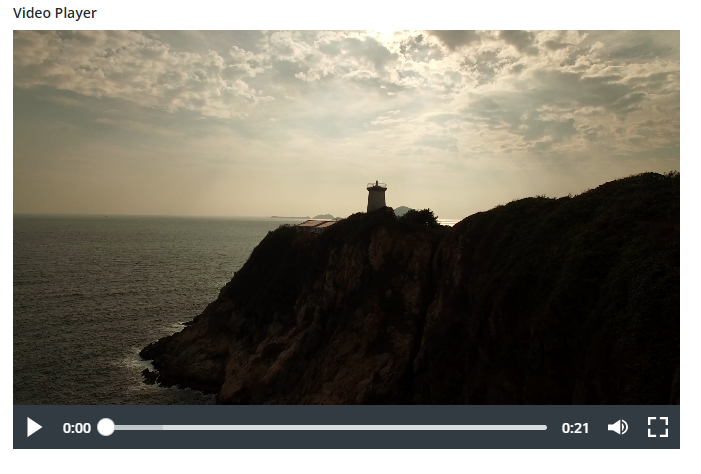
Overview
A ptcs-video displays an video file. It supports the video file formats that the browser supports.
The video size is responsive, relative to the video aspect ratio, until width and height are specified by the user.
The ptcs-video contains display and control bar areas.
The control bar container contains all the video controls which are :
* play/pause button
* timeline
* volume button
* download button
* full/exit screen button
Usage Examples
Basic Usage
<ptcs-video src="./sample-2.mp4"></ptcs-video>
Video with label
<ptcs-video src="./sample-2.mp4" label="Video Label"></ptcs-video>
Video with custom thumbnail
<ptcs-video src="./sample-2.mp4" thumbnail="./car.jpg"></ptcs-video>
Component API
Properties
| Property |
Type |
Description |
Default |
| label |
String |
Specifies the text of the Video label. |
|
| labelAlignment |
String |
Controls the alignment of the Video label. Options: left, center, right. |
left |
| isMuted |
Boolean |
Mute or unmute the video. Options: true, false. |
false |
| overlayControlBar |
Boolean |
Show or hide the control bar. Options: true, false. |
false |
| allowDownload |
Boolean |
Display the download button. Options: true, false. |
false |
| autoplay |
Boolean |
Load the video as autoplay. Options: true, false. |
false |
| thumbnail |
String |
Sets custom video poster. |
'' |
| currentTime |
Number |
Control the video current time in seconds. |
0 |
| duration |
Number |
Control the video duration in seconds. |
0 |
| volume |
Number |
Control the video volume between 0-100. |
100 |
| isFullScreen |
Boolean |
Sets the video on full screen. Options: true, false |
false |
| loadingState |
String |
Indicator of the video loading state. Options: idle, loading, loaded |
idle |
| videoEnded |
Boolean |
Get if the video is ended. Read only property. Options: true, false |
false |
| isBuffering |
Boolean |
Indicates if the video is currently buffering. Options: true, false |
false |
Methods
| Method |
Arguments |
Description |
| togglePlay |
none |
Toggle the play/pause button to play or not the video. |
| toggleFullScreen |
none |
Display the video on full screen or exit from it. |
| toggleMute |
none |
Control the volume button to be mute/unmute. |
| rewind |
none |
Rewind the video by 10 seconds. |
| fastForward |
none |
Fast forward the video by 10 seconds. |
Events
| Name |
Data |
Description |
| is-muted-changed |
{ value: Boolean } |
Updating the video mute state. |
Styling
Parts
| Part |
Description |
| label |
The Video label. |
| video-container |
The video container (video + control bar). |
| loading |
The loading frame. |
| hover-controls |
The hover frame controls. |
| rewind |
The rewind button. |
| play-pause-hover |
The play/pause button on hover |
| fast-forward |
The fast forward button. |
| end-screen |
The end frame. |
| control-bar-container |
The control bar container. |
| play-pause |
The play/pause button on control bar. |
| current-time |
The current time label on control bar. |
| timeline-slider |
The timeline slider on control bar. |
| duration |
The duration label on control bar. |
| volume-button |
The volume button on control bar. |
| volume-slider |
The volume slider on control bar. |
| download |
The download button on control bar. |
| full-exit-screen |
The full/exit button on control bar. |