Configuring Work Order and Appointment Status Mappings
You can configure status mappings from the Order Status field of the Salesforce Work Order object to the Status field of the Appointment object.
To configure Work Order and Appointment status mappings:
1. In Max Designer, click Developer Tools ( ) > , and then in the list view, click the appropriate Transform Template for the Salesforce org provisioned for your Service Board tenant:
) > , and then in the list view, click the appropriate Transform Template for the Salesforce org provisioned for your Service Board tenant:◦ WorkOrder to Job Update Template
◦ WorkOrder to Job Update Template - Foundation
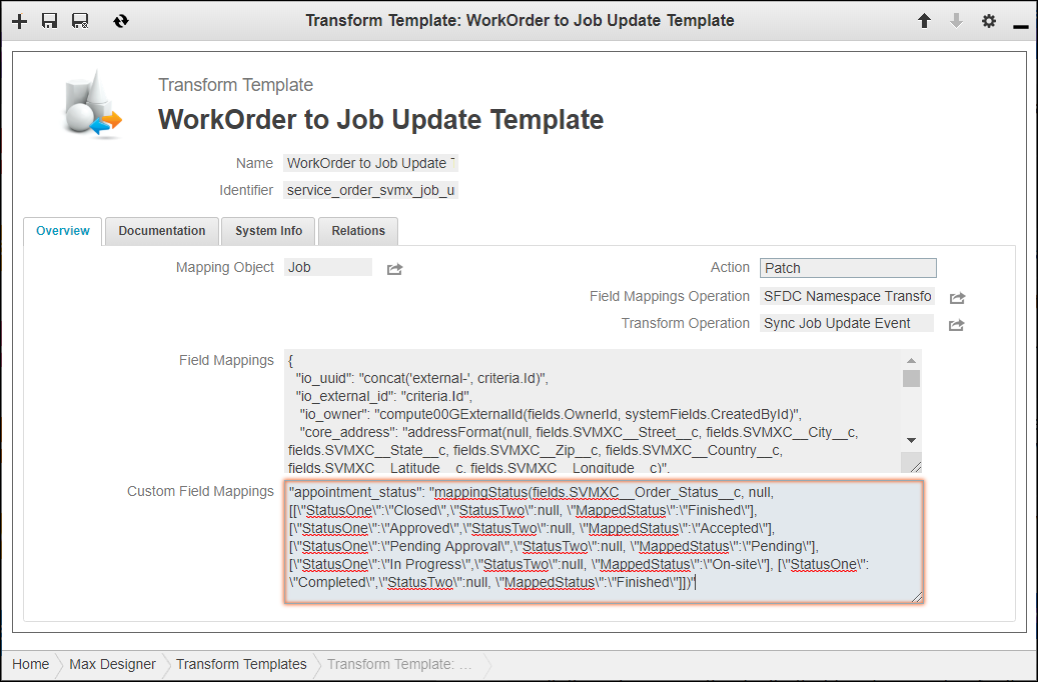
2. On the record page, on the Overview tab, in the Custom Field Mappings field, update JSON status mappings as follows, and then click Save ( ).
).
)."appointment_status": "mappingStatus(fields.SVMXC__Order_Status__c, null, [[\"StatusOne\":\"Closed\",\"StatusTwo\":null, \"MappedStatus\":\"Demo\"], [\"StatusOne\": \"Completed\",\"StatusTwo\":null, \"MappedStatus\":\"Finished\"]])"
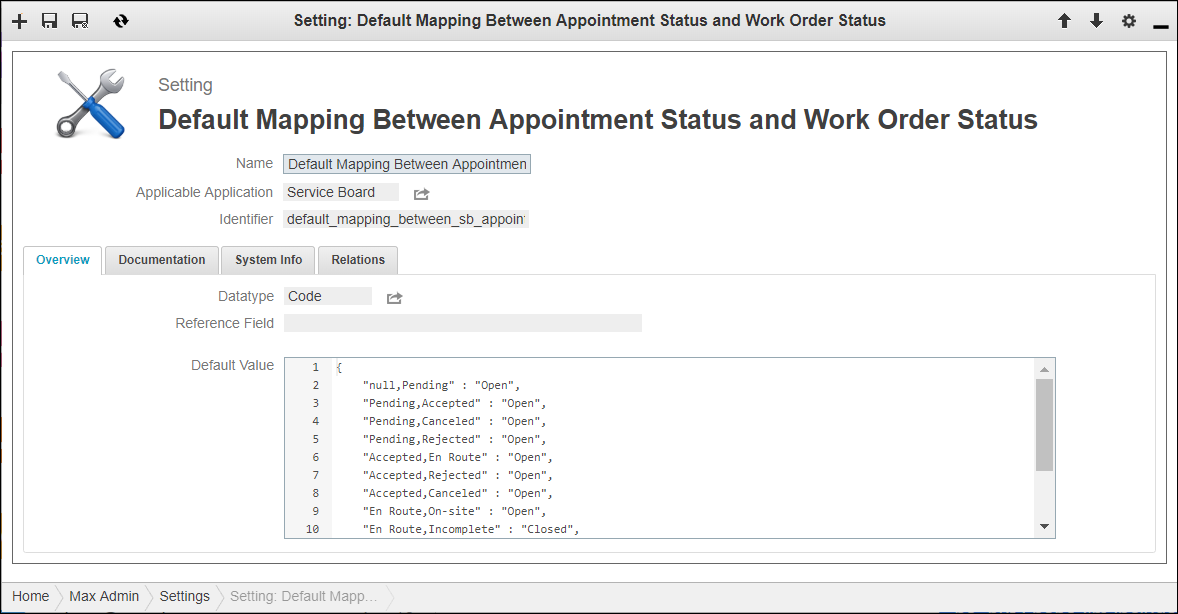
3. If the Salesforce org provisioned for your Service Board tenant is not Foundation-enabled, in Max Admin, click User Management ( ) > , and then in the list view, click Default Mapping Between Appointment Status and Work Order Status.
) > , and then in the list view, click Default Mapping Between Appointment Status and Work Order Status.4. On the record page, on the Overview tab, in the Default Value field, modify the JSON code, and then click Save and Close ( ).
).
).{
"svmx_appointment" : {
"null,Pending" : "Open",
"Pending,Accept" : "Open",
"Pending,Canceled" : "Open",
"Pending,Rejected" : "Open",
"Accepted,En Route" : "Open",
"Accepted,Rejected" : "Open",
"Accepted,Canceled" : "Open",
"En Route,Onsite" : "Open",
"En Route,Incomplete" : "Closed",
"En Route,Canceled" : "Canceled",
"Onsite,Finished" : "Completed",
"Onsite,Incomplete" : "Closed",
"Onsite,Canceled" : "Canceled"
}, "svmx_job" : {
"null,Canceled" : "Canceled"
}
}
 |
Typically, the Order Status field is updated based on status changes in Appointment records. For Jobs without scheduled Appointments, Service Board uses the default status mappings between Jobs and Order Status values defined in the svmx_job section. For example, when Jobs that are not yet dispatched are canceled, Service Board uses these mappings.
|
5. For Foundation-enabled Salesforce orgs, in Max Designer, click Administration ( ) > > , and then in the list view, click Foundation Workflows.
) > > , and then in the list view, click Foundation Workflows.6. On the record page, on the Setting Values tab, click Default Mapping Between Appointment Status and Work Order Status - Foundation, and then on the Setting Value record page, update the Value field to customize the mappings.