Configuring AI Agent Skills
Agent skills are reusable logic units that allow ServiceMax AI to perform deterministic operations, such as calculations and database queries. You can configure agent skills in the AI console, so they can be used in AI actions to deliver consistent and reliable results.
You can perform the following actions for agent skills:
• Create Agent Skills Create new agent skills in addition to the existing out-of-the-box (OOTB) agent skills.
• Edit Agent Skills Modify OOTB skills or the new skill you create.
• Delete Agent Skills Remove agent skills that are no longer in use.
• Review Generated Agent Skill Plans Review the generated skill logic plan. You can regenerate the plan to revise the steps and logic.
• Use Agent Skills Add agent skills to AI actions.
To configure AI agent skill for AI actions, perform the following steps.
2. On the sidebar, select > .
The Agent Skills page displays all available agent skills.
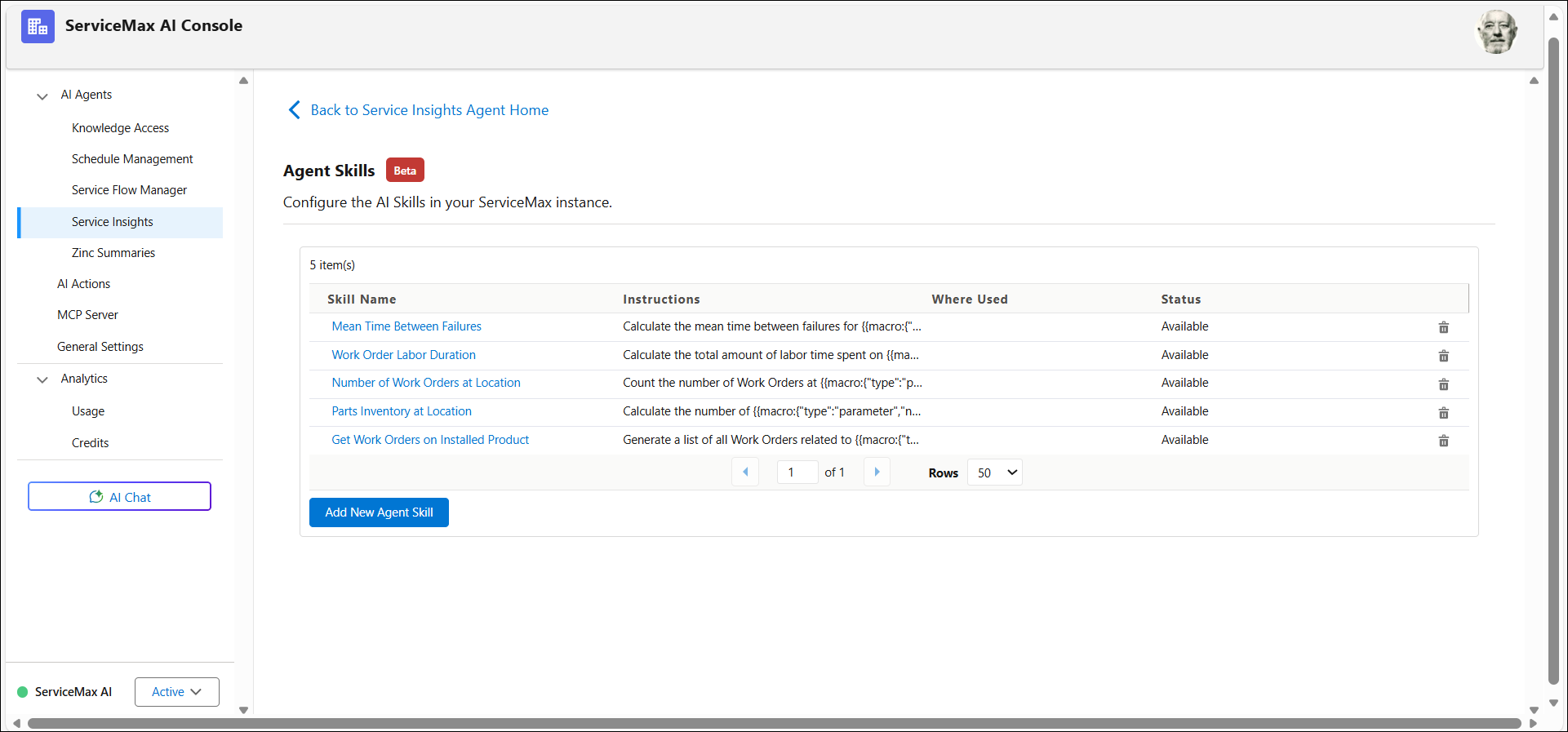
The following table describes the fields on the Agent Skills page:
|
Field
|
Description
|
|---|---|
|
Skill Name
|
The name of the agent skill.
|
|
Instructions
|
A brief description of what the skill does.
|
|
Where Used
|
Specifies where the skill is currently used. For more information, see Using Where Used.
|
|
Status
|
Indicates whether the skill is available. There are following statuses with respect to agent skill plan:
• Generating: When you save and generate a plan.
• Pending Generation: When you stop generating the skill plan.
• Edits Pending Approval: When the skill plan is generated but not approved.
• Available to AI: When you approve the generated skill plan and the skill is ready to use in AI Actions.
|
|
Delete
|
Deletes skills that are no longer in use.
|
3. Select the agent skill you want to configure.
The agent skill details page opens.
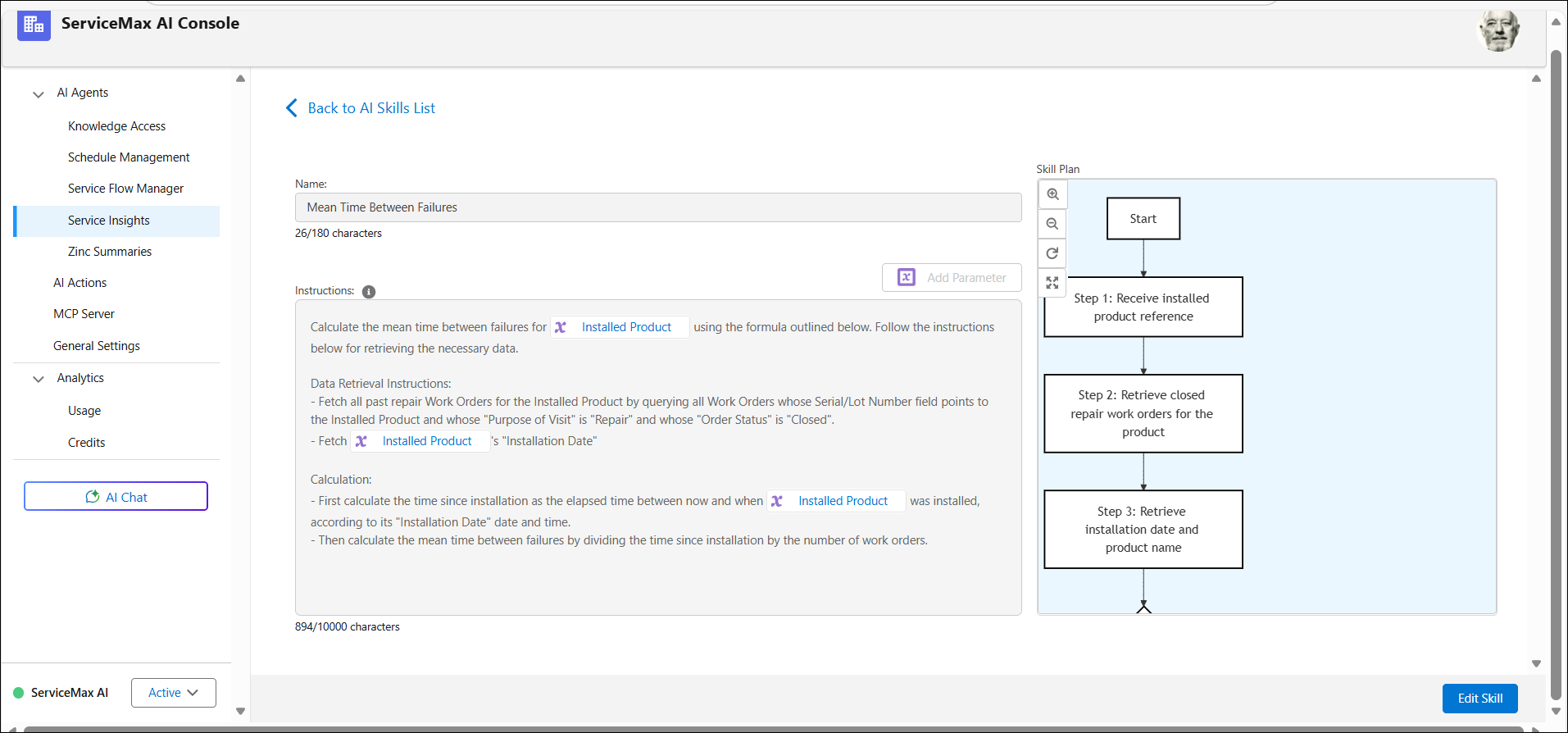
4. Click Edit Skill to modify the existing instructions.
5. Review the generated plan and approve it.
 |
You can regenerate the skill plan using the Regenerate Skill Plan button. Alternatively, close the draft plan and update the skill instructions later to generate a new plan.
|
6. Click Save and Generate Plan.
7. Open the AI Action that references the skill and verify that it executes correctly.
Once configured, agent skills can be invoked by AI actions to perform complex calculations or run queries.
|
|
The Migration tool does not yet support the AI Skill migration and is planned for future release. You need to manually migrate skills from org to another org.
|