Editing Agent Skills
You can edit pre-installed agent skills from the Agent Skills page. When you update an existing agent skill, the system regenerates the skill plan, which you can review and approve. Editing an agent skill allows you to refine logic or update parameters without changing the underlying AI action structure
|
Prerequisites
|
|---|
|
Before editing agent skills ensure the following:
• The agent skill is already installed or created.
• You have permission to manage agent skills.
|
To edit an agent skill, perform the following steps.
2. On the sidebar, select > .
The Agent Skills page displays the list of available agent skills.
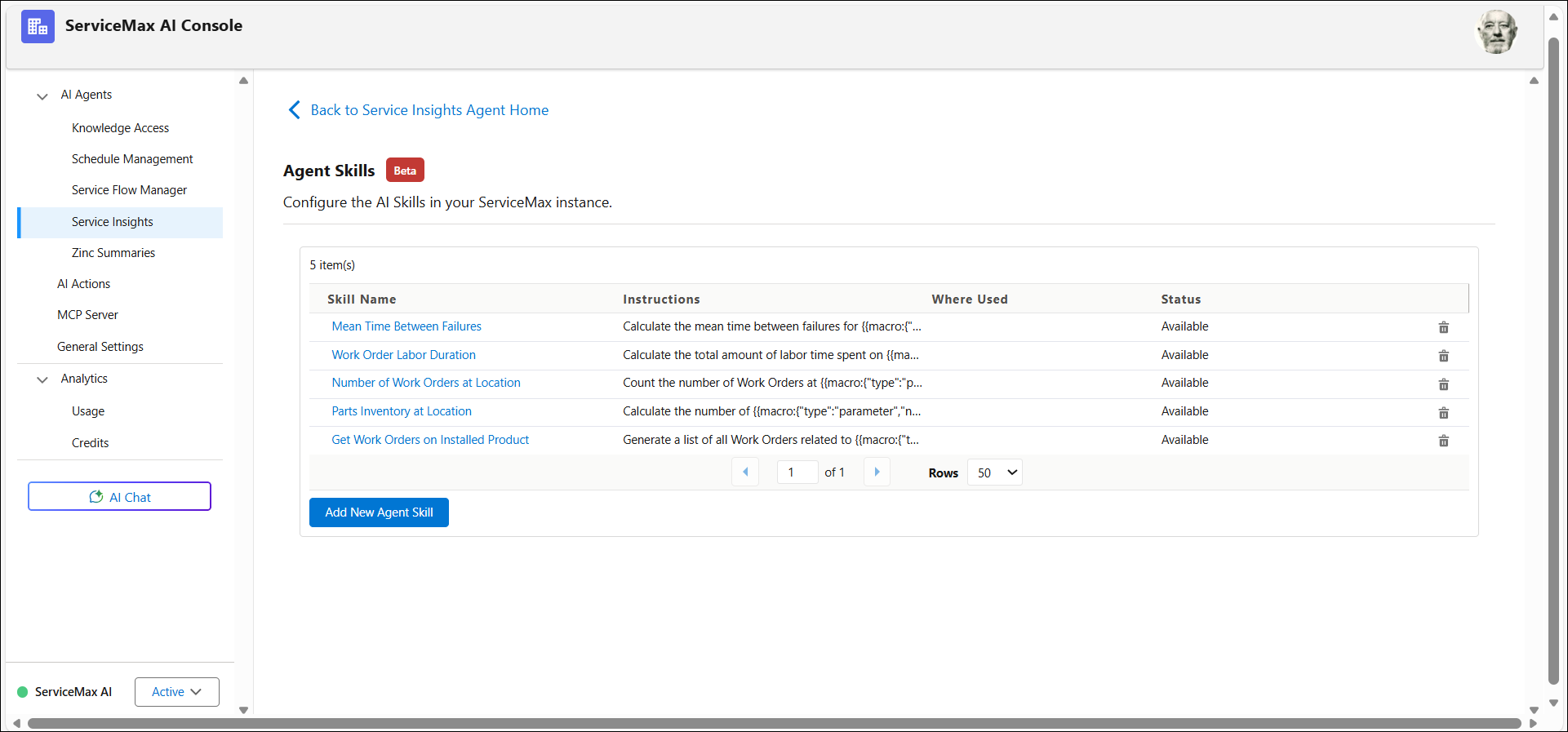
3. Select the agent skill that you want to edit.
4. Click Edit Skill to open the skill for editing.
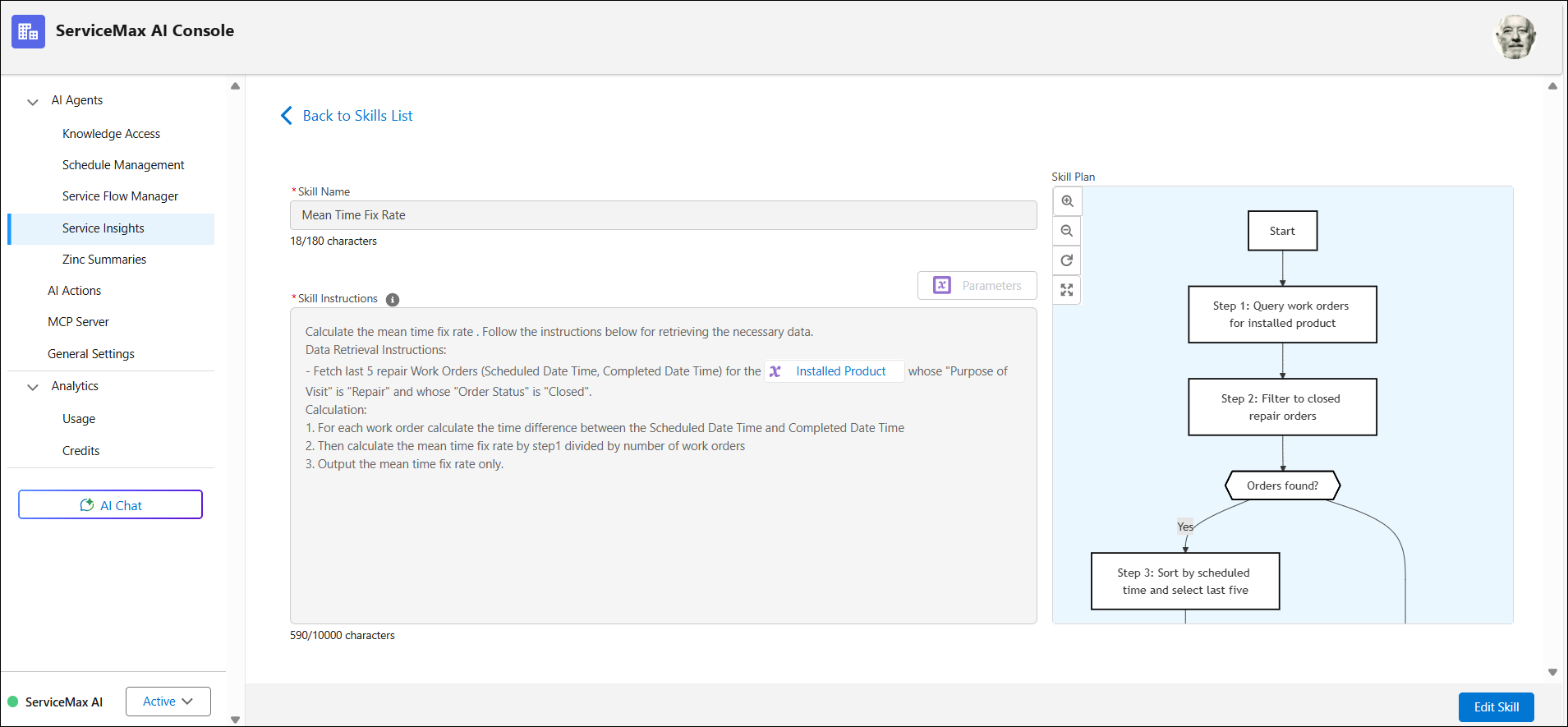
5. Update the logic, inputs, or outputs as required.
6. Click Save and Generate Plan to save and republish the agent skill. For more information, see Generating Agent Skills Plan.
 |
If no further changes are required, you can also close the draft by selecting Close Draft.
|
The agent skill is updated, and the revised logic is applied to all instances where AI actions reference the skill. For more information, see Using Agent Skills.