Deleting Agent Skills
You can delete agent skills from the ServiceMax AI Console to keep the list of available skills accurate and up to date. Remove agent skills that are no longer needed, or that are not referenced by any AI actions.
 |
If an agent skill is currently in use, the Delete button is disabled.
|
|
Prerequisites
|
|---|
|
Before deleting agent skills ensure the following:
• The agent skill is not required by any active AI actions.
• You have reviewed and revised all dependencies of agent skills in AI actions.
|
To delete an agent skill, perform the following steps.
2. On the sidebar, select > .
The Agent Skills page displays the list of available agent skills.
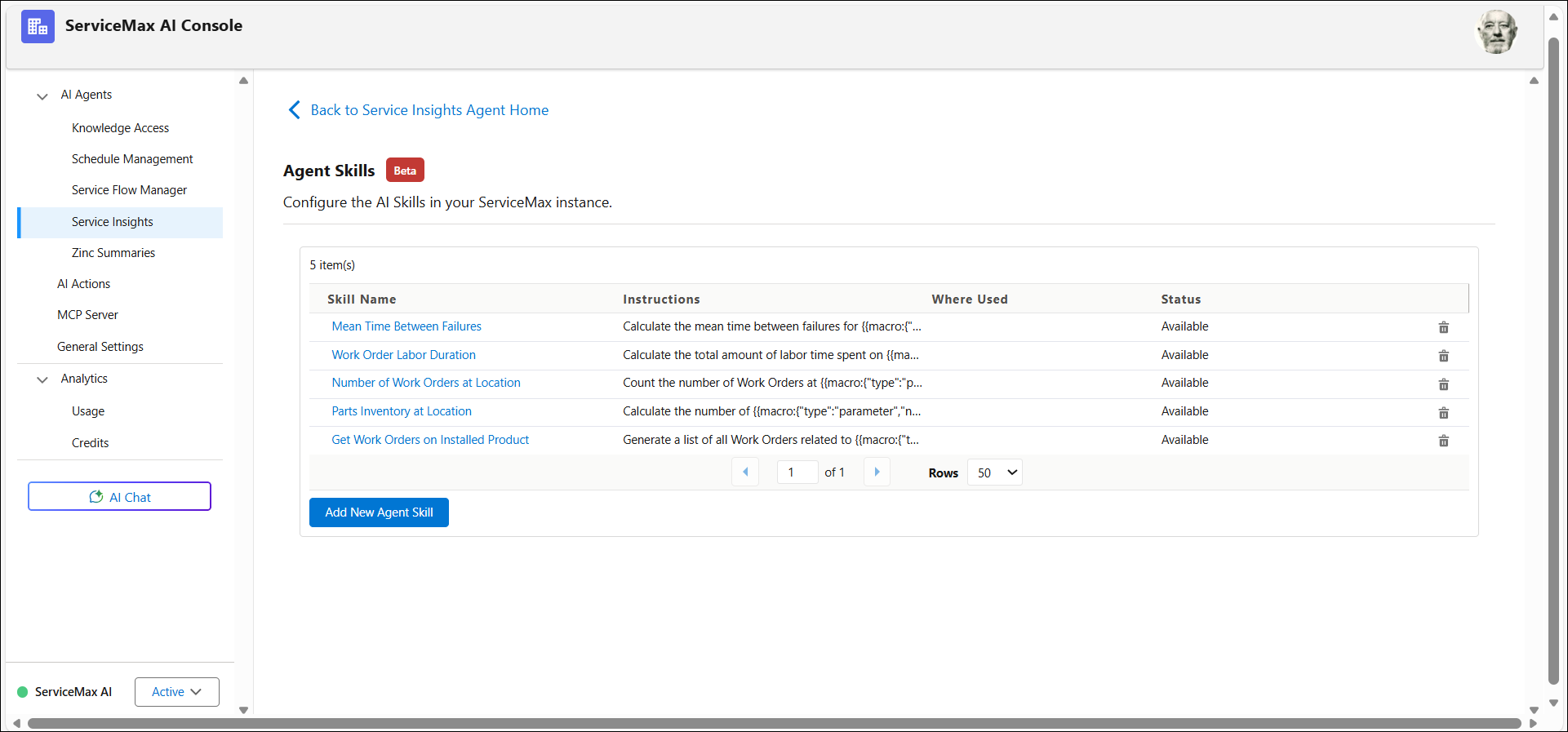
3. From the list, select the agent skill that you want to delete.
4. Review the AI Actions that reference the selected agent skill.
5. Remove or update any AI Actions to eliminate references to the skill.
6. Select the agent skill, and then click Remove.
The Confirm Removal dialog box appears.
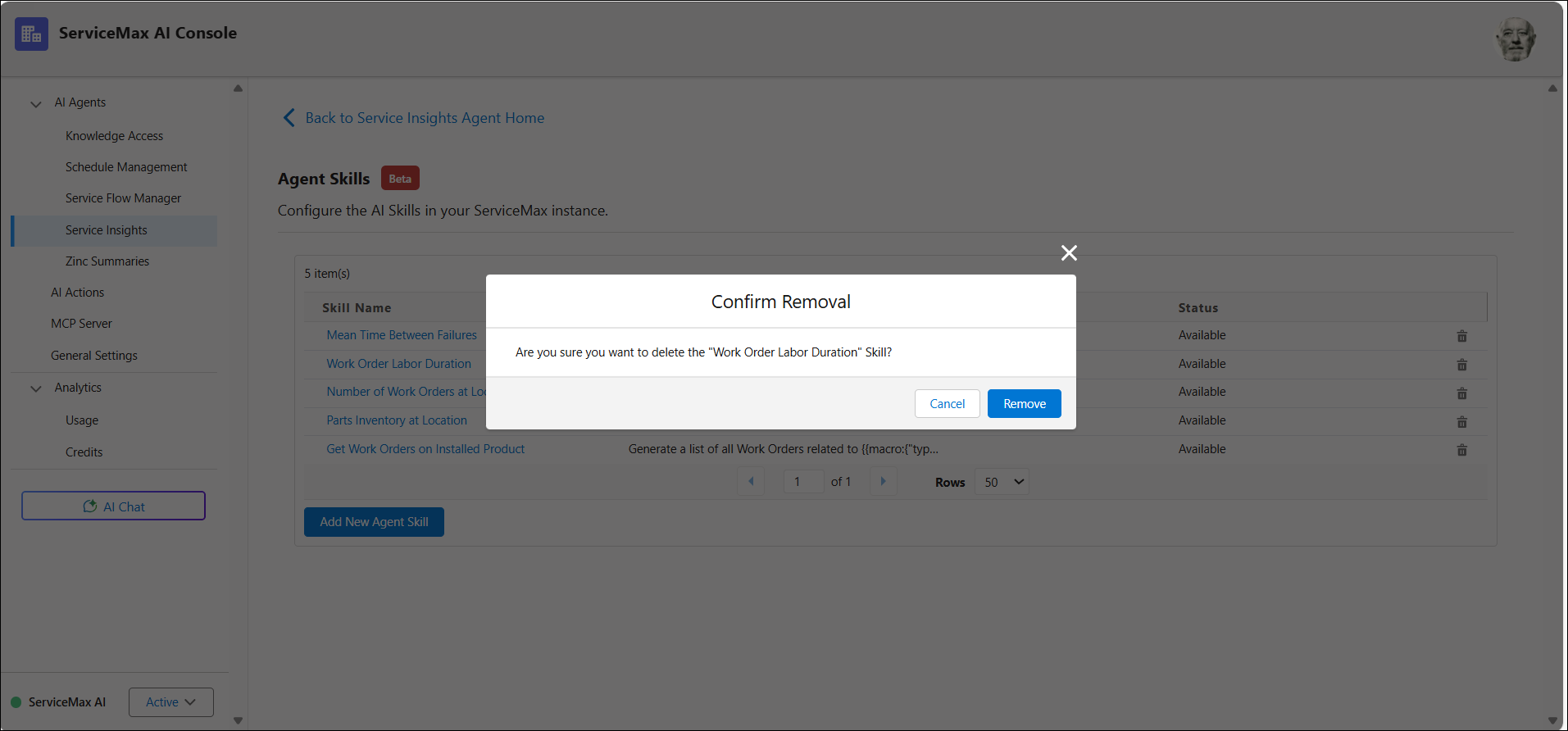
7. Click Remove to confirm.
The agent skill is marked for deletion.
8. Click Save.
The agent skill is deleted and is no longer available for use in AI actions. For more information, see Using Agent Skills.