Creating Agent Skills
Agent skills allow you define deterministic logic that ServiceMax AI can reuse for calculations, queries, and other structured tasks. These skills become available in addition to the out-of-the-box (OOTB) agent skills. Use the Agent Skills Composer to create and manage skills for the Service Insights agent. You write the instructions, add optional input parameters, and then generate and approve the skill. After approval, AI actions can use the skill.
|
Prerequisites
|
|---|
|
Before creating agent skills ensure the following:
• You have access to the ServiceMax AI Console.
• You have AI Admin or equivalent permissions.
• The required object (such as Case, Work Order, etc.) must be available in your org.
|
To create a new agent skill, perform the following steps.
2. On the sidebar, select > .
The Agent Skills page lists all available agent skills.
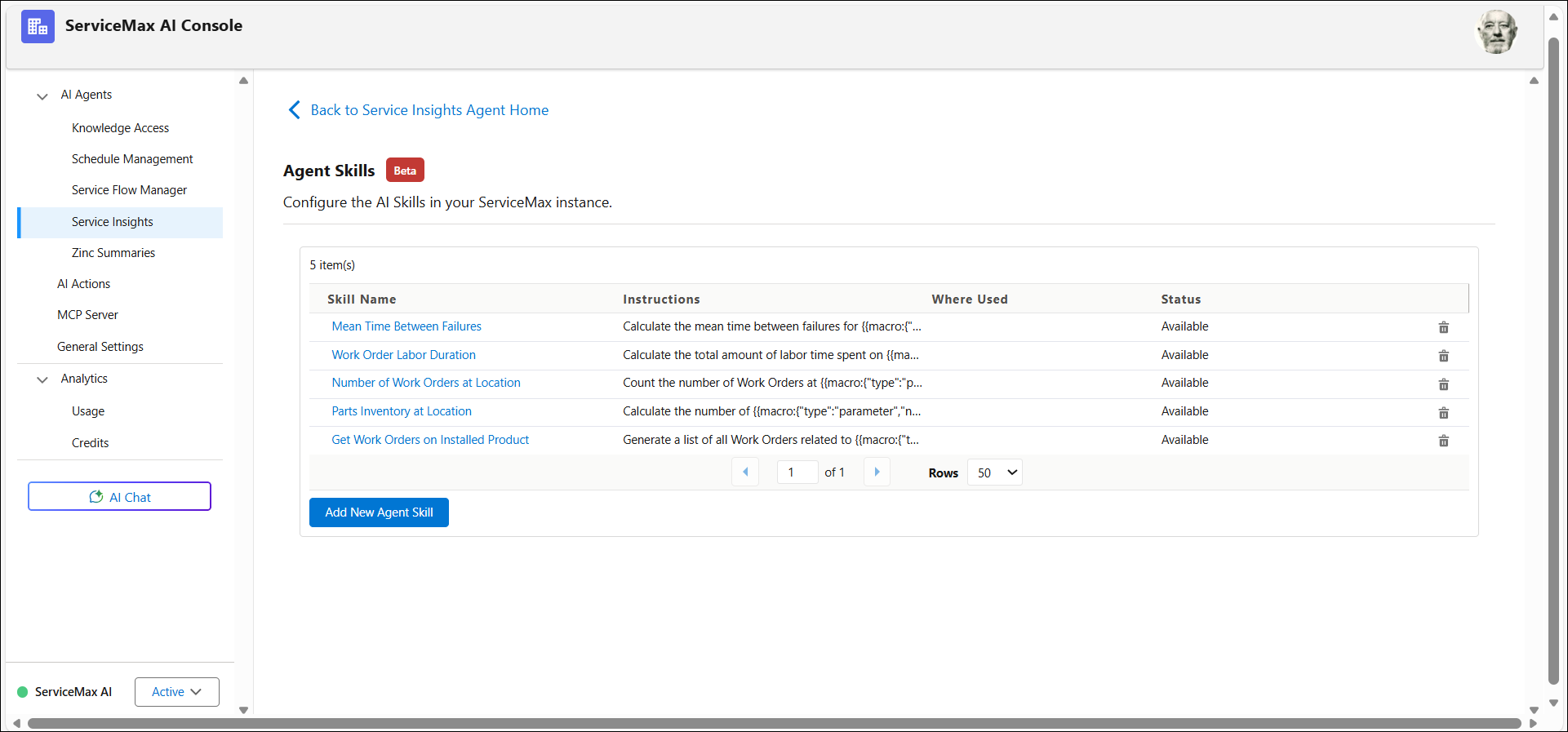
3. Click Add New Agent Skill. The creating new skill page opens.
4. Provide the following details for the fields below:
|
Field
|
Description
|
|---|---|
|
Skill Name
|
The name that identifies the agent skill and indicates the task or capability it provides. This must define whether the agent skills is of type calculation or query.
|
|
Skill Instructions
|
The instructions that define how the agent skill performs its task and how the AI should use it. This must include input parameter and expected output.
|
|
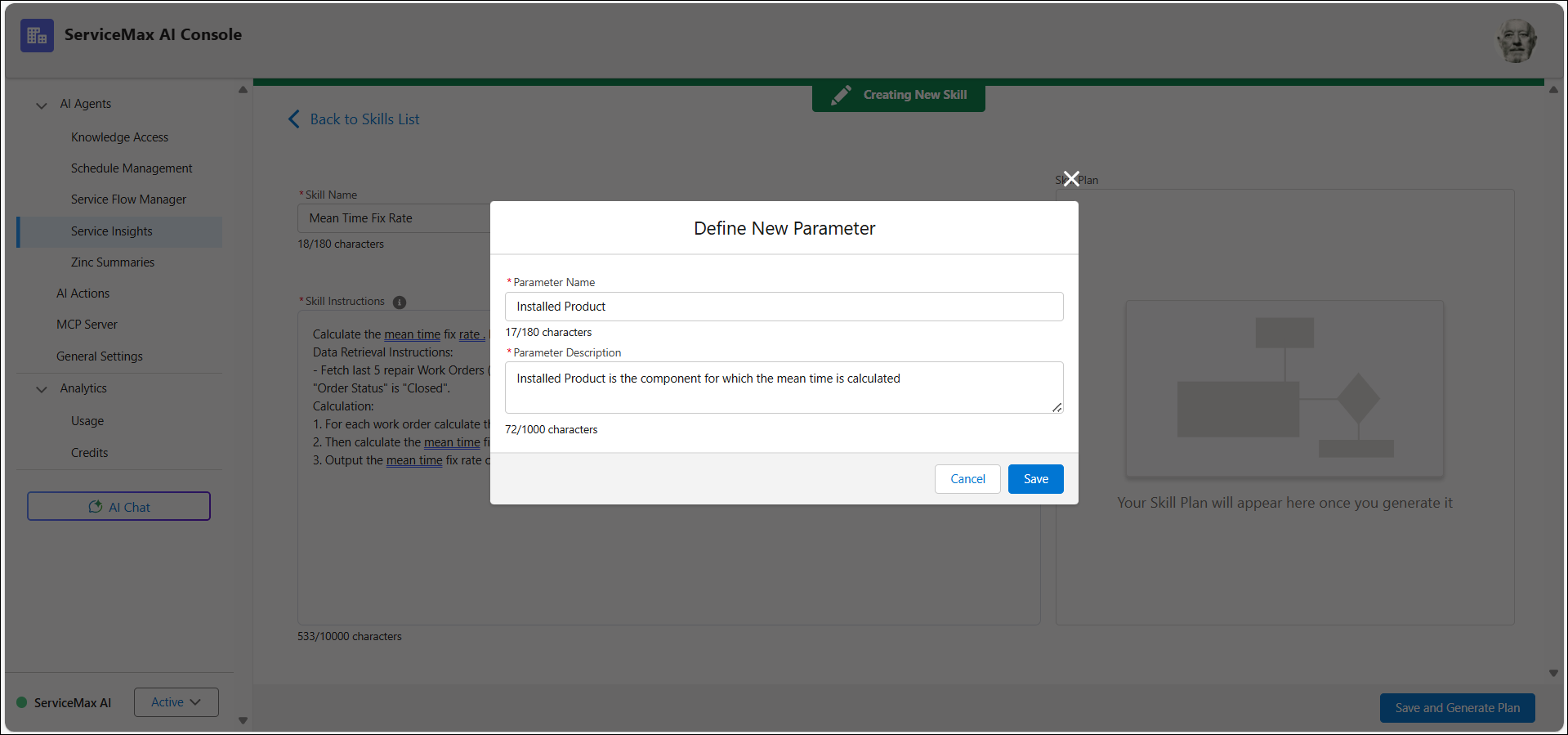
Parameter Name
|
The name of the object that the agent skill uses to run the task. For example, Installed Product.
|
|
Parameter Description
|
A brief explanation of what the parameter represents and how it affects the skill execution.
|
5. Enter the instructions for agent skills.
For example, to configure a Mean Time Between Failures skill:
◦ Identify the current installed product.
◦ Retrieve past repair work orders and installation dates.
◦ Calculate the mean time between failures.
 |
You can use a maximum of 10000 characters to write the instructions.
|
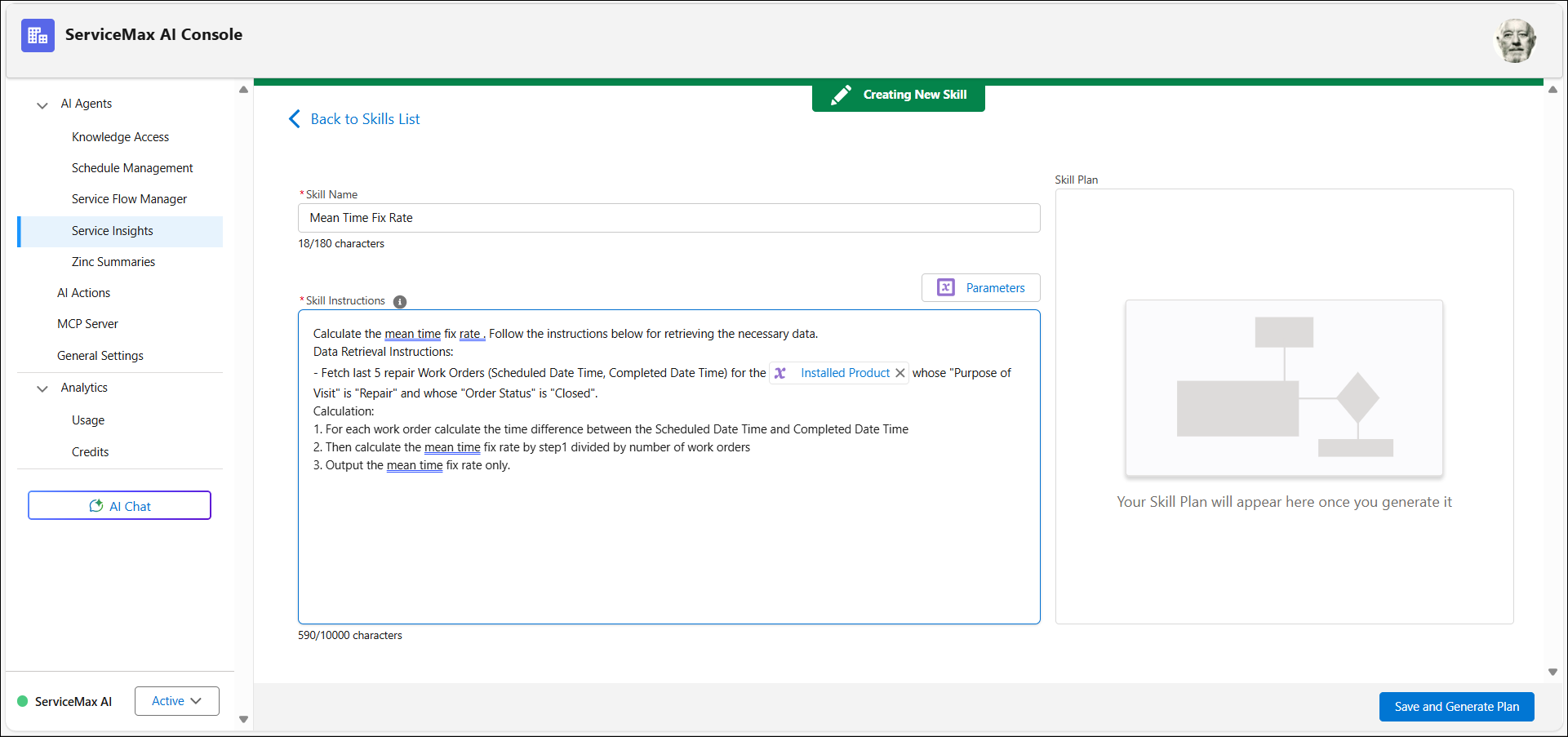
6. Select Parameters, then click Add New Parameter.
7. Enter the required information in the Define New Parameter window.
|
|
A maximum of five unique parameters can be used per skill.
|
8. Click Save.
9. Define deterministic logic for the skill.
10. To insert a new parameter, type a forward slash (/) in the Skill Instructions field.
11. Click Save and Generate Plan to publish the agent skill.
The agent skill is now available for use in AI actions. For more information, see Generating Agent Skill Plan and Using Agent Skills.