Using ServiceMax AI Chat in Go Mobile App
The ServiceMax AI Assistant is a natural language interface embedded in the Go app. It was introduced to help you interact with service data more efficiently by allowing you to use intuitive prompts instead of navigating through multiple screens or menus.
You can use the assistant to quickly retrieve critical information such as work orders, product history, and inventory levels. It identifies who is logged in and responds with relevant data, which reduces search time and improves operational efficiency.
This feature supports fast decision-making and ensures accurate access to service data in field service environments. It enables you to focus on service delivery rather than system navigation.
|
Prerequisites
|
|---|
|
To enable this feature, ensure the following:
• You have access to the Go app on your device.
• Your user profile has permissions to view relevant records such as Work Orders, Installed Products, Locations, and Inventory.
• The ServiceMax AI Assistant icon is visible in the top menu of the Go app.
• Your organization has enabled the AI Assistant feature in the Go app configuration.
|
To use ServiceMax AI Assistant in Go Mobile app, perform the following steps.
On successful login, the home page is displayed.
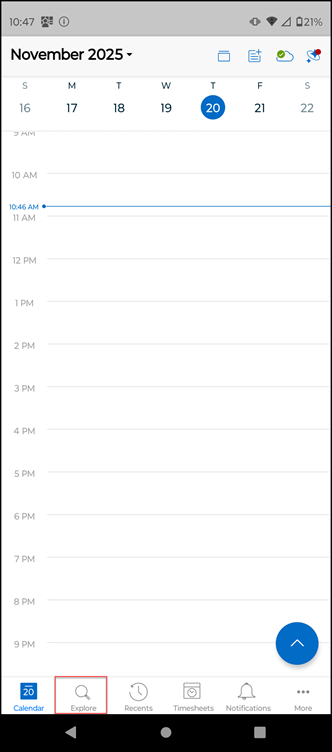
2. Tap Explore and tap Work Orders Search. This displays a list of Work Orders.
 |
You can also open ServiceMax AI Assistant from the top icon on the Calendar page too.
|
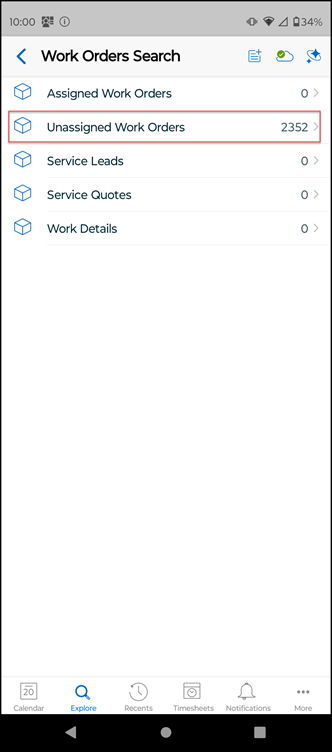
3. Select any one of the following from the type of Work Orders in the menu. For example, Unassigned Work Orders.
4. Tap Unassigned Work Orders. This displays a list of work orders to select from.
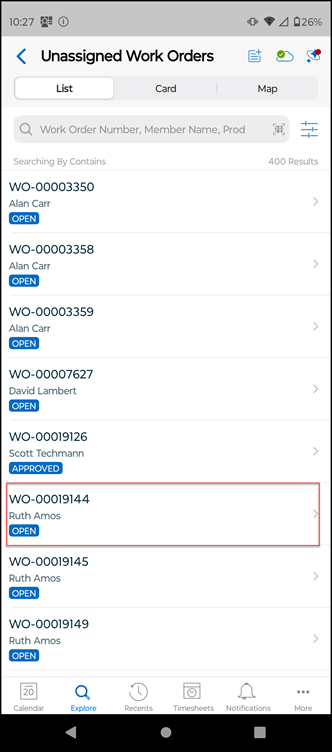
5. Search and select a work order from the list. For example, WO-00019144.
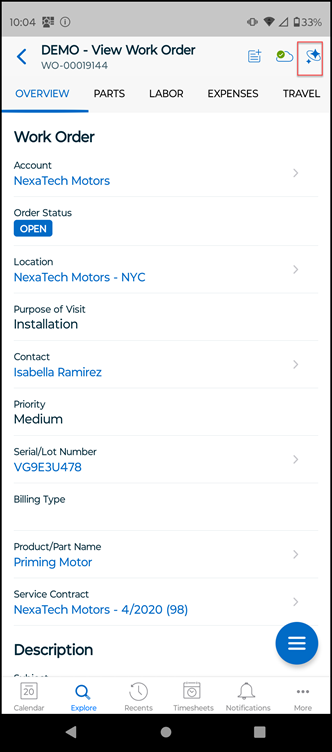
6. Select the ServiceMax AI Assistant icon from the top menu on the work order view.
The ServiceMax AI Assistant is displayed with the following details.
|
Field
|
Description
|
|---|---|
|
Hamburger icon
|
View past conversations.
|
|
X icon
|
Closes the current window.
|
|
Learn More
|
Provides additional information about how AI responses are generated.
|
|
AI Greeting
|
A standard onboarding message to help you start a conversation.
|
|
Write a message...
|
The input field for your prompts.
|
|
Send Button
|
An arrow icon used to submit the prompt.
|
|
Saved Prompts
|
Displays the list of saved prompts. This area will be empty if no prompts are saved.
|
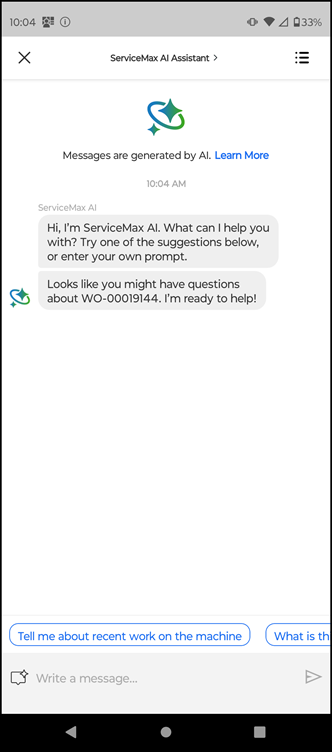
7. In the input field, type your questions and tap the Send button. For example, Tell me more about this Work Order.
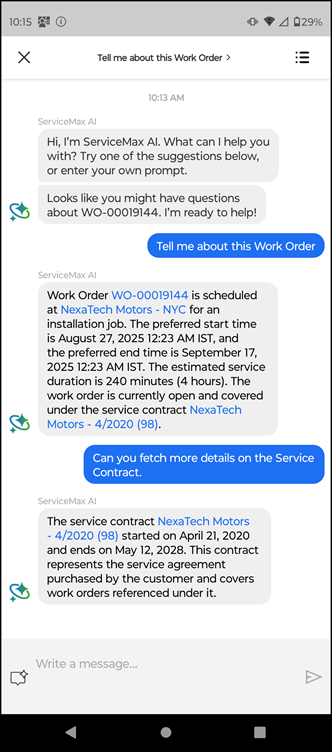
The AI response displays quick summary of the work order including important details like Location, Start Time, Preferred End Time, Estimated Service Duration, Work Order Status, and Service Contract details.
|
|
If you have access to the displayed records, the record names appear as blue clickable links. Tapping a link opens the record within the Go app.
|
8. In the input field, type a follow-up question. For example, Can you fetch more details on the Service Contract.
The AI checks the Service Contract details and displays the Service Contract Name, Start and End Dates and other details.
|
|
If multiple records match a product name, the assistant will prompt you to select the correct one.
|
9. Use AI actions for user-scoped questions through automation.
Related Topics