Using Multilingual Support
End users can interact with AI Chat in their preferred language. The AI automatically detects the language of the query and responds accordingly. This feature enhances user experience by allowing natural language conversations without requiring manual translation. Users benefit from localized UI labels and system messages, making the interface intuitive and accessible.
|
Prerequisites
|
|---|
|
• Language preference must be set in the user profile. For more information, see Language Support.
|
To use multilingual support, perform the following steps.
1. Open the ServiceMax Go app and tap the AI Chat button.
The ServiceMax AI Chat is displayed with UI labels and system messages reflect the selected language.
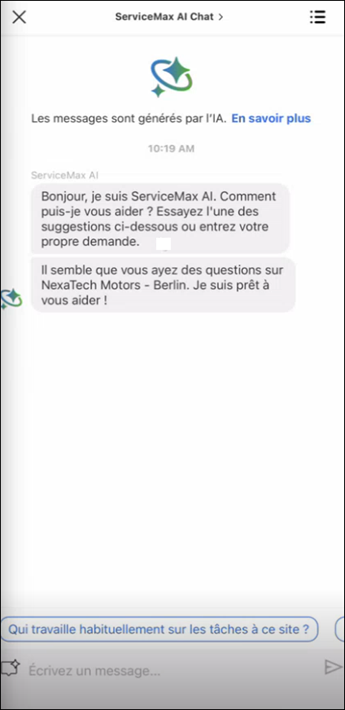
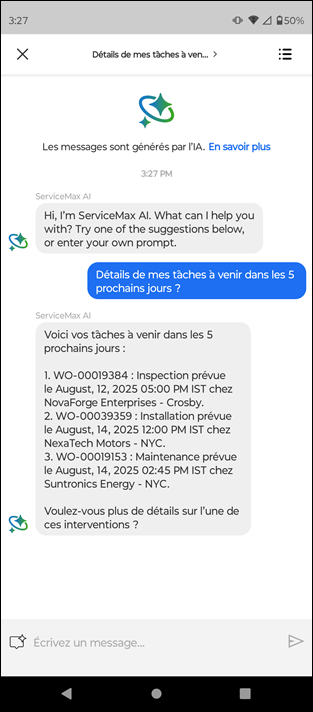
2. In the input field, type your question in your preferred language and tap the Send button.
The AI responds in the same language as the query.
Language support in AI Chat empowers users to communicate naturally and effectively. It reduces language barriers, improves comprehension, and enhances the overall usability of the AI system.
Use Case
Standardizing Multilingual Interactions for Field Service Support
Role: Technician
A technician at Iniscope International services equipment at a customer site in Japan and interacts with the AI assistant in Japanese. The technician asks troubleshooting questions and receives accurate responses in Japanese, including step-by-step guidance and safety instructions. When escalating an issue, the technician enters additional details in Japanese, which are preserved and understood by the system. This ensures that technicians can work in their preferred language without translation barriers, improving efficiency, reducing errors in interpretation, and enabling consistent service delivery across global regions.