Using AI Actions in Go Mobile App
The AI Actions feature enables users to execute AI-powered actions within the Go mobile app while working on records. It enhances productivity by enabling users to generate summaries, insights, or other AI-driven outputs without leaving the record context.
This capability primarily serves in the Field Service industry, and is designed for field technicians, service engineers, and operations managers who need real-time assistance while working on-site.
Use Cases
This feature supports common real‑world scenarios. For more information, see Use Cases for AI Actions to understand when and why to use it.
|
Prerequisites
|
|---|
|
To enable this feature, ensure the following:
• A ServiceMax AI license is assigned to the user.
• AI Actions are authored and published in the AI Console with clear instructions and agent assignments.
• AI Action Wizard Steps are configured in the org and assigned to the user profile.
• The required agents, such as ServiceMax (or Service Insights), Knowledge Access, and SFM, are enabled and accessible
• At least one AI Actions is added and available for the target object.
• You have access to the record (for example, a Work Order or Account) for which you want to run the AI Action.
|
To use an AI action in Go mobile app, perform the following steps.
1. Login to Go Mobile app with your credentials.
2. Search for the record where you want to user the AI Action.
3. Tap the menu button.
The Actions screen is displayed.
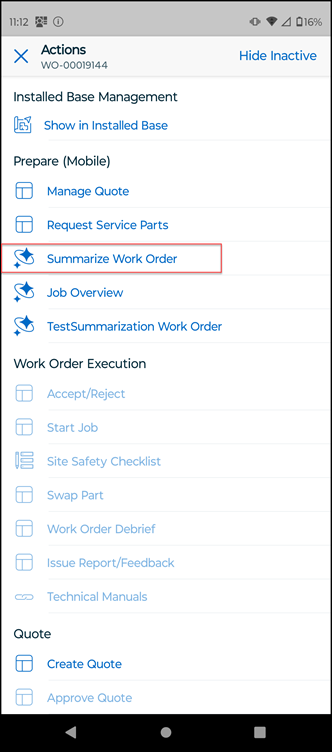
4. Tap the AI action you want to use. For example, Summarize Work Order.
The AI chat displays a summary of the work order.
5. Review the AI-generated summary, which combines data from all agents.
6. Close the record page.
Using AI actions in the Go mobile app, you can: