Enabling the Schedule Immediately With AI Action
 |
Service Board AI is a separately licensed Production Beta feature. The feature is disabled by default, and you must purchase a ServiceMax AI license before you can enable this functionality.
|
To make the Schedule Immediately With AI action available on the Job Action Menu, you must first enable it.
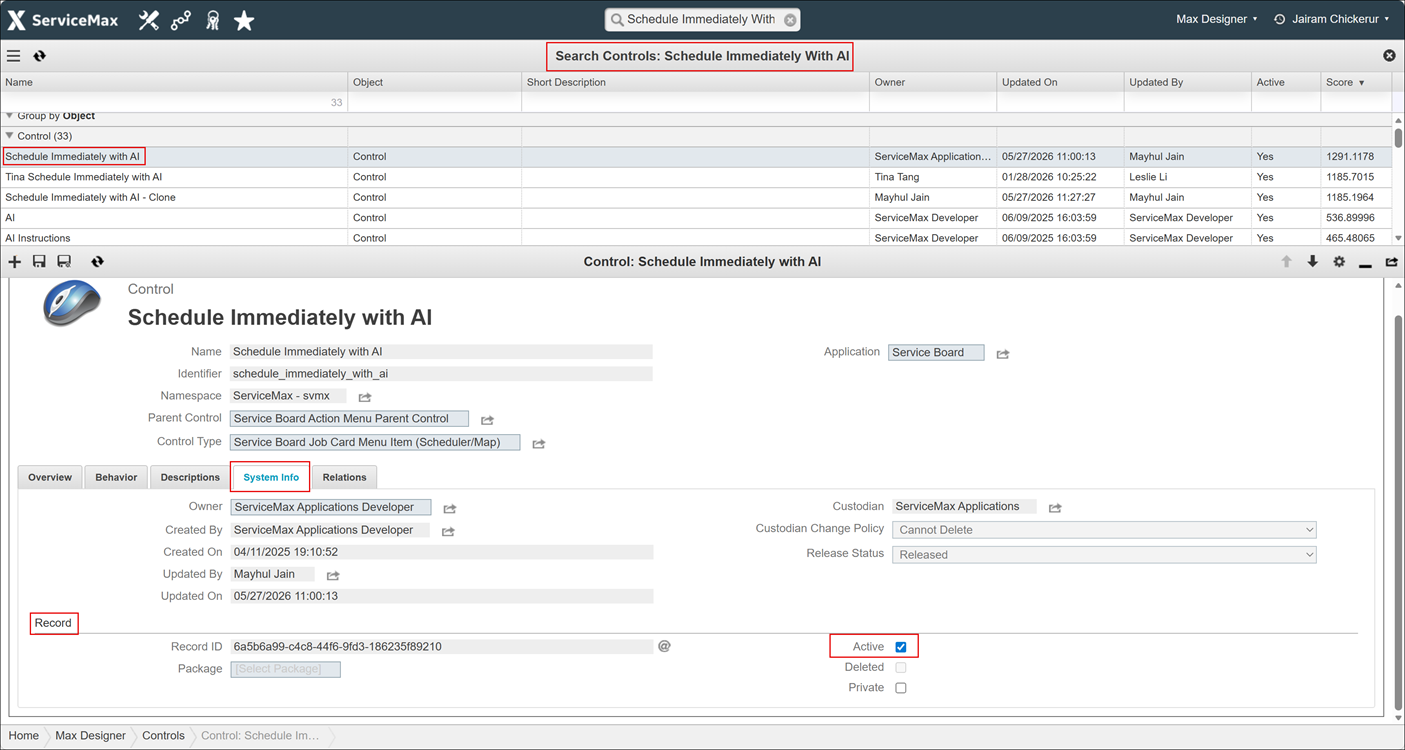
To enable the Schedule Immediately With AI action:
1. Go to > > > .
2. Locate and click Schedule Immediately With AI control.
3. On the System Info tab, in the Record section, select the Active check box.
4. Click Save Control and Close.
Related Topics