Configuring Parsing of Barcode and QR Code Scans
As a business administrator, you can configure the SFM Transactions to parse barcode scan results. When a barcode or QR code is scanned using the Go app, the data is automatically extracted and populated into the relevant fields based on the JavaScript code snippet you select. This can greatly streamline the process of entering data into the app, reducing the potential for errors and saving time.
Perform the following steps to configure the On Scan field event on a Transaction record to parse barcode scan results.
1. In your Salesforce org, go to > > , open a Transaction record.
2. In the Layout Editor tab, add or select a text field.
 |
The On Scan field event is applicable to text and text area data type only and can be configured on both header and child sections.
|
3. In the Field Properties section, expand Field Events.
4. For the On Scan field, select Execute JavaScript Code.
The Method field is displayed automatically to select the appropriate JavaScript Code snippet.
5. Select the configured code snippet for parsing of barcode scan results in the Method field.
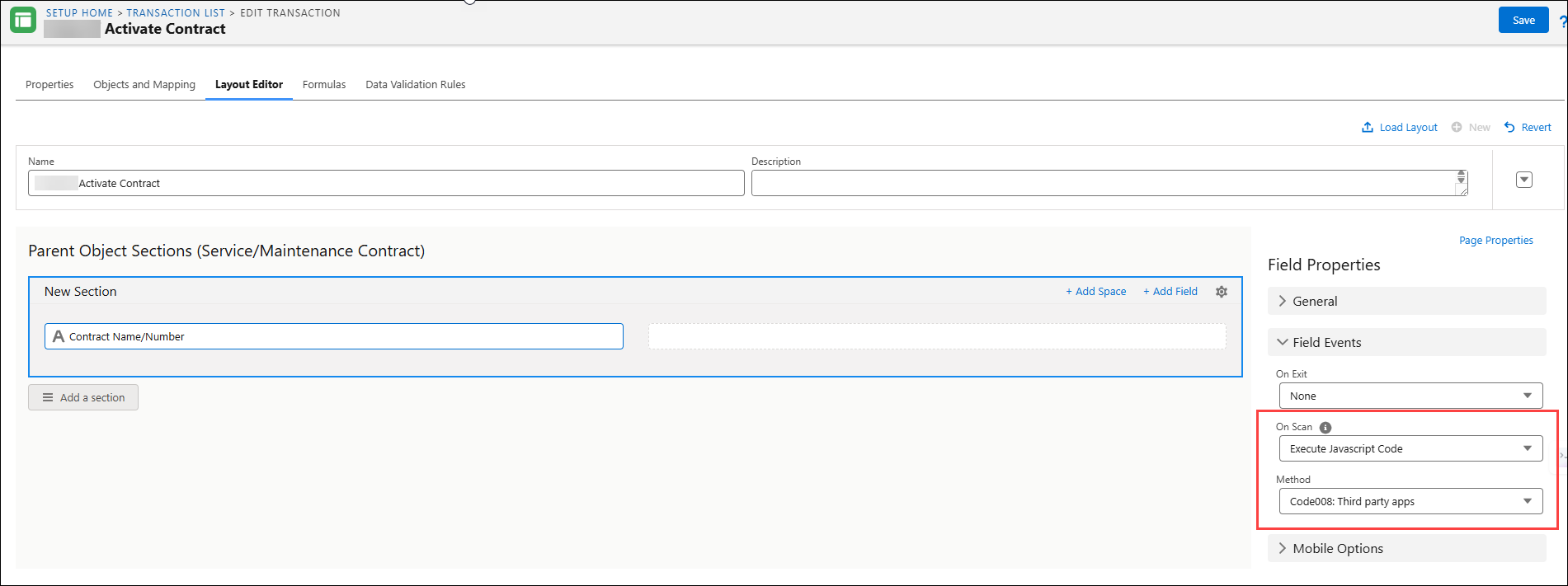
6. Click Save.
Reference Topics