Viewing Entitlement Rules
You can view and manage entitlement rules configured for Work Orders or Service Requests. From the Entitlement Rules page, you can review active and inactive rules and perform actions such as adding, editing, reordering, activating, deactivating, or deleting entitlement rules.
To view entitlement rules:
1. Go to ServiceMax Setup > Work Plan Management > Entitlement Rules.
The Entitlement Rules List View is displayed.
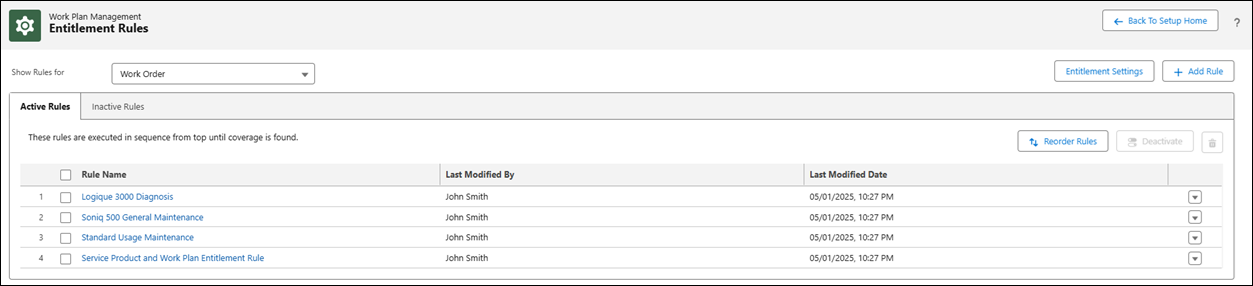
2. In the Show Rules For , select the Work Order or Service Request from the drop-down to view the list of entitlement rules created for Work Order or Service Request respectively.
By default, the list of entitlement rules for Work Order is displayed.
You can view the active and inactive entitlement rules in the Active Rules and Inactive Rules tab respectively.
3. You can also navigate to the Interactive Entitlement Settings page by clicking Entitlement Settings to define how entitlement information is displayed and managed during entitlement checks.
For more information, see Interactive Entitlement Settings.
In the Entitlement Rules page, you can perform the following: