Viewing Entitlement Rules in 25.1
To view entitlement rules:
1. Go to > > . The Entitlement Rules List View is displayed.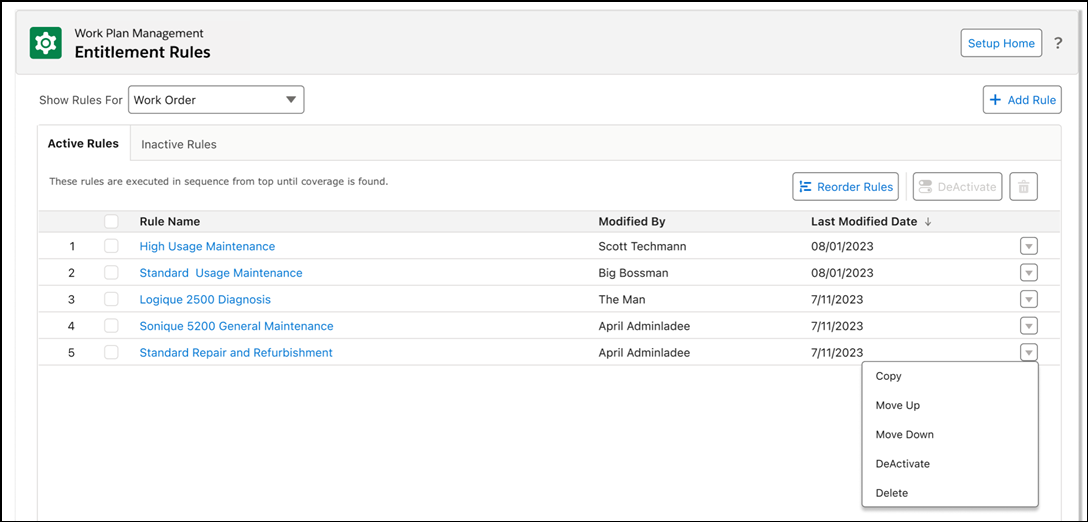
2. In the Show Rules For, select the Work Order or Service Request from the drop-down to view the list of entitlement rules created for Work Order or Service Request. By default, the list of entitlement rules for Work Order is displayed.
In the Entitlement Rules page, you can perform the following:
• Add an entitlement rule for Work Order or Service Request
• Activate or Deactivate Rules
• Reorder Rules