Reordering Entitlement Rules
As an admin, you can reorder the active rules defined for the Work Order and Service Request objects. This functionality allows you to prioritize rules according to your requirements.
1. Navigate to > > .
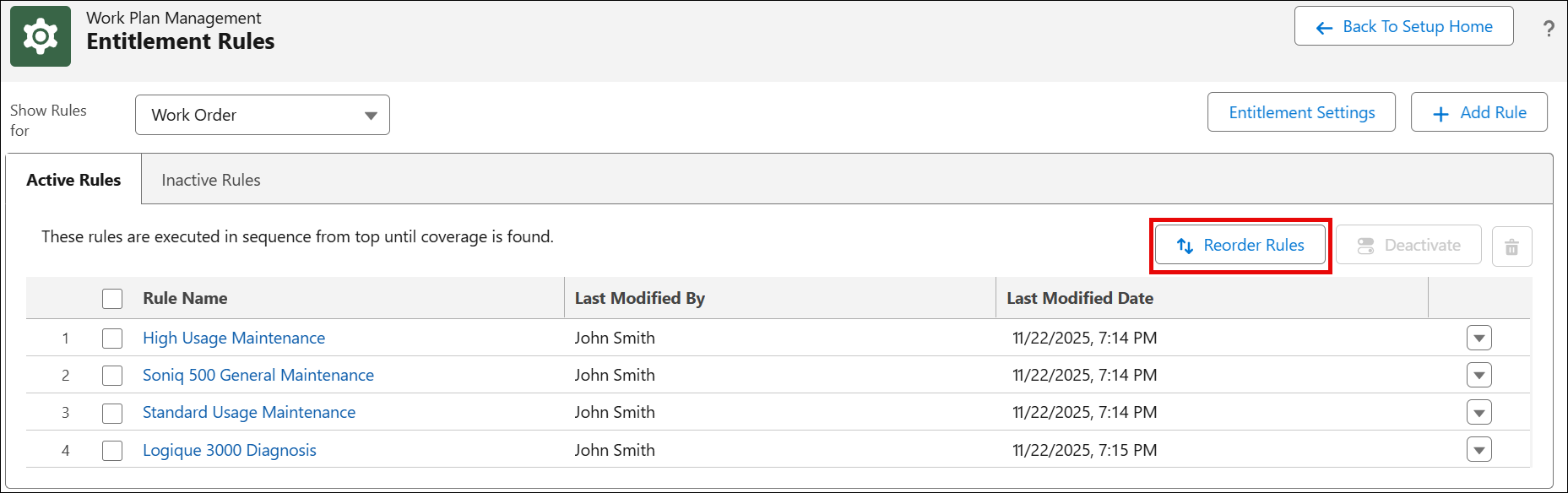
2. Click Reorder Rules.
A Reorder Rules modal window is displayed with the active rules in the current sequence.
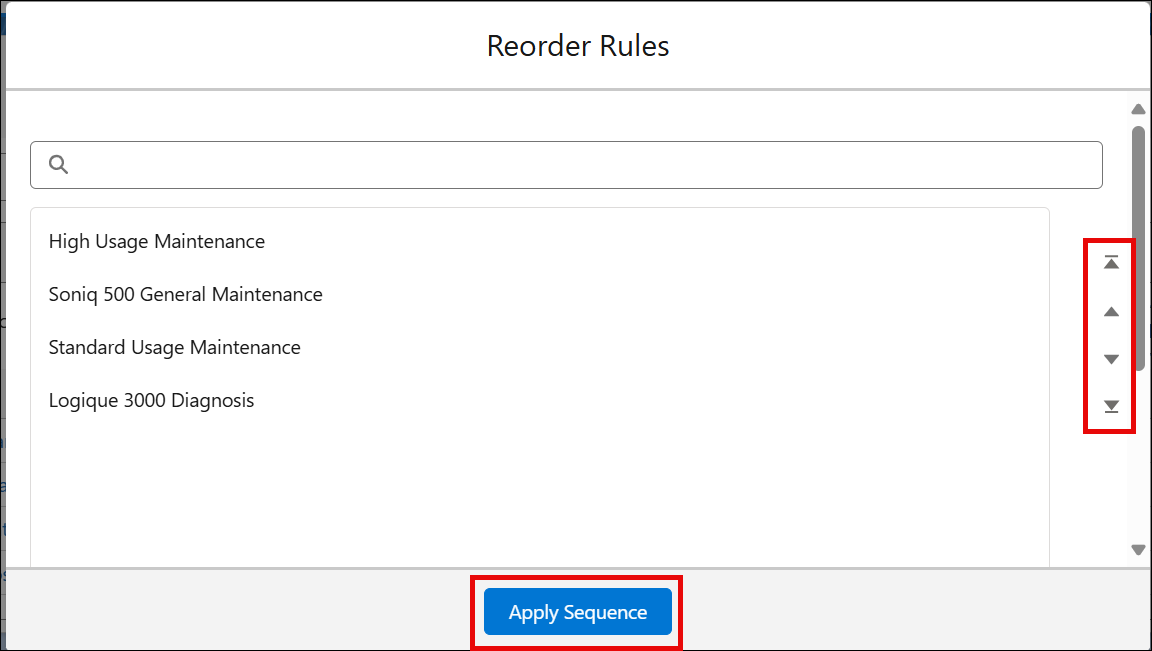
3. Select a rule and use the Move Up and Move Down options to rearrange it.
4. Click Apply Sequence to save the new sequence.
A confirmation message is displayed after successful validation.
The updated sequence is displayed in the Active Rules tab.