Deleting Entitlement Rule
You can delete an entitlement rule if it is no longer needed.
To delete an entitlement rule:
1. Go to ServiceMax Setup > Work Plan Management > Entitlement Rules.
The Entitlement Rules List View is displayed.
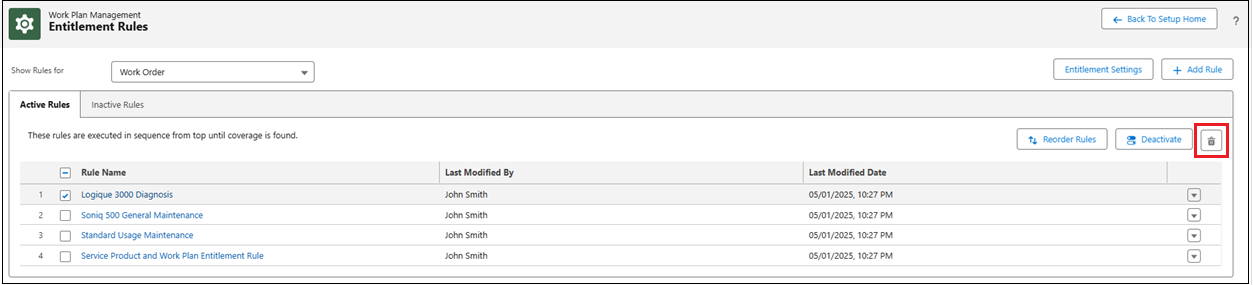
2. Select the entitlement rule(s) you want to delete from the Active Rules or Inactive Rules tab.
The Delete icon becomes available after you select one or more rules.
3. Click the Delete icon.
 |
You can also delete an entitlement rule by selecting it, clicking the More Actions menu next to it, and selecting Delete.
|
The Delete This Entitlement Rule? pop-up window is displayed.
4. Click Delete to confirm the deletion or click Cancel to discard the action.

The selected entitlement rule is permanently deleted, and a confirmation message appears at the top of the page.
|
|
Deleted entitlement rules cannot be recovered.
|