Cloning a Child Line
You can create a copy of an existing child line either directly from the list or while editing the child line details. Both options enable you reuse existing information and update only the fields that need to change.
 |
The clone feature is available only in Lightning Experience. Classic Experience does not support this feature.
|
Child Line List
To clone a child line from the list:
1. Open a record that contains the child line for cloning.
2. Launch an SFM.
The SFM Delivery page is displayed.
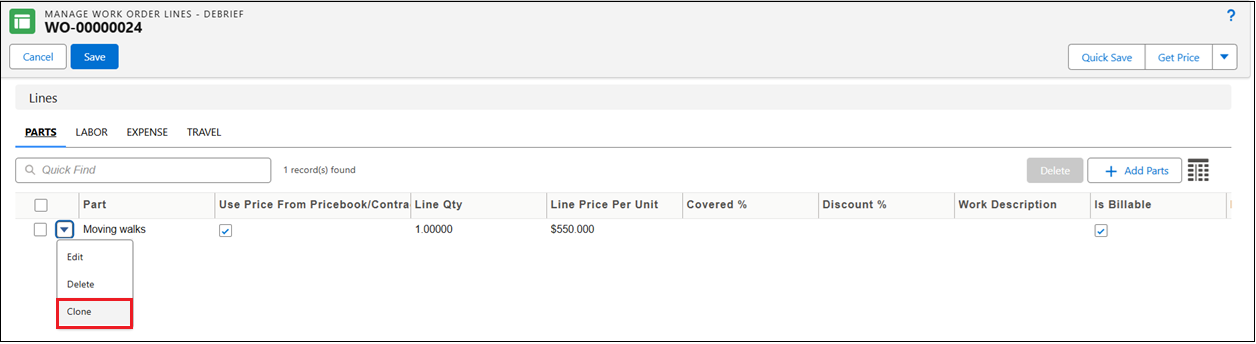
3. On an existing child line, select the menu icon, and then select Clone from the dropdown.
4. A duplicate child line is created. Update the required details.
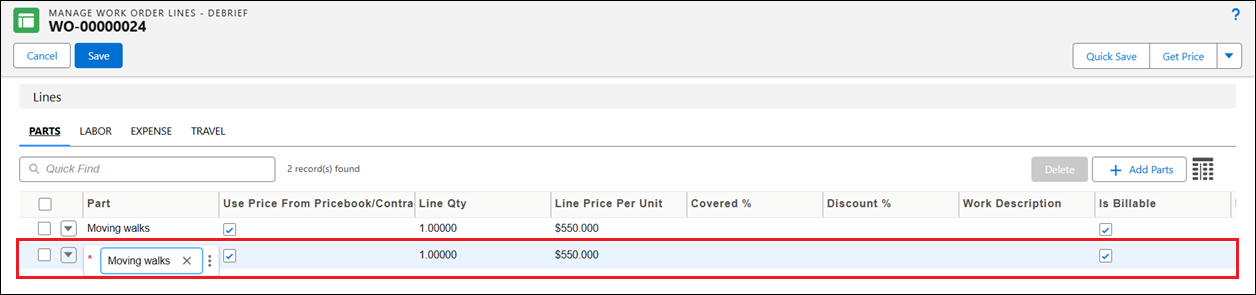
5. After making the necessary changes, click Save.
Child Line Edit Window
To clone a child line while editing:
1. Open a record that contains the child line for editing.
2. Launch an SFM.
The SFM Delivery page is displayed.
3. On an existing child line, select the menu icon, and then select Edit from the dropdown.
The Extended Edit pop-up window is displayed.
4. Update the required fields, and then click Update and Clone.
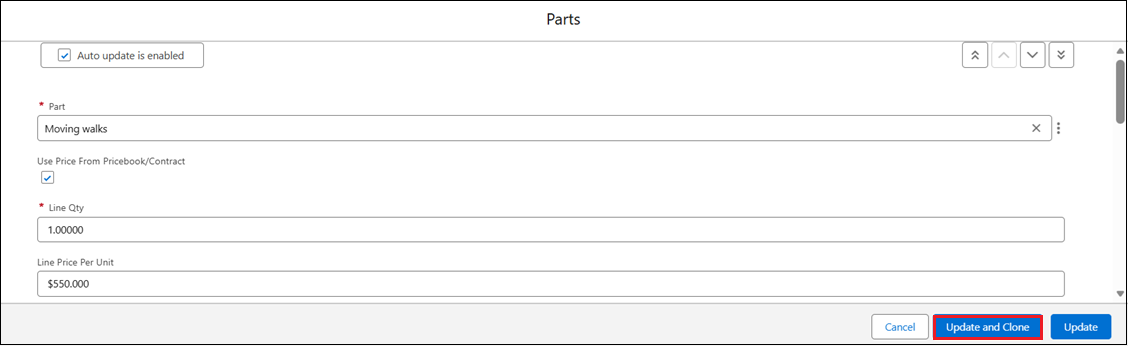
5. A duplicate child line is created. Update the required details.
6. After making the necessary changes, click Save.