Sort Jobs
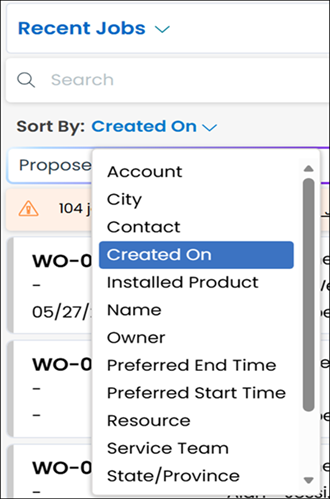
In the current single-page or multiple-page Job List, you can open the Sort By list and select a field by which to sort the entries. For the Recent Jobs view, the default sort field is Created On. Jobs are listed in descending order, and you can click the down arrow to toggle to ascending order.
 |
You can sort Job Lists, but you cannot sort Job Search results.
|
Sort Jobs in Classic Mode
| | The Classic user interface retires on November 8, 2026. All features are available in the Service Board Modern interface. We recommend switching to Service Board Modern at your earliest convenience to access the latest features. |
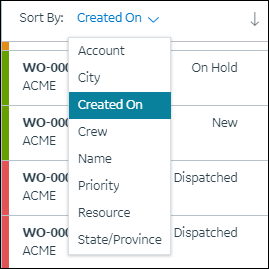
In the current single-page or multiple-page Job List, you can open the Sort By list and select a field by which to sort the entries. For the Recent Jobs view, the default sort field is Created On. Jobs are listed in descending order, and you can click the down arrow to toggle to ascending order.
| | You can sort Job Lists, but you cannot sort Job Search results. |
Related Topics
• Job List