Scheduling Service Task Appointments
You can schedule single or multiple Service Task Appointments in Service Task Planning mode.
To schedule Service Task Appointments:
1. Click > , and then drag and drop any of the following into an unscheduled time block in a Resource row on the Scheduler Calendar:
◦ Service Tasks
◦ Jobs associated with Service Tasks, Work Plans, or Service Products
◦ Service Products
◦ Work Plans
◦ General Tasks
After the available time slots for the Resource are identified, the Service Task Planning Calendar appears and displays temporary Appointments.
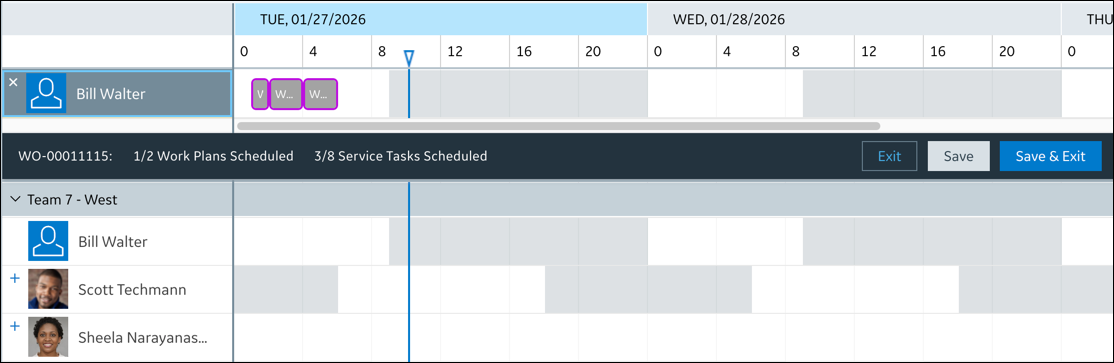
2. To schedule more Appointments, drag and drop items from the Job List into the Service Task Planning Calendar.
3. Do one of the following:
◦ To save the temporary Appointments and continue working in the Service Task Planning Calendar, click Save.
◦ To save the temporary Appointments and exit the Service Task Planning Calendar, click Save & Exit.
◦ To exit the Service Task Planning Calendar without saving the temporary Appointments, click Exit.
For more information: