Enable Pending HTTP Notification Alerts
Enable the system job that monitors pending HTTP notifications and sends alerts when the configured threshold is exceeded.
Pending HTTP notification alerts are inactive by default. Enabling the alert activates the system job that monitors the pending HTTP notification queue at regular intervals and sends email notifications when the set threshold is exceeded.
To enable pending HTTP notification alerts:
1. Go to > >
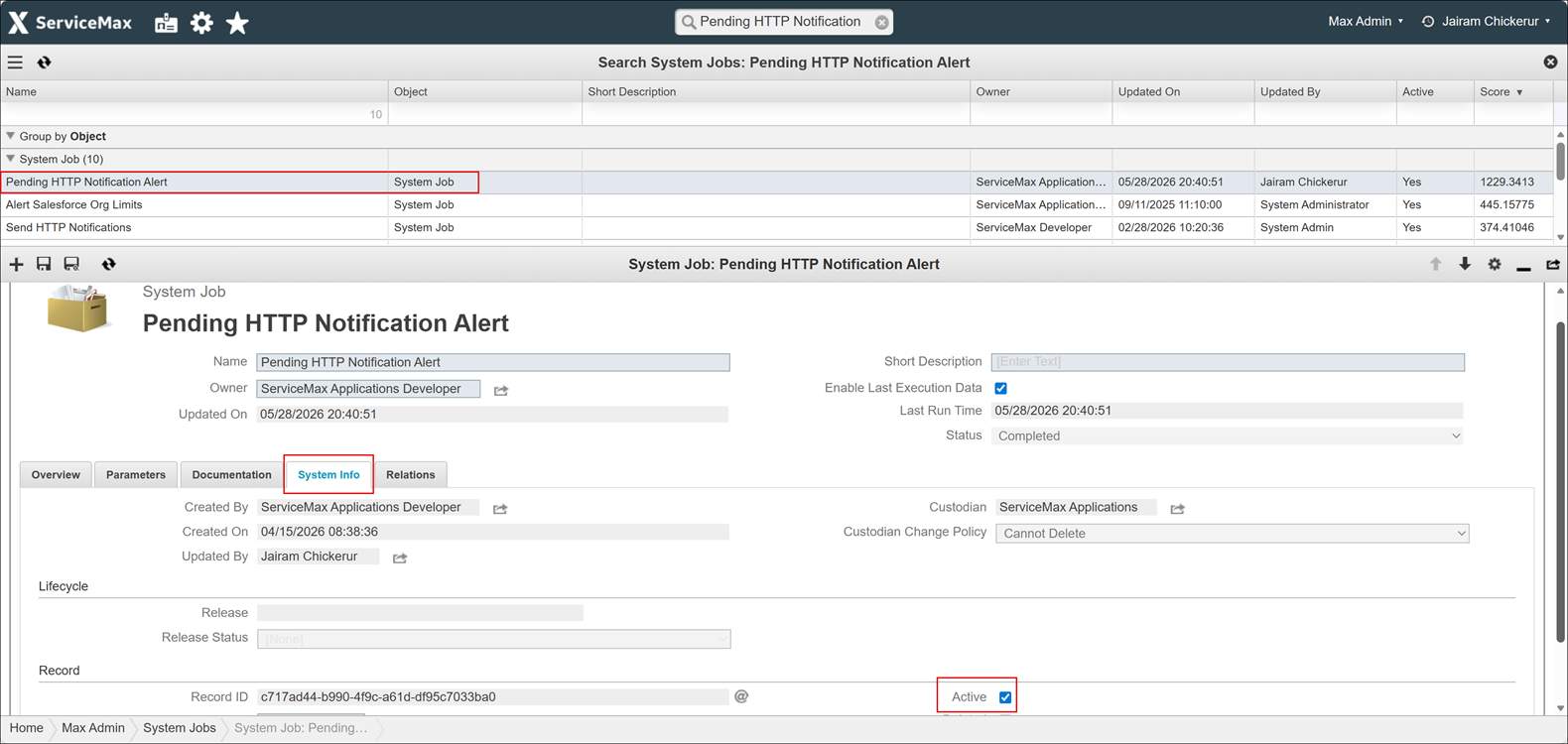
2. Search for or locate the job named Pending HTTP Notification Alert.
3. Click the job name to open its configuration page.
4. On the System Info tab, check the Active option. By default, the value is set to inactive.
5. Click Save.
Related Topics