Configuring Email Notification Request
Specify the email addresses that receive alerts when pending HTTP notifications exceed the configured threshold.
Alert recipients can include system administrators, support team members, and external email addresses. You can configure one or multiple recipients to ensure alert notifications reach the appropriate personnel.
To configure alert email recipients:
1. Go to > > .
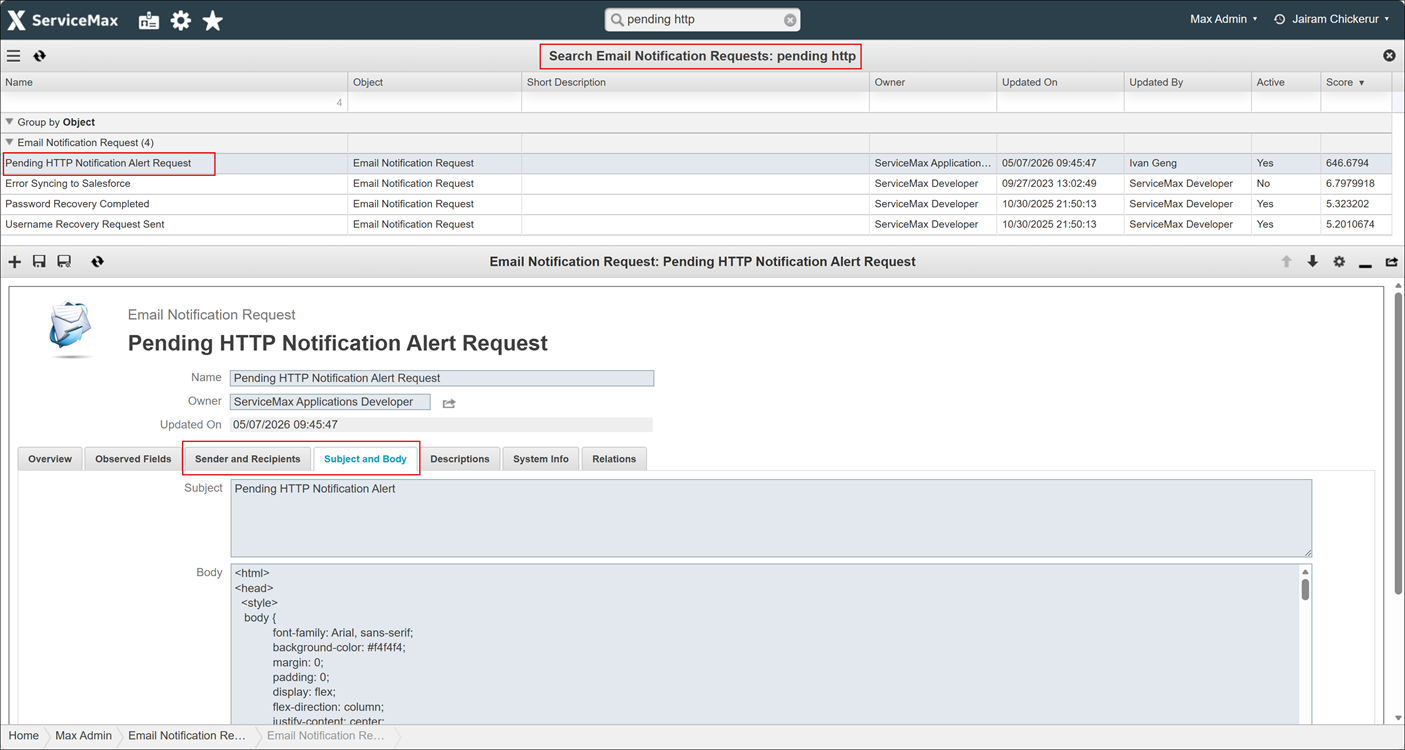
2. Locate and click the Pending HTTP Notification Alert Request.
3. On the Sender and Recipients tab, enter the email addresses in To field, who receive the alerts.
4. On the Subject and Body tab, enter the Subject and Body, who receive the alerts.
You can customize the Body as required. The following format is a reference placeholder value.
An HTML template with four placeholder arguments (injected at runtime): {0} = pending count, {1} = threshold, {2} = instance info {3} = copyright year.
5. Click Save Email Notification Request.
Related Topics