Configuring Pending HTTP Notification Alert Threshold
Set the minimum number of pending HTTP notifications that triggers an alert email.
The alert threshold is the minimum count of pending HTTP notifications that triggers an email alert. Set this value based on your organization's typical pending notification volume and your tolerance for synchronization backlog.
To configure the alert threshold:
1. Go to > >
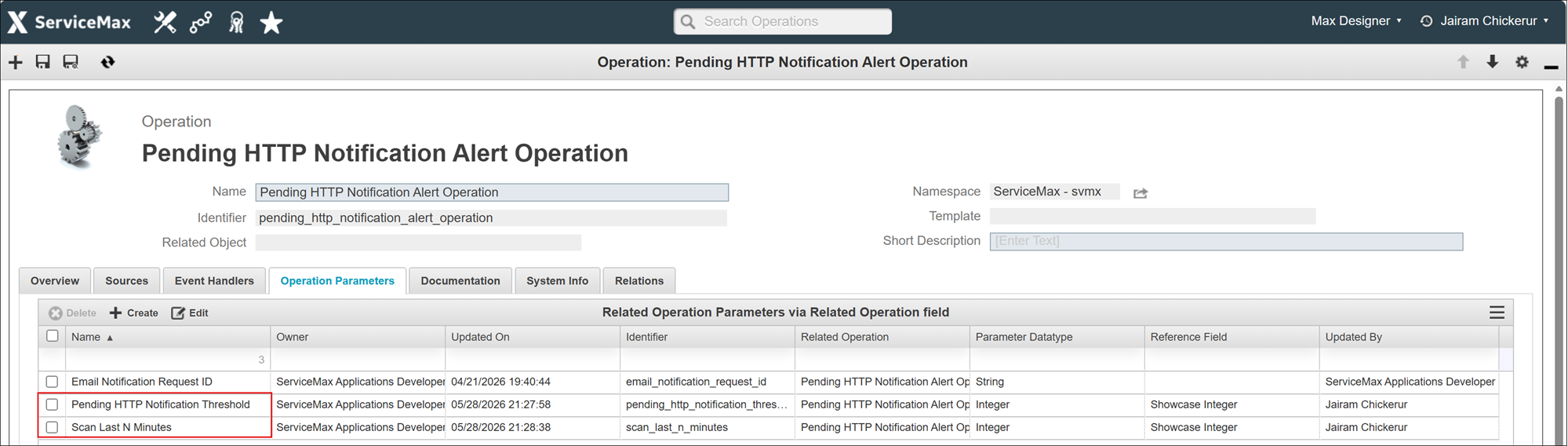
2. Search for or locate the operation Pending HTTP Notification Alert Operation.
3. Click the operation to open its configuration page.
4. On the Operations Parameters tab, click the Pending HTTP Notification Threshold parameter.
5. Enter the Parameter Value. Use a value that reflects your organization's baseline pending notifications. Default value is 2000.
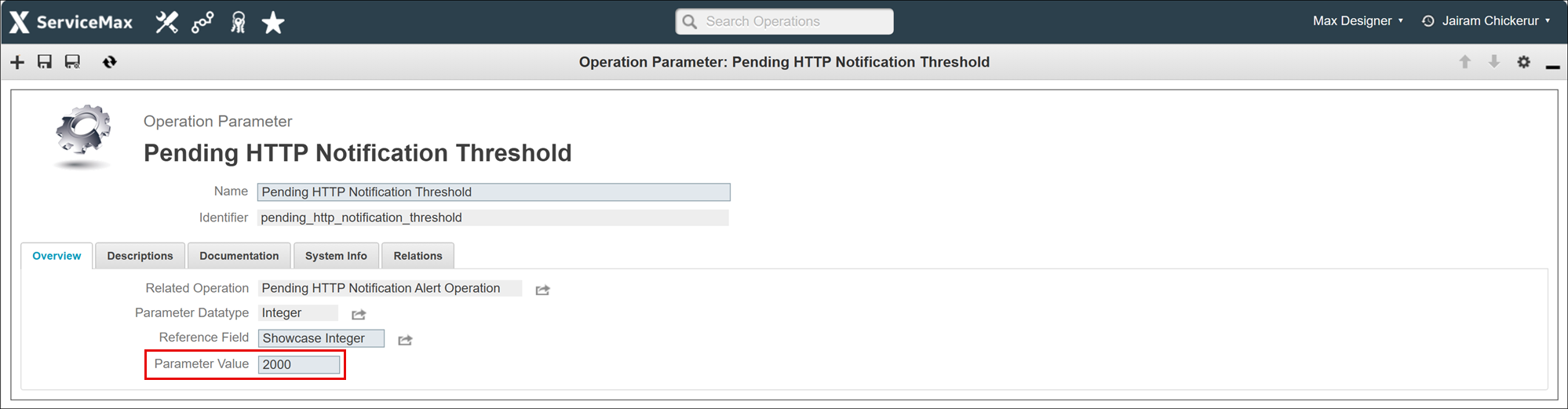
6. Click Save Operation Parameter.
7. Optionally, on the Operations Parameters tab, click the Scan Last N Minutes parameter.
8. Enter the Parameter Value. This value is measured in minutes, for example, 30 to count only notifications generated within the last 30 minutes. Leave this field empty to count all pending notifications.
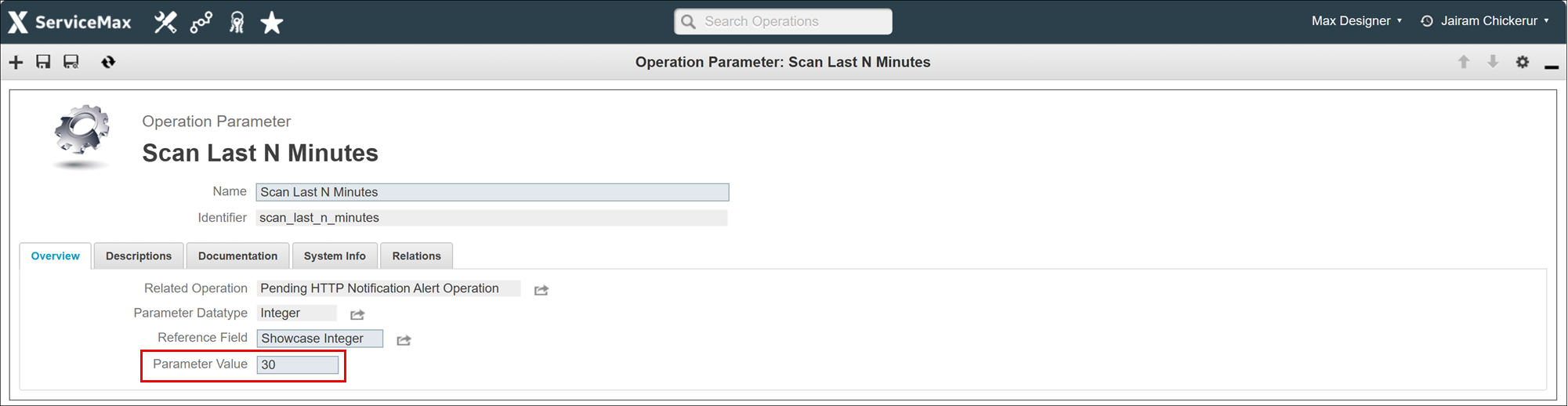
9. Click Save Operation Parameter
Related Topics