Service Task Dependency Management
Service Board enables dispatchers to create and manage dependencies between service tasks within a job. By establishing these dependencies, you can define the scheduling sequence and enforce time buffers between tasks to ensure proper execution order.
A service task dependency establishes a scheduling relationship between two service tasks in the same work order. Dispatchers can create these dependencies to ensure tasks execute in the correct sequence and to enforce minimum and maximum time buffers between task start or finish times.
Service task dependencies are managed through the following dialog boxes within the Service Task Planning Calendar:
• Create Service Task Dependencies for defining new dependencies

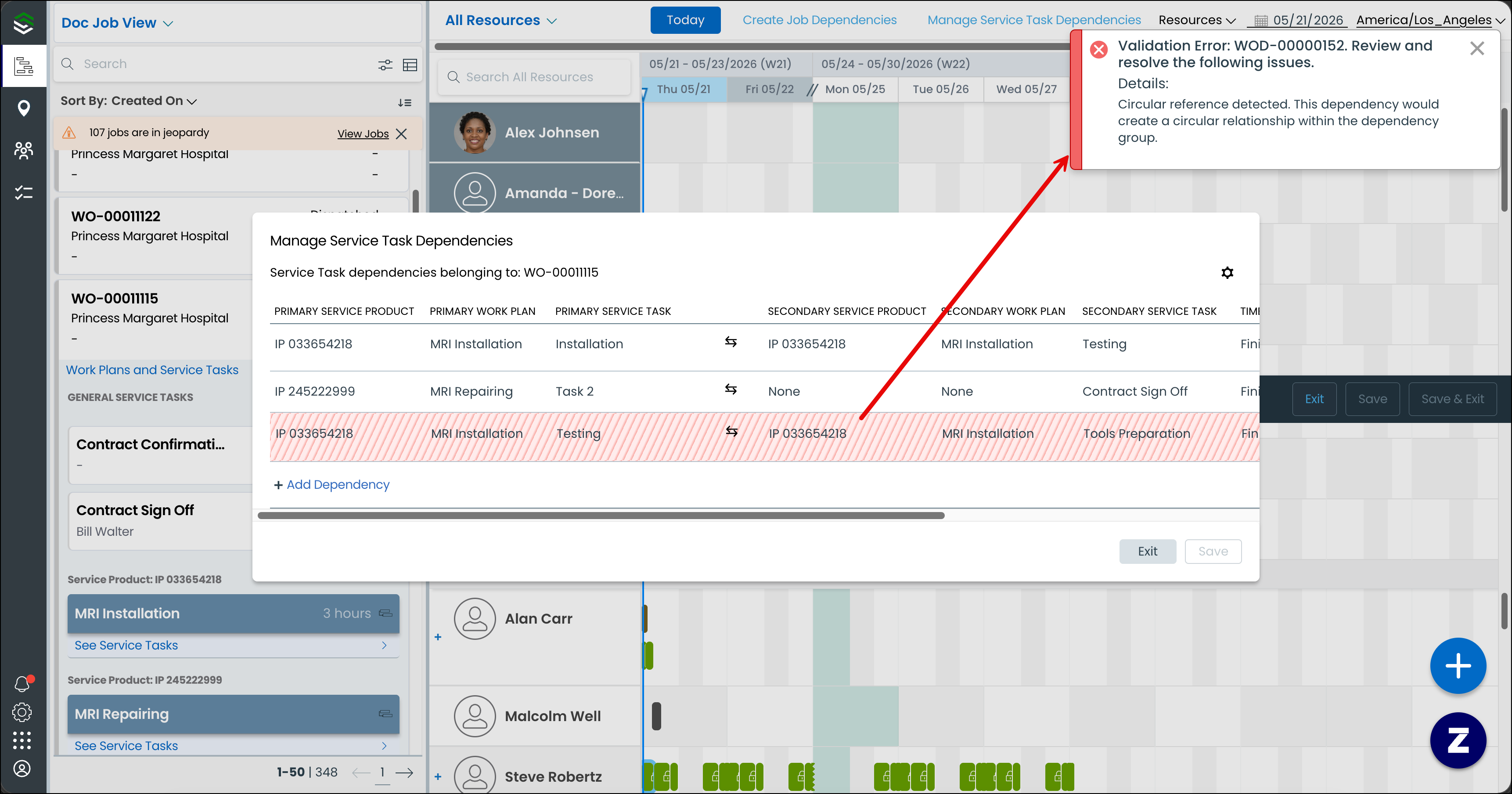
• Manage Service Task Dependencies for modifying existing dependencies

When you create a service task dependency, you specify a primary task and a secondary task, select the type of time dependency (such as Finish to Start), and optionally set minimum and maximum time buffers.
When you drag and drop dependent service tasks on the calendar, the system displays invalid scheduling zones as shaded areas. These mark the time ranges where the secondary task cannot be scheduled. Dependency lines visually connect related appointments, showing the relationship at a glance.
Considerations
Service task dependencies are only available when Job Dependencies, Work Plan scheduling, and Service Task scheduling are all enabled for your Service Board tenant. Dependencies persist only for the primary and secondary service tasks in the database. the dialog box displays the full hierarchy (service product, work plan, task) for user context and editing flexibility.
Circular dependencies are detected automatically. This prevents you from creating or modifying dependencies that would create a cycle. Jobs with Completed or Cancelled status cannot have new dependencies created or existing dependencies modified.
Related topics