Managing Service Task Dependencies
You can edit and delete existing service task dependencies in the Manage Task Dependencies dialog within the Service Task Planning Calendar.
|
Prerequisites
|
|---|
|
At least one service task dependency must exist for the job. The work order must not be in a Completed or Cancelled state. You must be in the Service Task Planning Calendar.
|
Use the Manage Service Task Dependencies dialog box to view all dependencies for a service task, modify their properties, or delete dependencies. You can make multiple changes and save them together in one operation.
To manage service task dependencies:
1. Open the Service Task Planning Calendar.
2. Click Manage Service Task Dependencies.
 |
The dialog displays all existing dependencies for the job in a table format.
|
3. To modify a dependency, locate its row and update any of the following fields as needed:
|
Field
|
Description
|
||
|---|---|---|---|
|
Primary Service Product
|
Click the cell to select a different service product. The Service Board filters available work plans and tasks accordingly.
|
||
|
Primary Work Plan
|
Click the cell to select a different work plan. This updates the available primary service tasks in the next column.
|
||
|
Primary Service Task
|
Click the cell to select a different primary task.
|
||
|
Secondary Service Product
|
Click the cell to select a different service product. The Service Board filters available work plans and tasks accordingly.
|
||
|
Secondary Work Plan
|
Click the cell to select a different work plan. This updates the available secondary service tasks in the next column.
|
||
|
Secondary Service Task
|
Click the cell to select a different secondary task.
|
||
|
Swap
|
Click the button to exchange primary and secondary task assignments.
|
||
|
Time Dependency
|
Update the value by clicking the dropdown and selecting a different type if needed.
• Finish to Start: The primary service task must finish before the secondary service task can start. (Default)
• Start to Start: The primary service task must start before the secondary service task can start.
• Finish to Finish: The primary service task must finish before the secondary service task can finish.
• Start to Finish: The primary service task must start before the secondary service task can finish.
|
||
|
Minimum Time Buffer
|
Enter the minimum time buffer and select the unit (days, hours, or minutes).
|
||
|
Maximum Time Buffer
|
Enter the maximum time buffer and select the unit (days, hours, or minutes).
|

4. Review all dependency rows for accuracy.
|
|
To add another dependency row, click the Add Dependency button and repeat steps 4 through 8 for the additional row. For more information, see Creating a Service Task Dependency.
|
5. To delete a dependency, click the Delete icon (—) in the corresponding row.
|
|
If all dependencies in the group are deleted, the dependency group itself is removed.
|
6. Click Save.
|
|
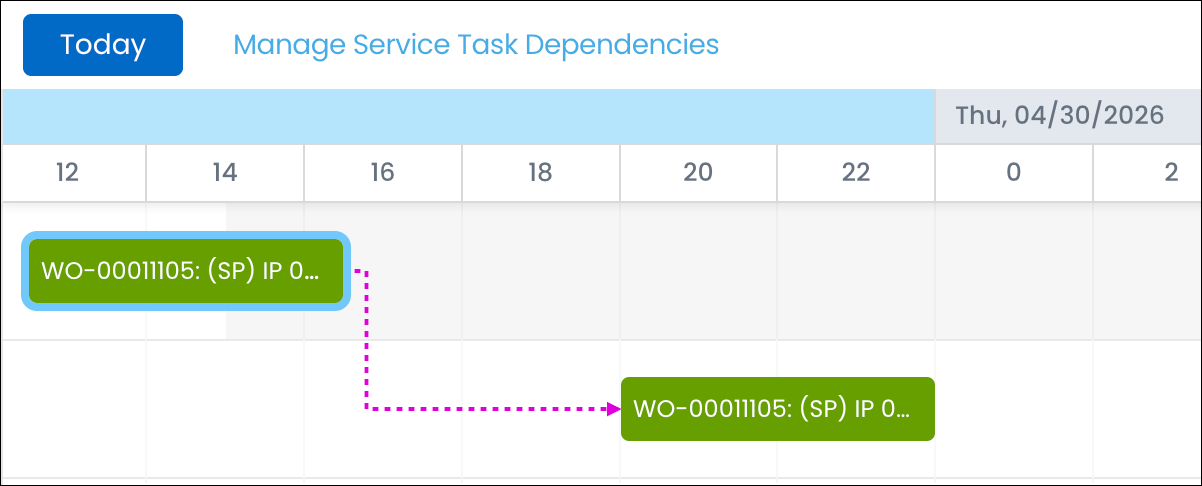
The changes are applied to the Service Task Planning Calendar. Dependency lines update to reflect any modified constraints or task assignments.
|
Related Topics