Assigning Workstation in List View
You can assign a new workstation to or modify the existing workstation of a queue item in the List View and Workstation and Serial Number cards in the Summary mode.
To assign a workstation to a queue item in List View:
1. Go to the Depot Queue tab and select List View. For more information, see Viewing Queue Items in List View.
2. Navigate to the relevant cell you want to update under the Current Workstation column.
3. If there is no workstation assigned, click Assign. The Add Workstation search bar displays a list of available workstations.
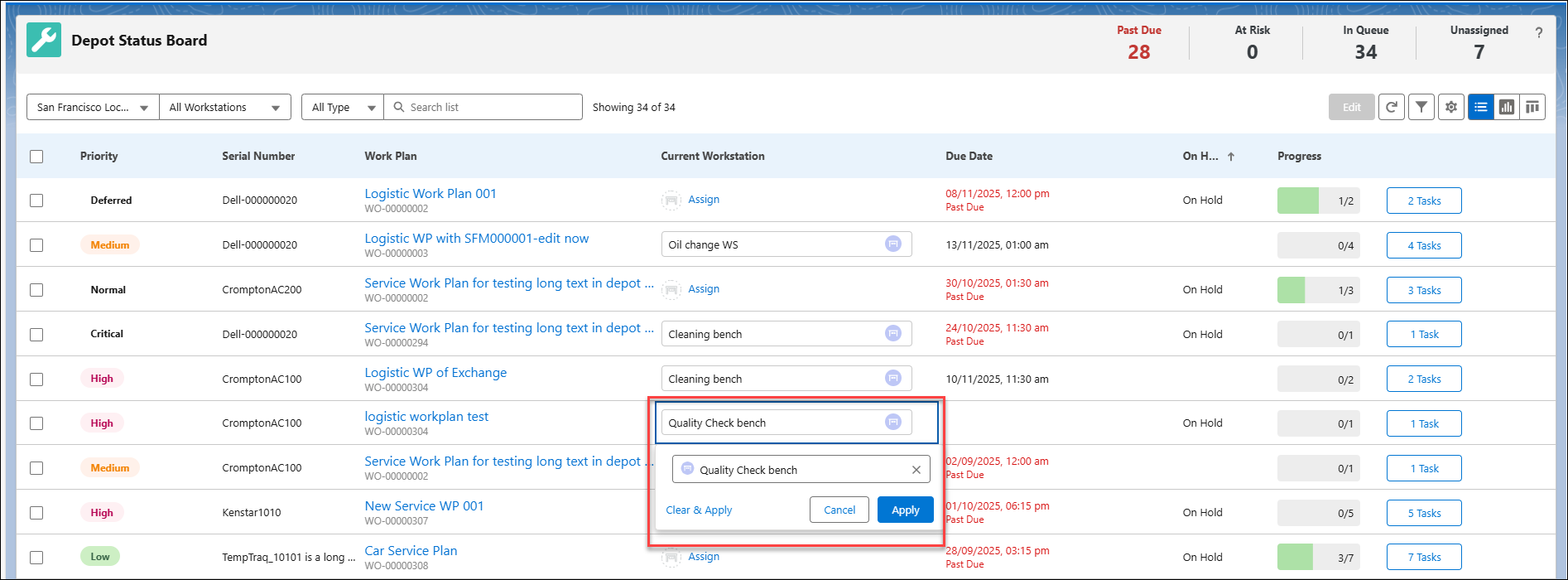
4. If there is a workstation assigned, click the workstation and click x to remove the selection and get a list of available workstations. The Add Workstation search bar displays a list of available workstations.
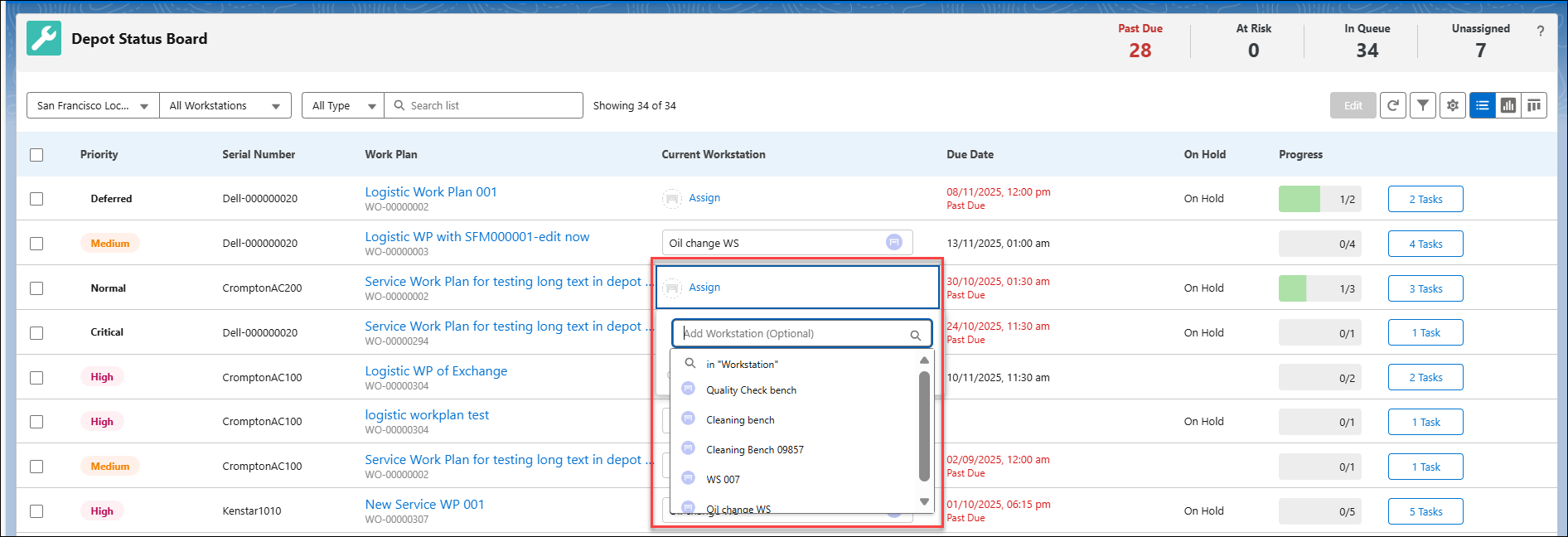
5. Select the workstation.
6. Click Apply to save your changes. The workstation is assigned to the queue item.
 |
You can remove the workstation from the queue item using Clear & apply or click Cancel to exit from the selection pop-up window.
|
Reference Topics