Editing a Configuration Setting
To edit a setting in the new configuration profiles page:
1. Go to > > . The Group Profiles list view is displayed.
2. Click an existing group profile. The Information and Assignment tab is displayed.
3. Click the Settings tab. The Settings information is displayed in a tree-grid format where the parent node indicates the Module, the child nodes indicate the Submodule.
4. Enter keyword in the Search box to search for a specific setting. The settings search results are displayed.
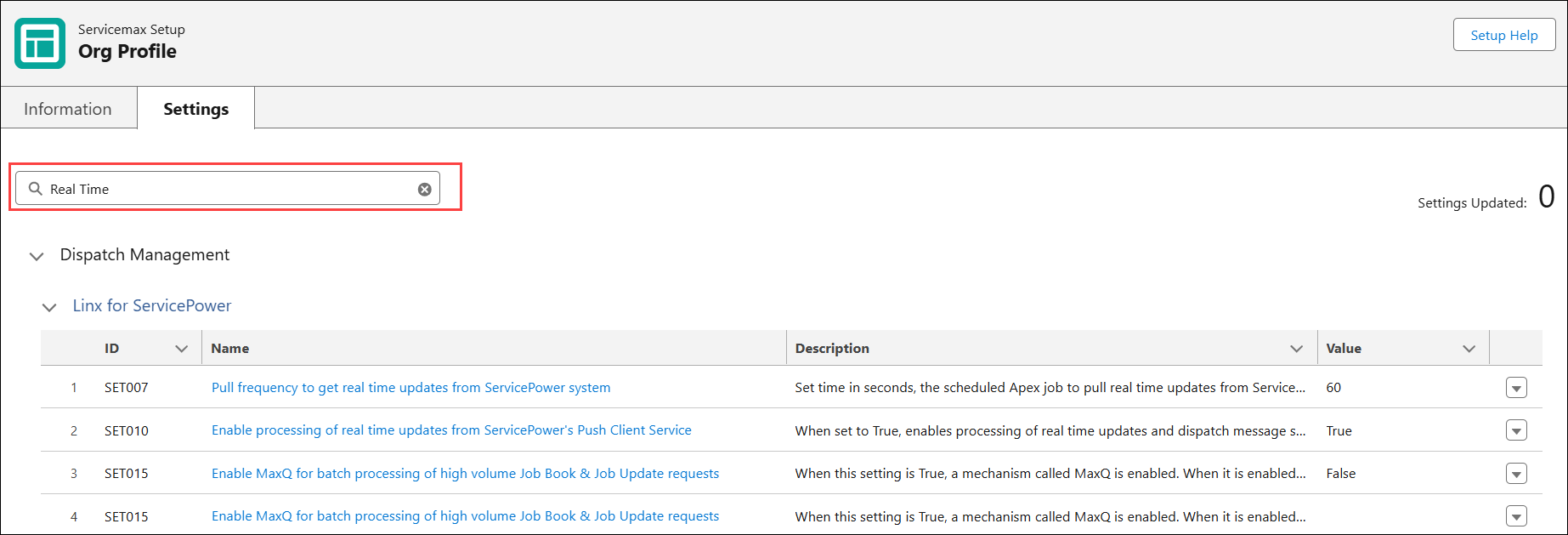
5. Click the drop-down icon next to a setting and select Details. The Setting Detail page is displayed.
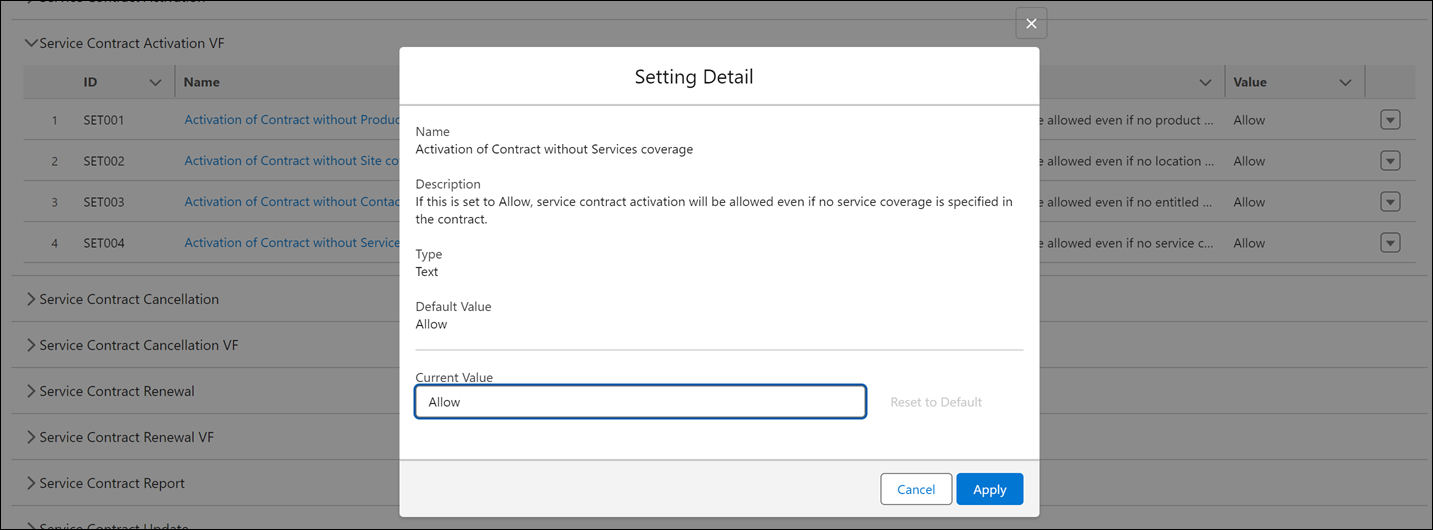
6. Edit the value and click Apply.
7. Click Save.