Converting a Profile-Based Group Profile to a User-Based Group Profile
In the Group Profiles tab, you can convert a Profile-Based Group Profile to a User-Based Group Profile. The system automatically adds all users from the Salesforce Profiles included in the Profile-Based Group Profile to the new User-Based Group Profile.
 |
This action is permanent. You cannot revert to a Profile-Based Group Profile.
|
To convert a Profile-Based Group Profile to a User-Based Group Profile:
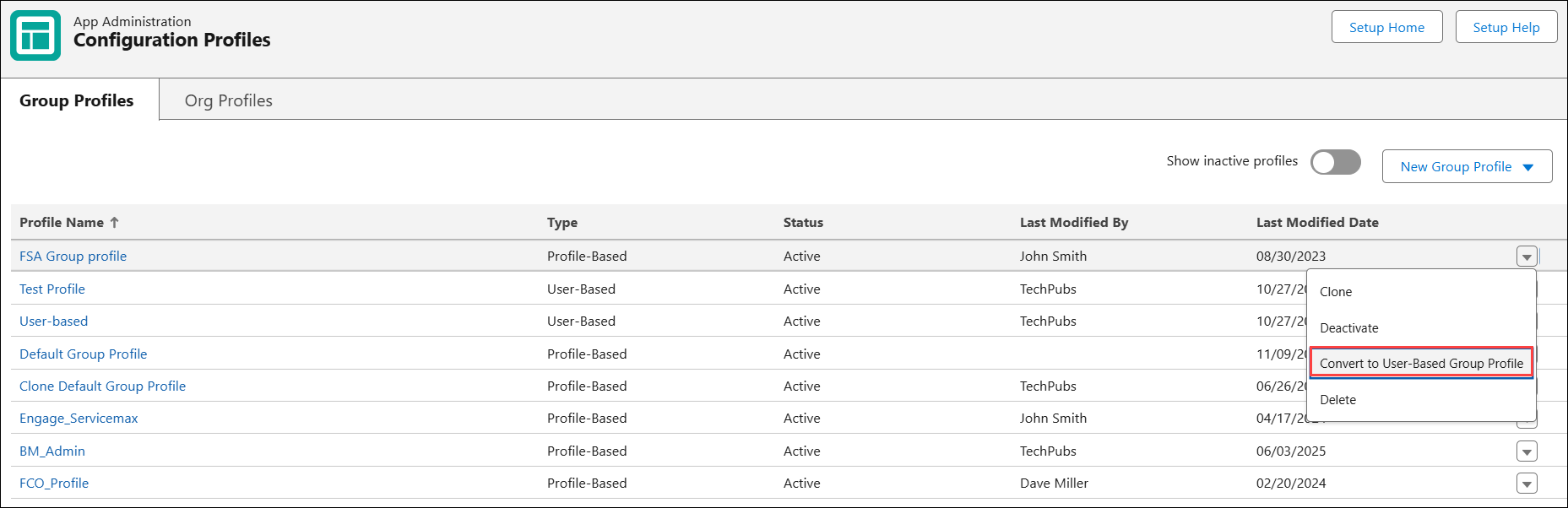
1. Go to > > . The Group Profiles list view page is displayed.
2. Click the drop-down icon next to a Profile-based Group Profile and select Convert to User-Based Group Profile.
The Convert to User-Base Group Profile pop-up window is displayed with appropriate information.
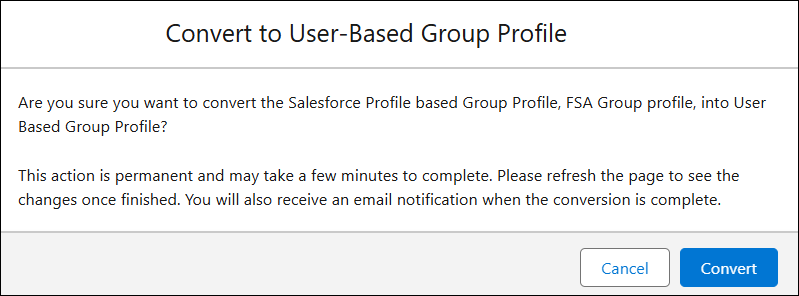
3. Click Convert.
This takes a few minute to complete. You can refresh the page to see the changes after completion. You receive an email notification afer the conversion is complete.