Adding the Template Match Rules Button to the Attribute Templates Page
You must add the Template Match Rules button to the Attributes Templates page to access and manage Template Match Rules. By default, this button is not available in the Attributes Template page. However, the Template Match Rules component is included as part of the package.
To add the Template Match Rules button to the Attributes Templates page:
1. From the Home page, go to the Attribute Templates tab.
2. Click Setup icon and select Edit Object.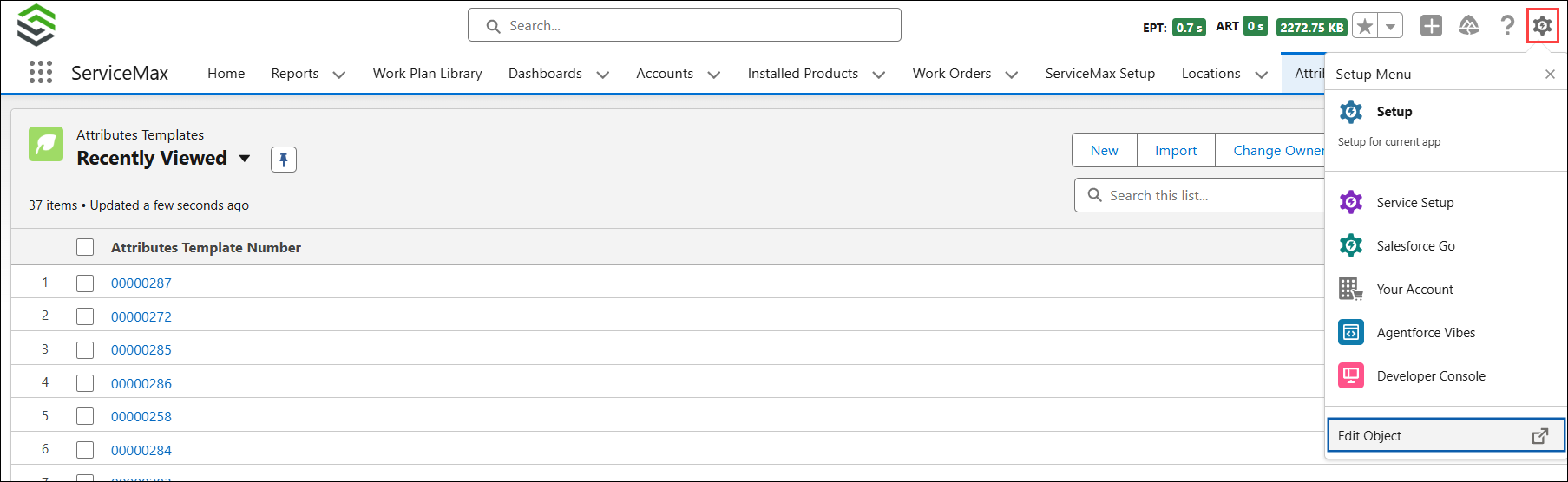
The Attribute Template object page is displayed.
3. From the left pane, go to Buttons, Links, and Actions.
The Template Match Rules button is listed as part of the package.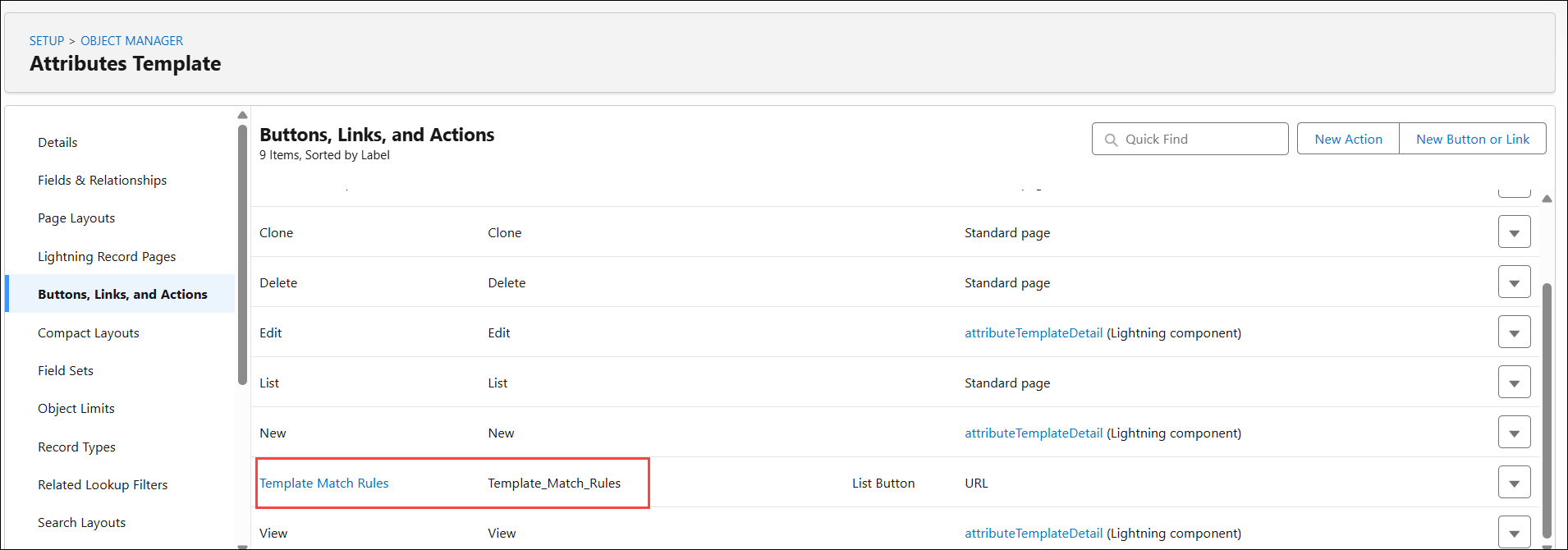
4. From the left pane, go to the List View Button Layout.
5. Click the drop-down next to the List View and select Edit.
6. Under Custom Buttons, select Template Match Rules from Available Buttons and move it to Selected Buttons.
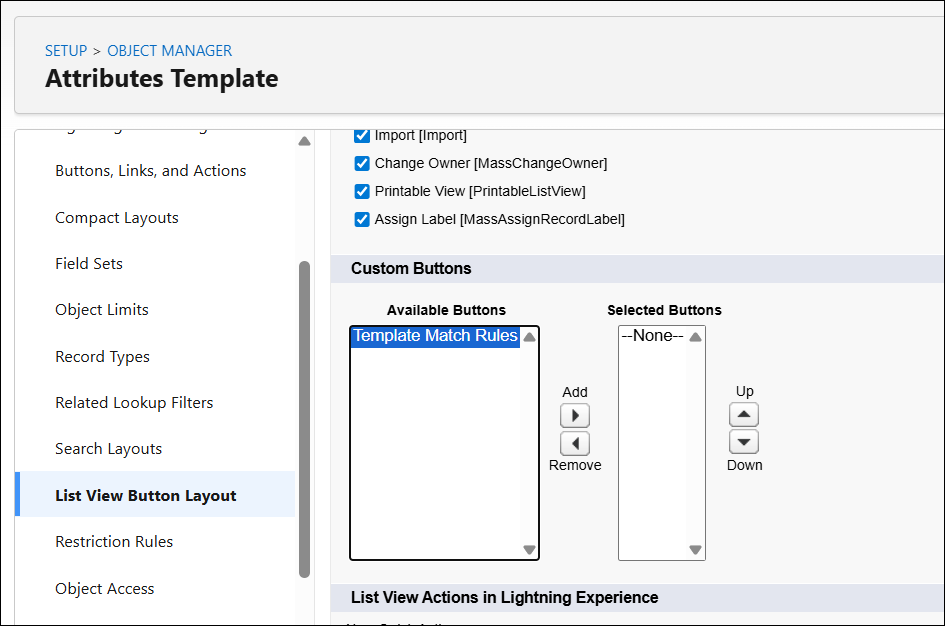
7. Click Save.
The Template Match Rules button is available on the Attributes Templates page.