Defining a New AI Action
Defining a new AI action enables administrators to customize AI behavior to match specific service workflows. This capability improves technician productivity, reduces manual effort, and ensures consistent service delivery. By linking AI actions to objects such as Account, Case, Installed Product, Location, and Work Order, teams can automate context-aware summaries and instructions that reflect field service scenarios. These actions support faster decision-making, enhance customer communication, and improve service documentation accuracy.
|
Prerequisites
|
|---|
|
To enable this feature, ensure the following:
• Relevant object (Case, Work Order, etc.) must be available in your org.
|
To define a new action, perform the following steps.
1. Navigate to > > .
The ServiceMax AI Console is launched.
2. On the sidebar, click AI Actions.
The AI Actions page appears with a list of all available AI actions. For more information about each field, see Configuring AI Actions.
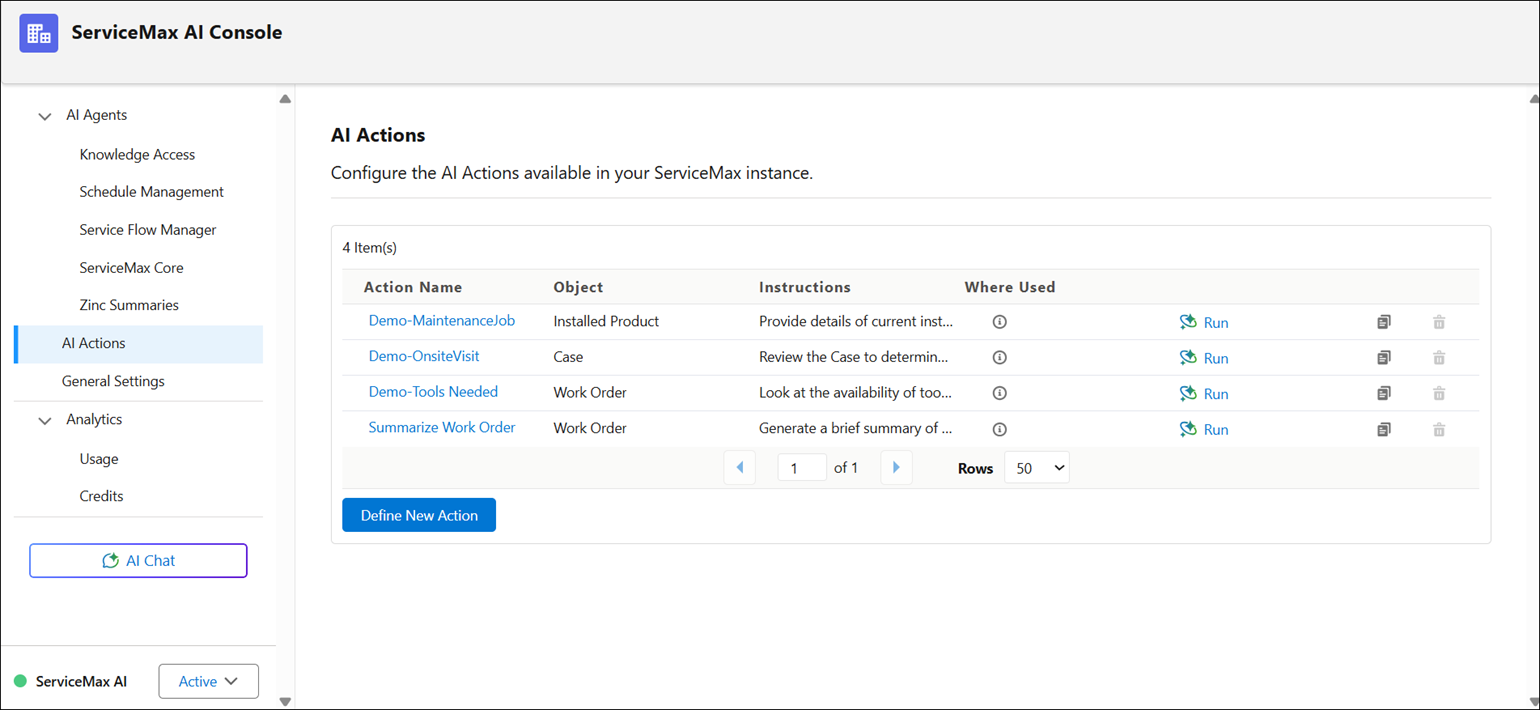
3. Click Define AI Action.
The Define AI Action window is displayed.
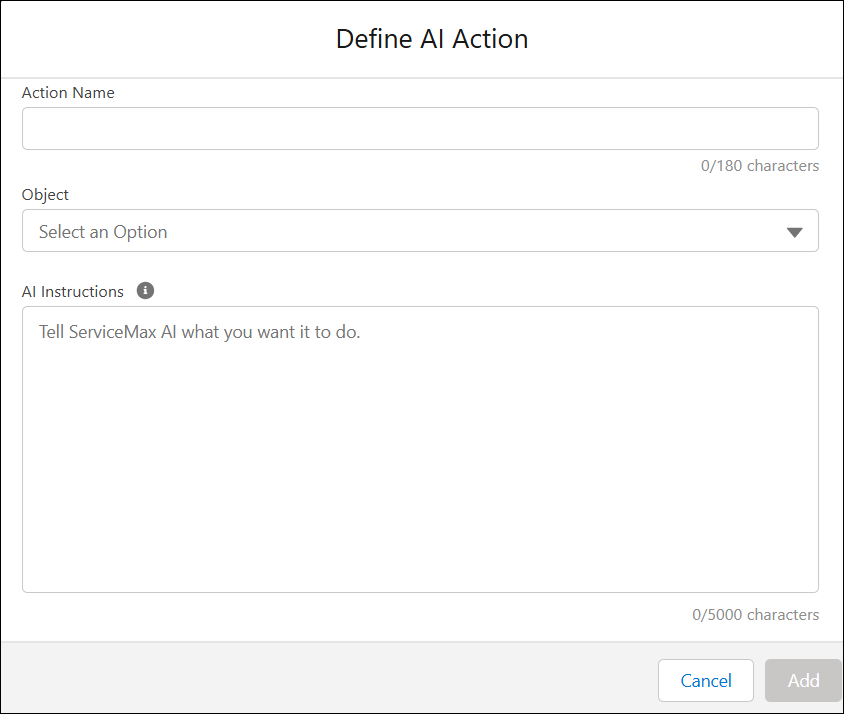
4. Provide the details for the fields as described in the following table.
|
Field
|
Description
|
|---|---|
|
Action Name
|
Specifies the name of the AI action. This name appears in the list and helps users identify the action.
|
|
Object
|
Links the AI action to a specific object, such as a Case or Work Order.
|
|
AI Instructions
|
Describes what the AI should do, helping it perform tasks accurately based on user needs.
|
|
Cancel
|
Removes any unsaved changes and exits the action creation process.
|
|
Add
|
Saves the AI action and includes it in the list of available actions.
|
5. Click Save to make the AI action available.
The AI Console saves the action and makes it available in Salesforce web and mobile apps. For more information about using AI Actions, see AI Actions.
 |
You can define multiple AI actions consecutively before saving them.
|
Related Topics