Running Data Quality Analysis
Execute the Data Quality Analysis feature on a successfully completed dispatch process to generate a detailed report of data quality findings and recommendations.
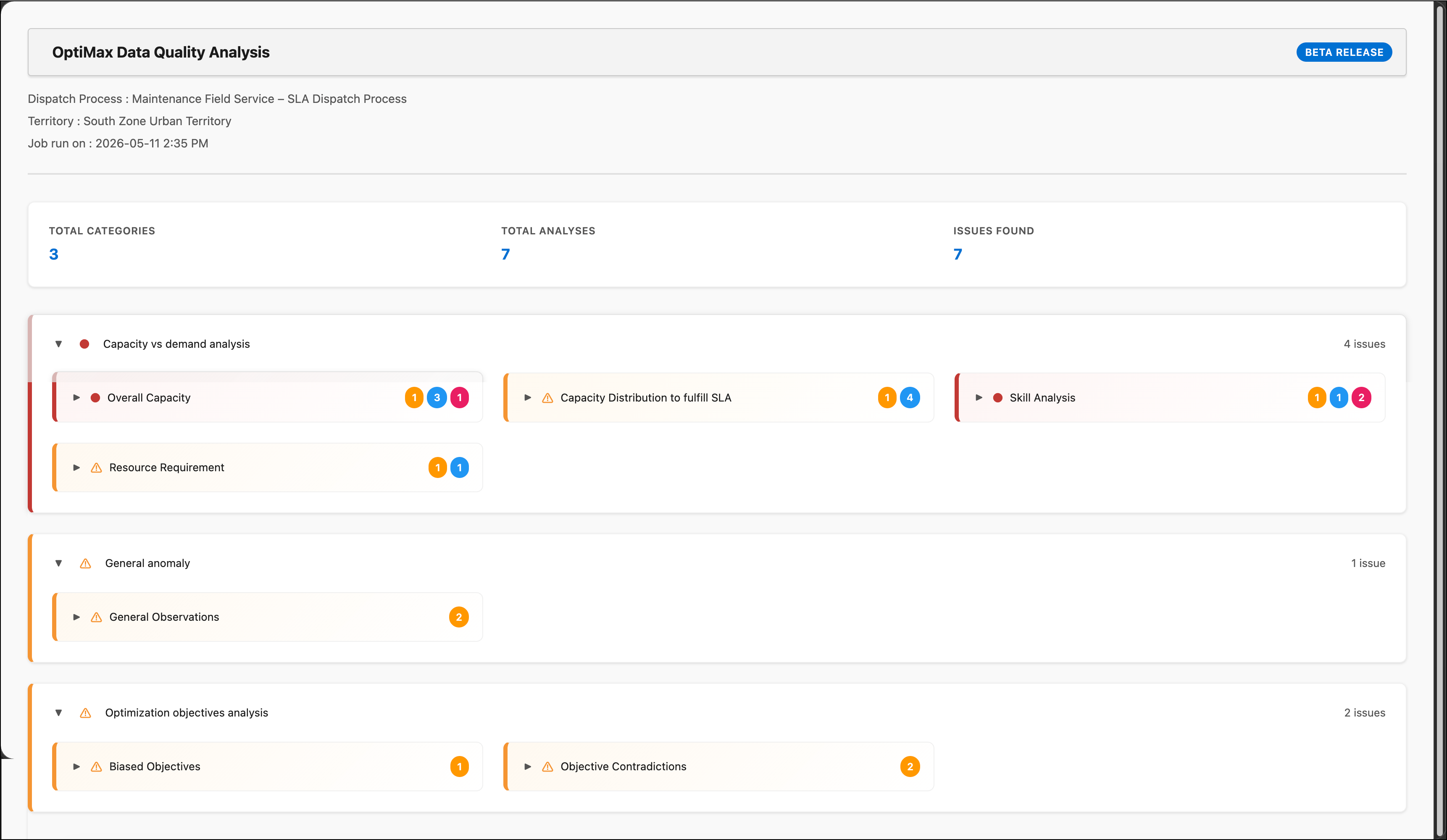
Data Quality Analysis runs asynchronously and generates a report containing capacity against demand, anomaly, and optimization objective analysis. You can review the report to identify data quality gaps and plan corrections.
To run a Data Quality Analysis:
1. Go to > >
2. Select the dispatch process for which you want to analyze data quality.
3. Click action menu
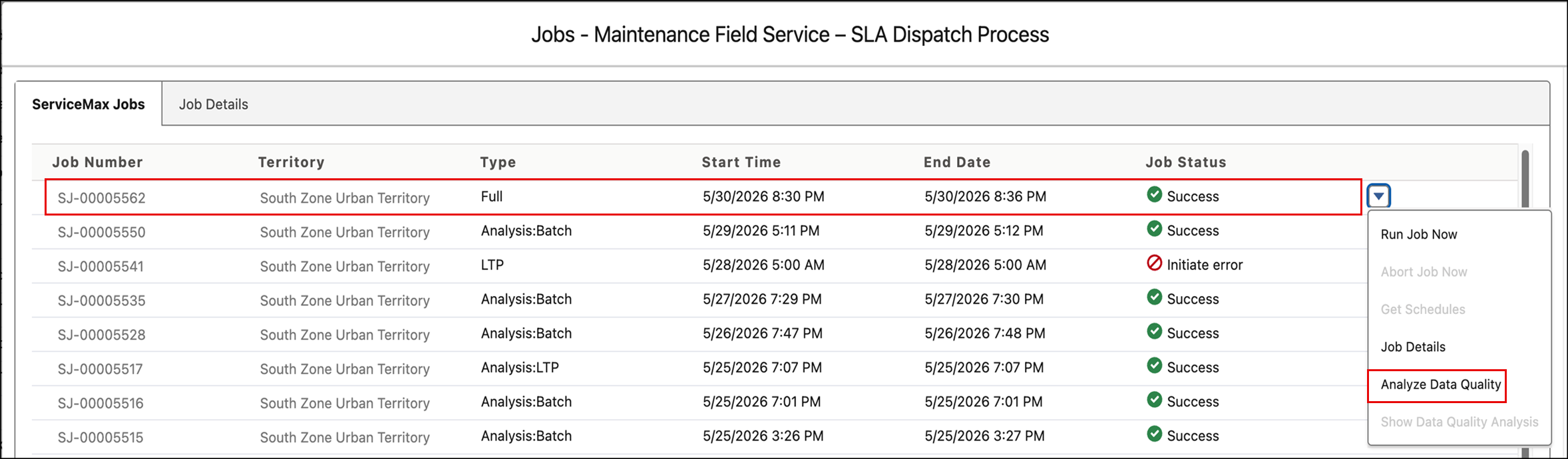
4. Click Show Job to open the list of optimization jobs for this dispatch process.
5. Click Analyze Data Quality to run the data analysis.
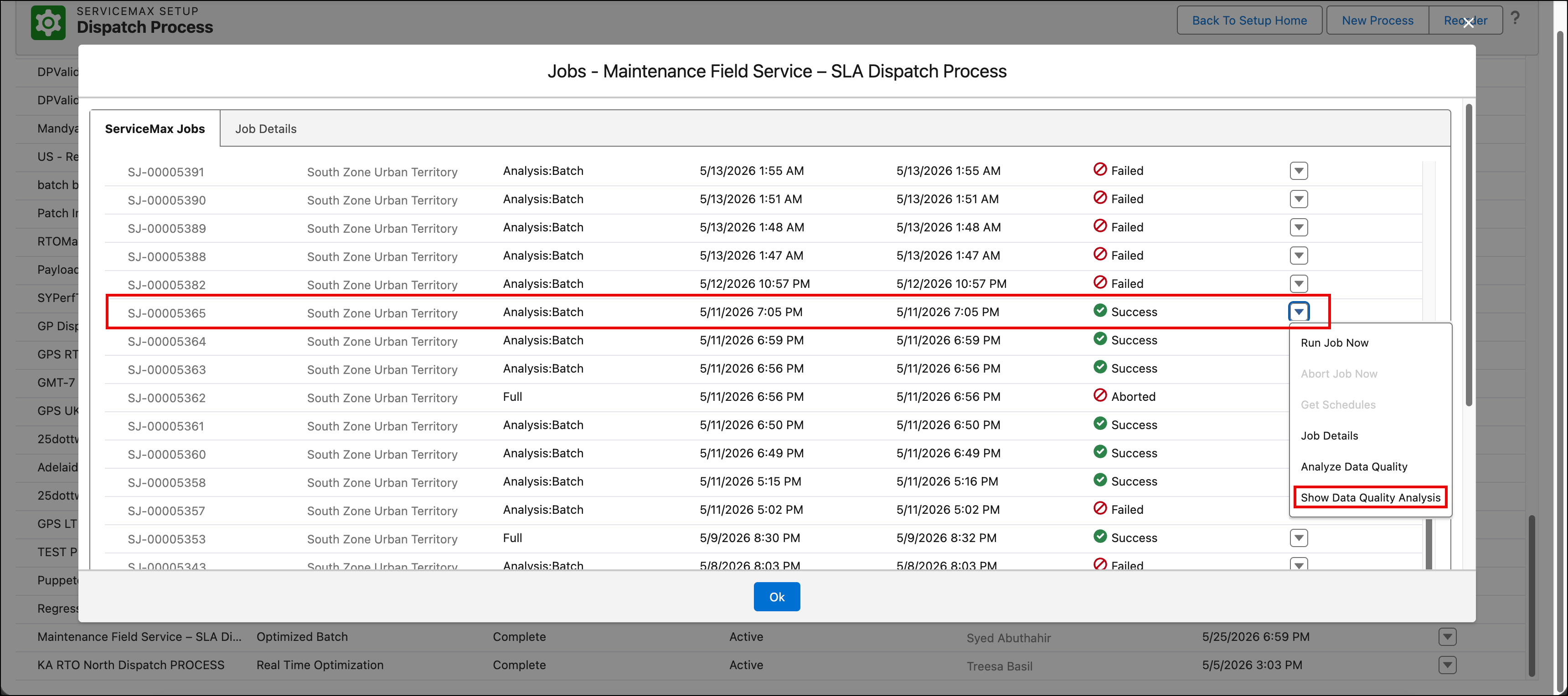
6. Click Show Data Quality Analysis for the analysis jobs with status Success.
Related Topics