Updating Status of Assignments in Kanban Mode
In Kanban mode, there are three columns each for Awaiting Assignment, Workstation, and On Hold. When you select a workstation in the Workstation filter, the Claim button is enabled. This allows technicians to quickly drag and drop assignments that are awaiting allocation. These can be moved to the selected workstation column or put on hold as required.
To update the status of awaiting assignments:
1. Go to the Depot Queue tab and select Kanban mode. For more information, see Viewing Queue Items in Kanban Mode.
2. Select the depot location and workstation that you want to view in the second column of the page from the Workstation filters drop-down menu. This displays the list of work plans and related details for the selected workstation.
3. Select the type of work plan from the options: All, Logistics, or Service. The view displays items that match the filter criteria.
4. Click Claim. This moves the assignment from Awaiting Assignment to the Workstation column.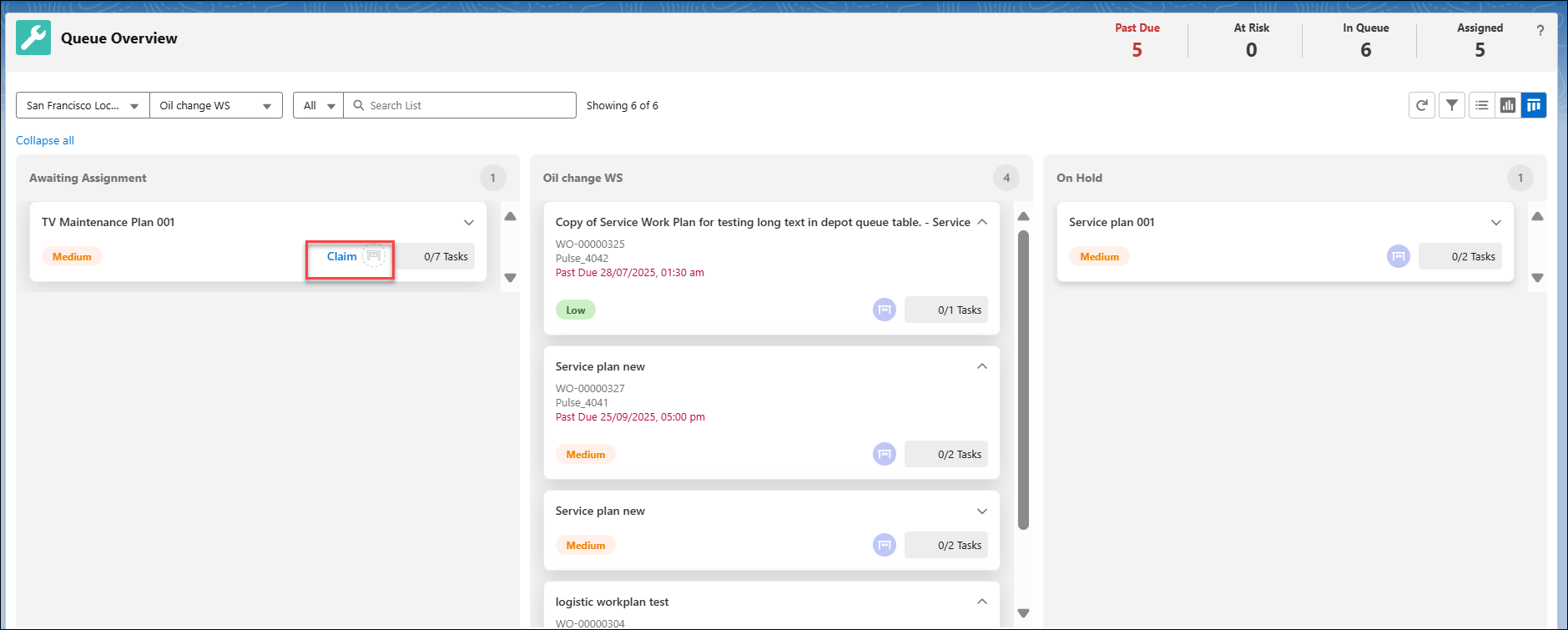
5. Drag and drop the assignment card back to the Awaiting Assignment or On Hold column as required.
The column value is updated with the assignment card and relevant details.
Reference Topics