Tracking Progress of Queue Items in Summary Mode
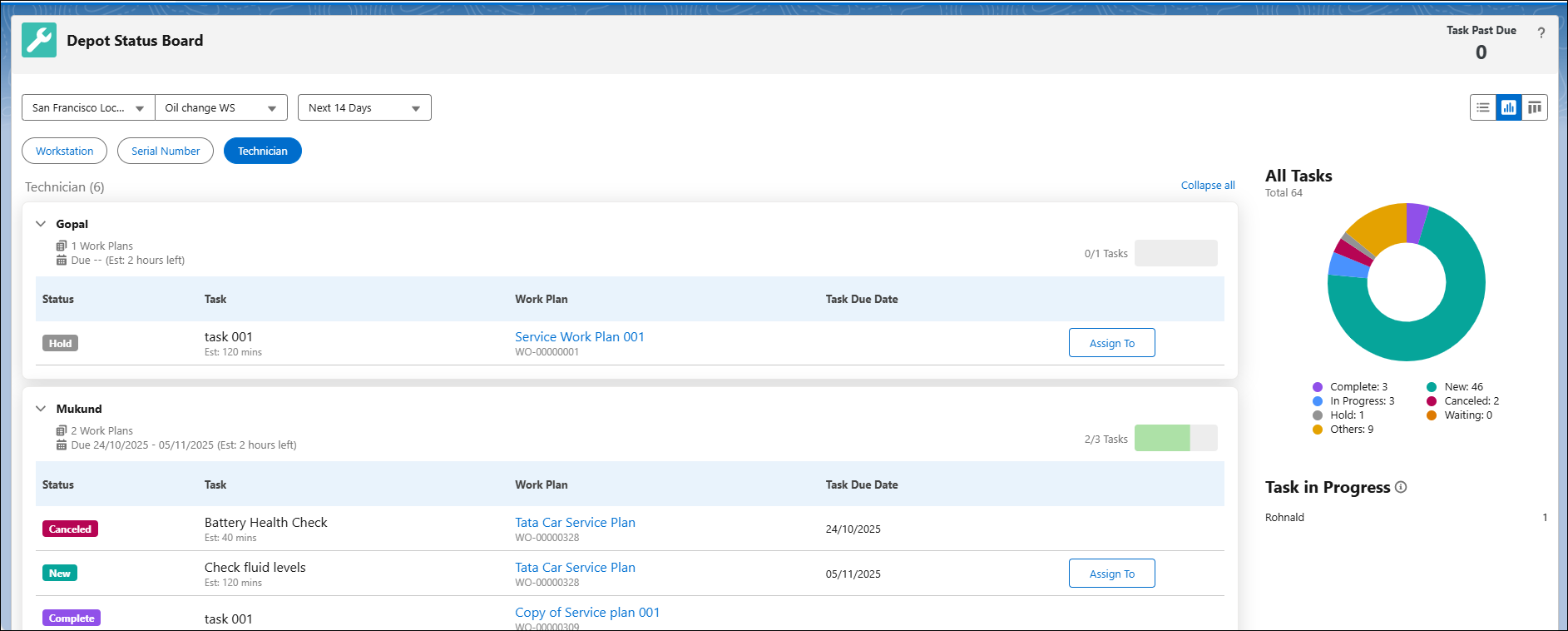
You can track progress of queue items during the repair process using the progress bar. This indicates the number of tasks completed and the total number of tasks available on the work plan. The progress bar is highlighted in green to indicate the completion status. You can track the progress using all the three modes.
In the Summary mode, all three cards Workstation, Serial Number, and Technician have the progress bar indicator, but technicians or supervisors can only view the progress and not modify them. For example, 2/3 Tasks implies two tasks are either completed or cancelled and there are total three tasks assigned to the technician. The All Tasks lists various tasks and their status whereas Task In Progress indicates the Technician that has an ongoing task under their card. For more information, see Viewing Queue Items in Summary Mode.
The progress bar that indicates how many tasks are either completed or cancelled and the total number of tasks.
Reference Topics