Modifying Priority of Queue Items in Kanban Mode
The priority of a queue item reflects the priority of the linked Work Order. This helps supervisors monitor items during the depot repair process. If a supervisor updates the priority in List View, the queue item adopts the new value. For example, if a Work Order is created with High priority and later changed to Medium in the queue, the item now has Medium priority. This also applies to tasks in the queue.
 |
The Priority column is not shown in the Technician card view in Summary Mode.
|
To modify priority value of a queue items:
1. Go to the Depot Queue tab and select Kanban mode. For more information, see Viewing Queue Items in Kanban Mode.
2. Click a work plan link. The Metrics Drawer for Work Plan opens.
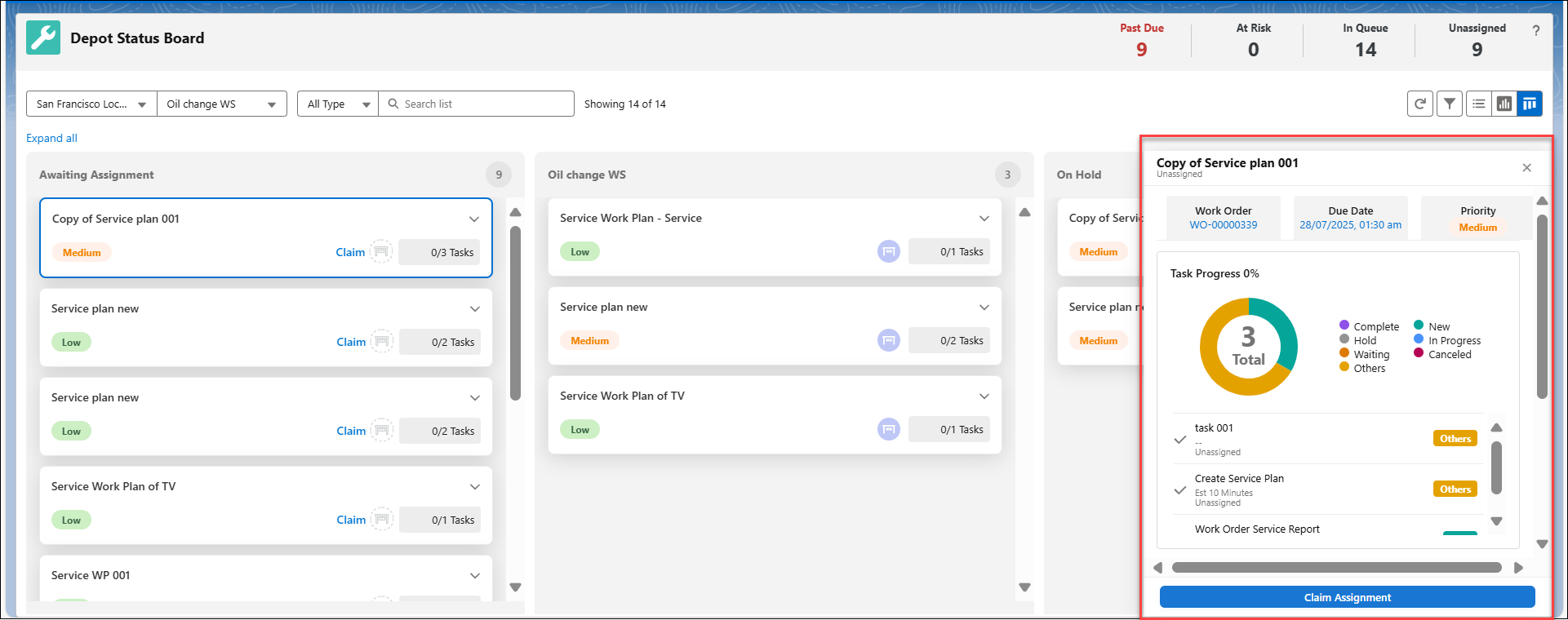
3. Click the priority value which you want to update. The priority window opens.
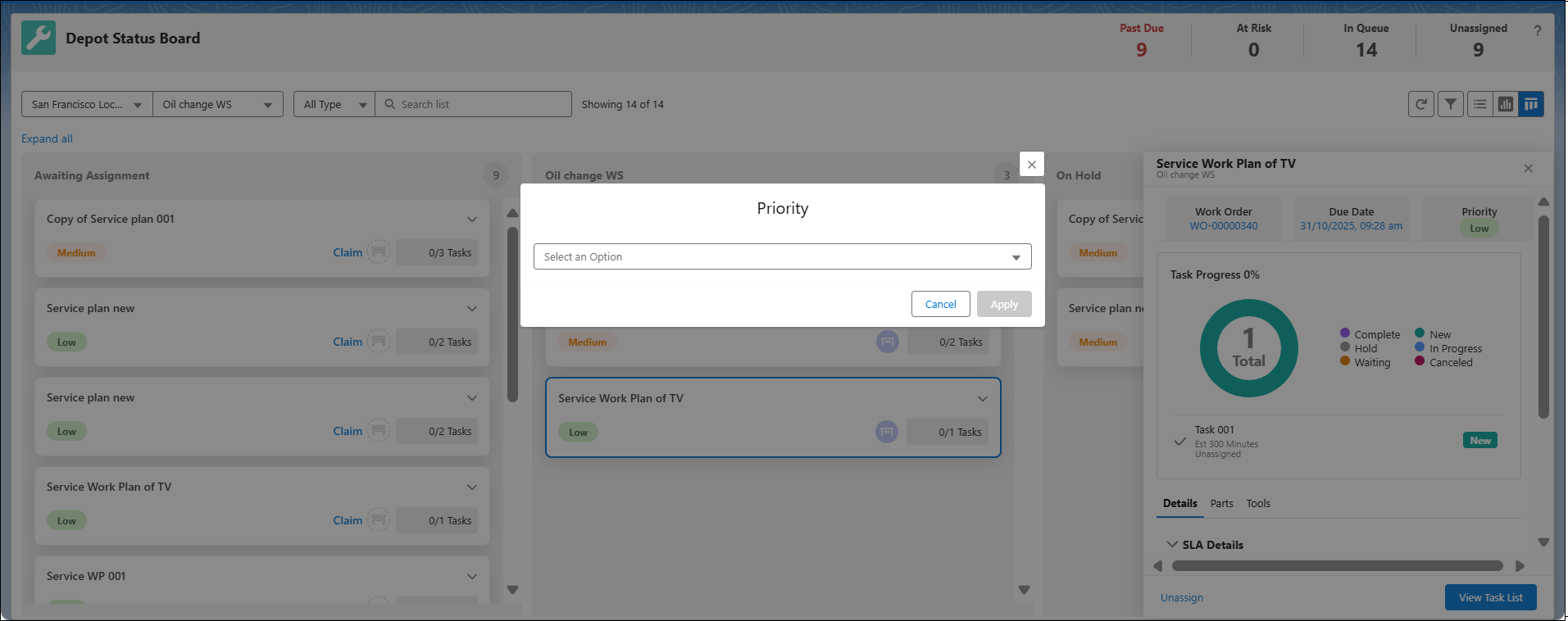
4. Select a priority value from the drop-down menu.
5. Click Apply. The priority value is updated for the selected queue item.
|
|
You can also discard your changes and return to previous state using Cancel.
|
6. If there is no value assigned to a queue item, then click and select a value from the “Select an option” drop-down. This displays the priority values:
◦ High
◦ Medium
◦ Low
|
|
The Work Orders’ priority field supports custom picklist values. Administrators must ensure these same values are configured in the Priority field of the Depot Queue Item. For example, if a Work Order’s priority is set to Urgent, then this value must be configured in order to view them in the Depot Queue tab.
|
|
|
In the Kanban mode, only users with supervisor permission are allowed to modify Priority and Due Date values. To do this, open the Metrics Drawer for the Work Plan and click the Due Date and Priority fields to update these values.
|
Reference Topics