Assigning Technicians in Summary Mode
You can assign Technicians to a selected task in the Technician card of the Summary Mode using the Assign To button. You can search the name of the technician from the populated list of technicians available in the Find Technician search menu.
The following technicians are listed:
• Technicians that are covered in the selected depot location.
• Any technician that is from a different location covered but is assigned to any tasks.
To assign a technician in the Technician card of the Summary Mode:
1. Go to the Depot Queue tab and select Summary mode. For more information, see Viewing Queue Items in Summary Mode.
2. Click Assign To the cell for which you want to update the technician’s name. The Find Technician search bar drop-down menu opens.
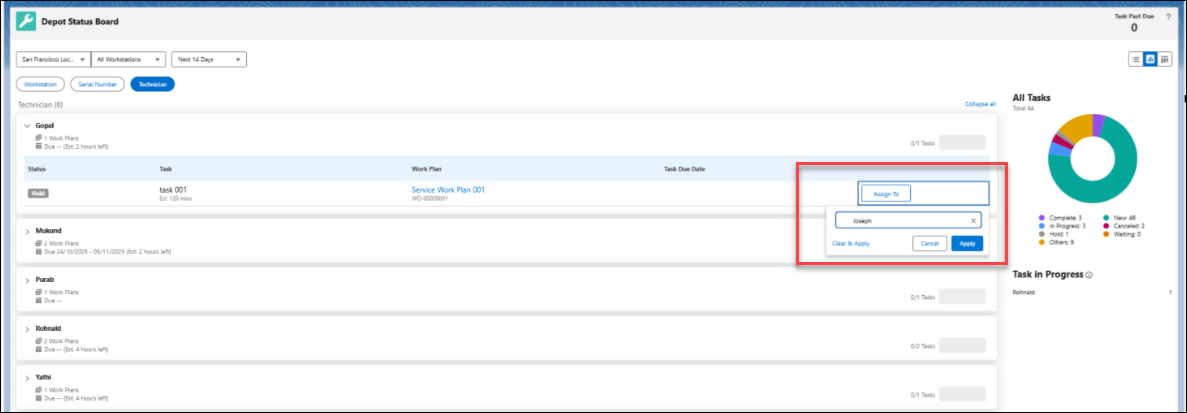
3. Search and select the required technician.
4. Click Apply.
The technician is assigned to the selected task.
 |
You can remove the technician from the queue item using Clear & apply or click Cancel to exit from the selection pop-up window.
|
Reference Topics