Launching a Service Task from the Work Order in 25.2
From the Work Order, you can launch advanced tasks added to a Work Order or Service Product such as SFM, Output Document, Data Guide Form and Document Template tasks. The Launch Task option enables you to execute the task. After you launch the task, the pop-up window of the task opens, where you can perform the task and mark as complete.
 |
Ensure that your domain is added under Trusted Domains.
To add a domain, go to Setup > Session Settings > Trusted Domains > Add Domain. The domain must be your org’s domain and end with “lightning.force.com”. The IFrame Type must be set to Visualforce Pages.
|
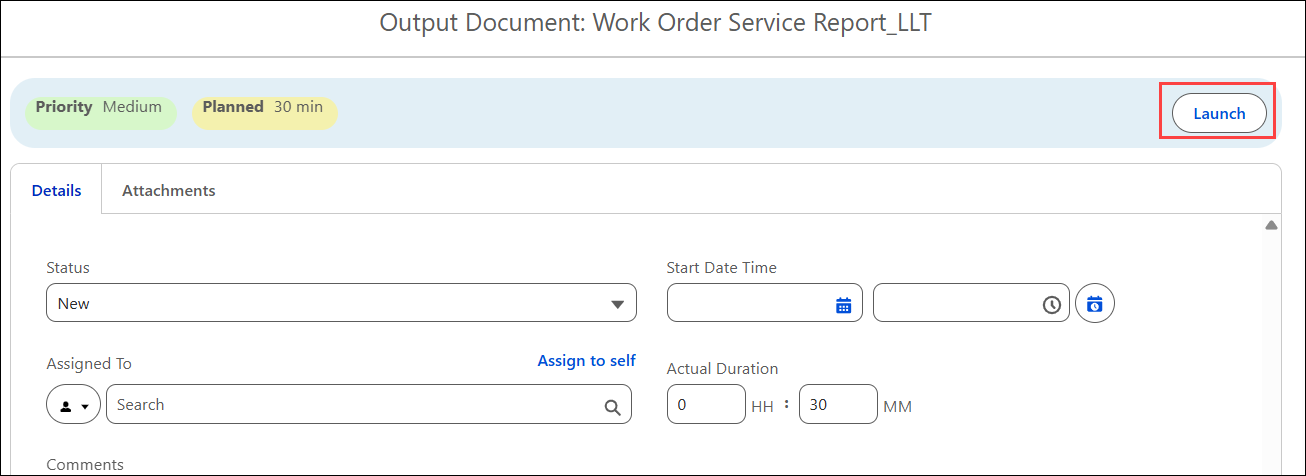
For example, you want to execute an Output Document task, “Work Order Service Report” to generate a service report.
To launch an advanced task from a Work Order:
1. From the Home page, open a Work Order record.
The Work Order record is displayed.
2. Go to the Service Products & Tasks tab.
3. Expand the General Tasks.
4. Select an advanced task from the list. For example, Work Order Service Report SFM task. For more information, see Adding a Task to Work Order.
5. Click Launch.