Editing Task Dependencies in a Work Order
|
Prerequisite
|
|---|
|
You must have Edit permission on the Work Order Dependencies object to edit task dependencies.
|
To edit a task dependency in a Work Order:
1. From the Home page, go to the Work Order tab.
2. Open a Work Order record.
3. Go to the Dependency Manager tab.
Dependencies between tasks under the General and related Service Products section are displayed.
4. Click Edit icon next to the dependency you want to edit.
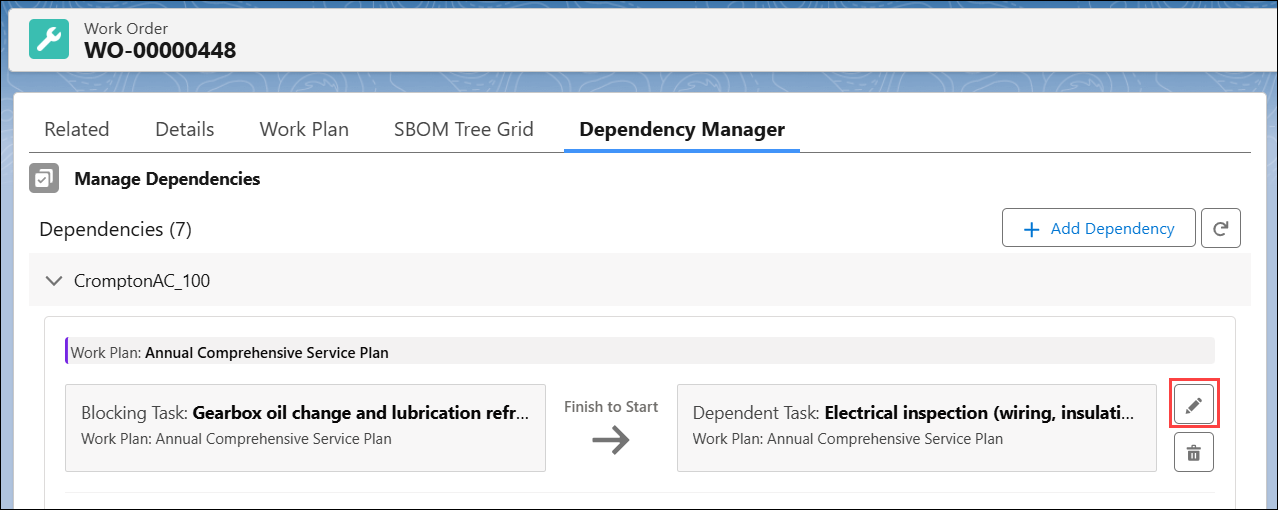
The Edit Task Dependency(s) pop-up window is displayed.
5. Edit the required fields and click Save. For more information, see Adding a Dependency to a Task.
 |
• You can edit task dependencies but cannot change the associated Work Plan.
• You cannot modify a task dependency after the existing dependency condition is met.
|