Configure Additional Objects for Work Plan Association
In the Applies To tab of a Work Plan template, the Product object is available out-of-the-box (OOTB) as a lookup field. Here, you can configure the Product Line Product Family, Product, or any other product field based on which the Work Plan will be applicable to Work Orders or Service Products. For more information, see Adding Applies To Items to a Work Plan.
You can configure additional objects for Work Plan Association that will be listed in the Applies To tab. This enables automatic assignments of Work Plans based on these fields.
To configure an additional object in the Applies To tab, you must associate the object with the Work Plan Association object. You can configure Work Order, Service Product, and other custom objects based on your requirements.
To match Work Plans based on lookup fields, you cannot directly use the lookup field as a matching item in the Applies To tab of a Work Plan template. First, you must associate the reference object of the lookup field with the Work Plan Association object. For example, to match a Work Plan based on Error Code (Lookup field on the Work Order):
1. Add the Error Code reference object to the Work Plan Association.
2. In the Work Plan template, select the Error Code object in the Applies To tab and add the matching values. For more information, see Adding Applies To Items to a Work Plan
To match Work Plans based on fields of other data types (non-lookup), you must add the relevant object of the field as a lookup field in the Work Plan Association object. For example, to apply the Work Plan when the Order Type field of a Work Order is set to Field Service:
1. Add the Work Order object as a lookup field in the Work Plan Association object.
2. In the Work Plan template, go to the Applies To tab and select the Work Order object. For more information, see Adding Applies To Items to a Work Plan
3. Add the Order Type field and set its value to Field Service.
Use Case
For a manufacturing business, XYZ, you maintain a detailed log of error codes for each type of equipment failure in a custom object called Error Code. You want to streamline your maintenance process by assigning specific Work Plans to Work Orders based on these error codes, ensuring that each type of failure is addressed with a tailored response. The Work Order has a Error Code custom field of Lookup data type. This field is populated during Work Order creation.
To achieve this, you must associate the Error Code custom object as a lookup field in the Work Plan Association Object. This allows the system to list the Error Code as one of the object for selection in the Applies To tab. Similar to the Product object, you can associate Work plan based on the Error Codes.
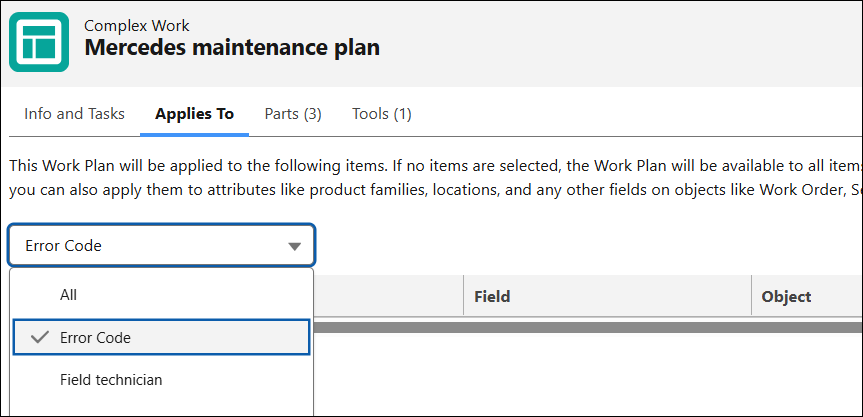
As a result, the Error Code object becomes available as a lookup field in the Applies To tab of the Work Plan template. Here, you can configure various error codes to assign the corresponding Work Plans, ensuring efficient management of equipment failures.
To associate an object as a Lookup field with Work Plan Association object:
1. In the Salesforce Setup page, go to Object Manager.
The list of objects configured in your org is displayed.
2. Search for and click the Work Plan Association object.

3. Go to the Fields & Relationships and click New.
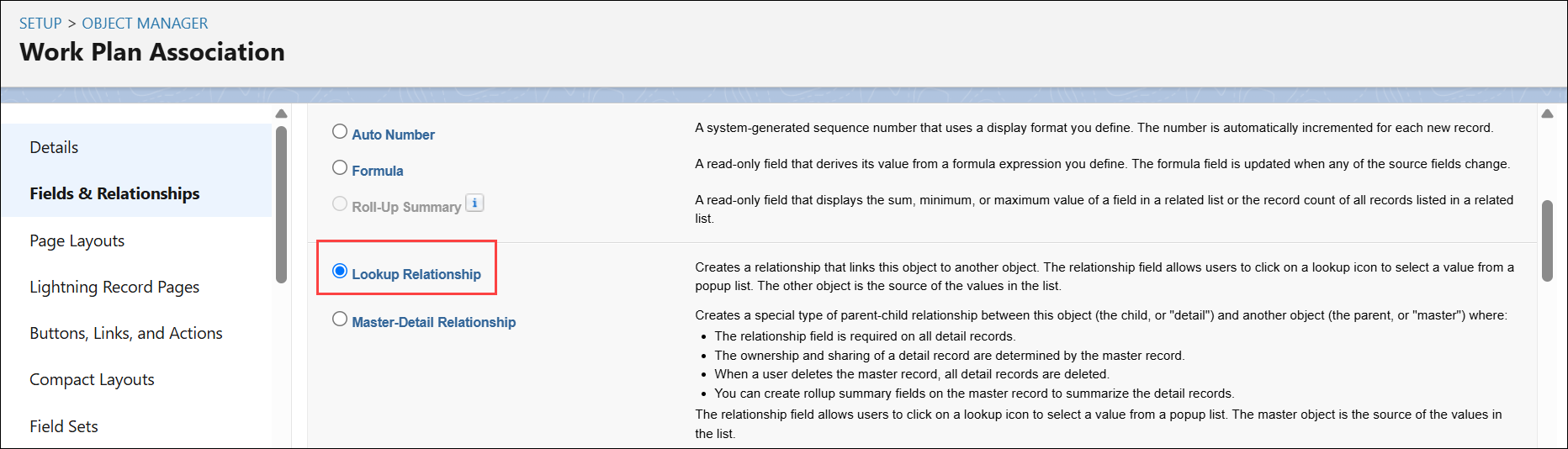
4. In the Choose field type step, select the Lookup Relationship data type and click Next.
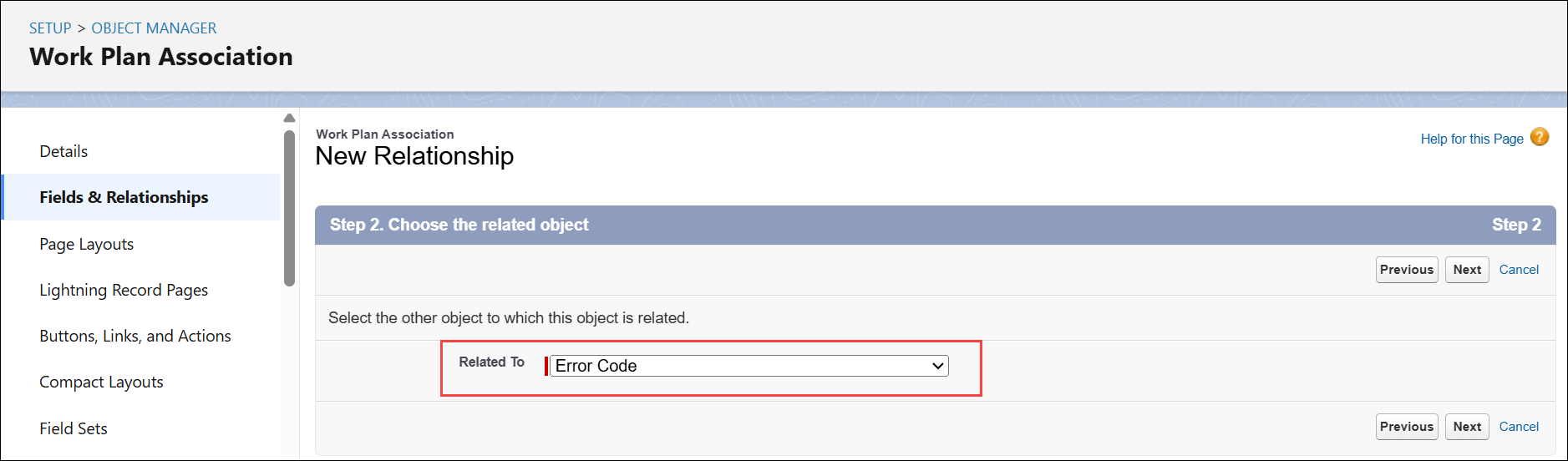
5. In the Choose the related object step, select the required object you want to add as a Lookup field. For example, Error Code custom object.
6. Click Next.
7. Enter the label and name for the lookup field and click Next.
8. In the Establish field-level security for reference field step, configure field level security for various profiles and click Next.
9. In the Add reference field to Page Layouts, ensure that Work Plan Association Layout is selected and click Next.
10. In the New Relationship step, click Save.
In the Applies To tab of a Work Plan template, Error Code is available as one of the selectable options. You can use it to configure various error codes for the Work Plan template, based on which the Work Plan is assigned to relevant Work Orders or Service Products.
Related Topics