Adding SFM Task to the Work Plan in 24.2
You can add an SFM type of task to the work plan. This type of task invokes an SFM and enables the technician to update details on SFM form when executing task during runtime.
To add an SFM task to the work plan:
1. Navigate to the Work Plan Library list view.
The existing work plans are listed.
2. Open the work plan to which you want to add the SFM task.
3. Click Add Task and select SFM from the dropdown list.
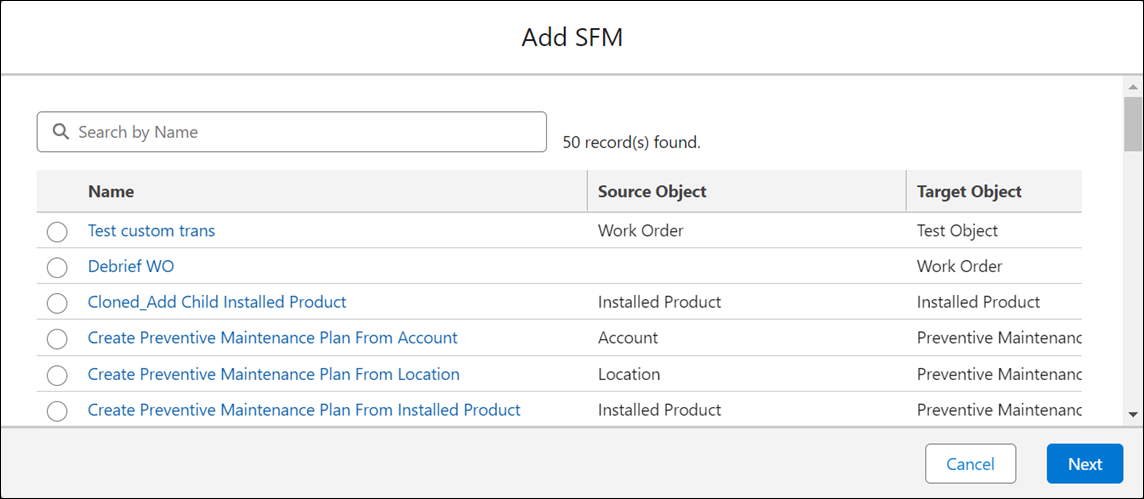
The Add SFM modal window is displayed.
 |
All the existing SFMs with either Source object or the Target object as one of the following objects are listed:
• Work Order
• Installed Product
• Location
• Account
Location and Account values are obtained from the Work Order record.
|
4. Select the SFM you want to add for the task.
5. Click Next.
The Add SFM/Edit SFM screen is displayed.
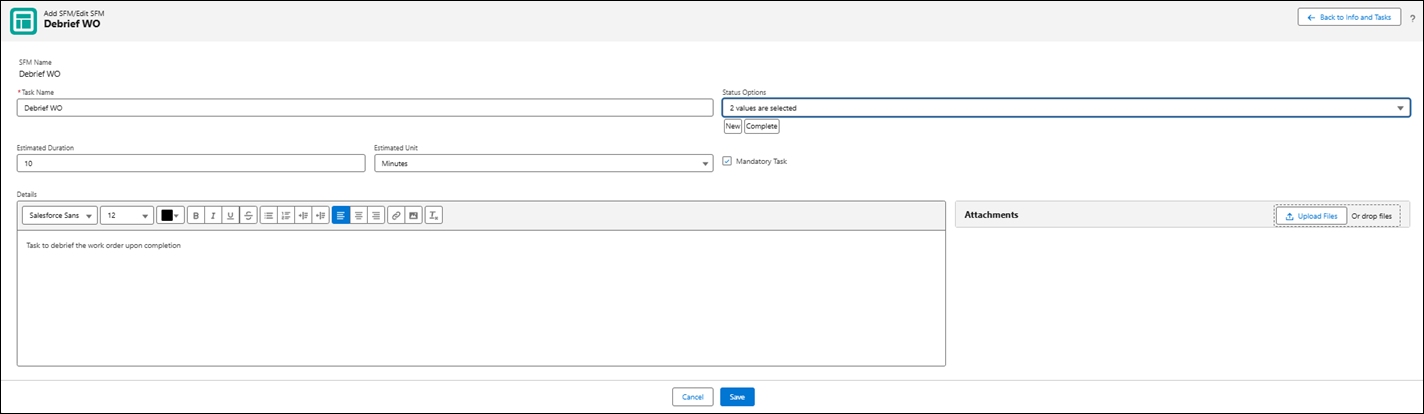
6. Enter the details as described in the following table.
|
Fields
|
Description
|
||
|---|---|---|---|
|
Fields with * are mandatory.
|
|||
|
Task Name*
|
The name of the SFM you have selected is populated as the task name by default. However, you can change the name.
|
||
|
Status Options
|
Select the statuses the task can transition into.
Two status options — New and Complete — are selected by default.
|
||
|
Estimated Duration
|
Enter estimated time to complete the task.
|
||
|
Estimated Time Unit
|
Select the unit of time for the Estimated Duration field value from the dropdown list.
|
||
|
Mandatory Task
|
Select this checkbox if you want this task to be completed mandatorily as a part of the completion of work plan.
|
||
|
Details
|
Add instructions that you want to provide to the service engineer executing the task. You can add photos, bullets, numbered list, and so on.
|
||
7. Add any attachments for the task as required.
To add an attachment, click Upload Files and upload the file.
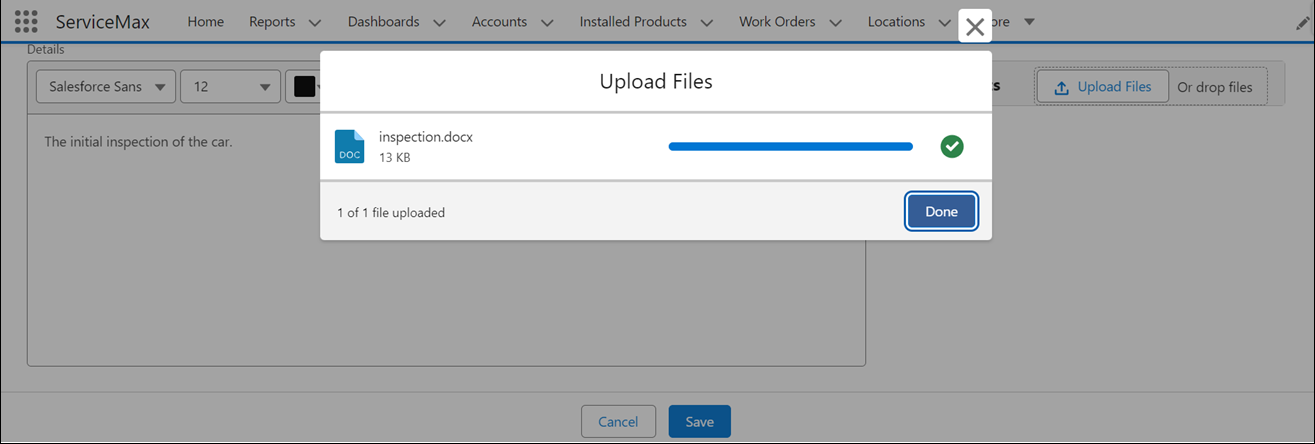
OR
Drop the file you want to attach in the Attachments section.
|
|
• You can add multiple files. However, the total size of the attached files must not exceed 800 MB.
• All the supported file types with Salesforce are supported.
|
8. Click Save to save the SFM task.