Managing Troubleshooting Agent Configurations
You can manage the Troubleshooting Agent configuration from the ServiceMax AI Console. In the Troubleshooting agent configuration, you can define how the agent must analyze service data, which work orders it must use for troubleshooting reference, and how it must evaluate relevance when matching current issues with past cases.
To enable user access, perform the following steps.
1. Navigate to > > .
The ServiceMax AI Console is launched.
 |
You can also log in to the ServiceMax AI console directly at https://console.servicemax.io/ai with your Salesforce org credentials.
|
2. Navigate to > > .
The Troubleshooting Agent page is displayed.
3. In the Troubleshooting Configuration, click Manage Configurations.
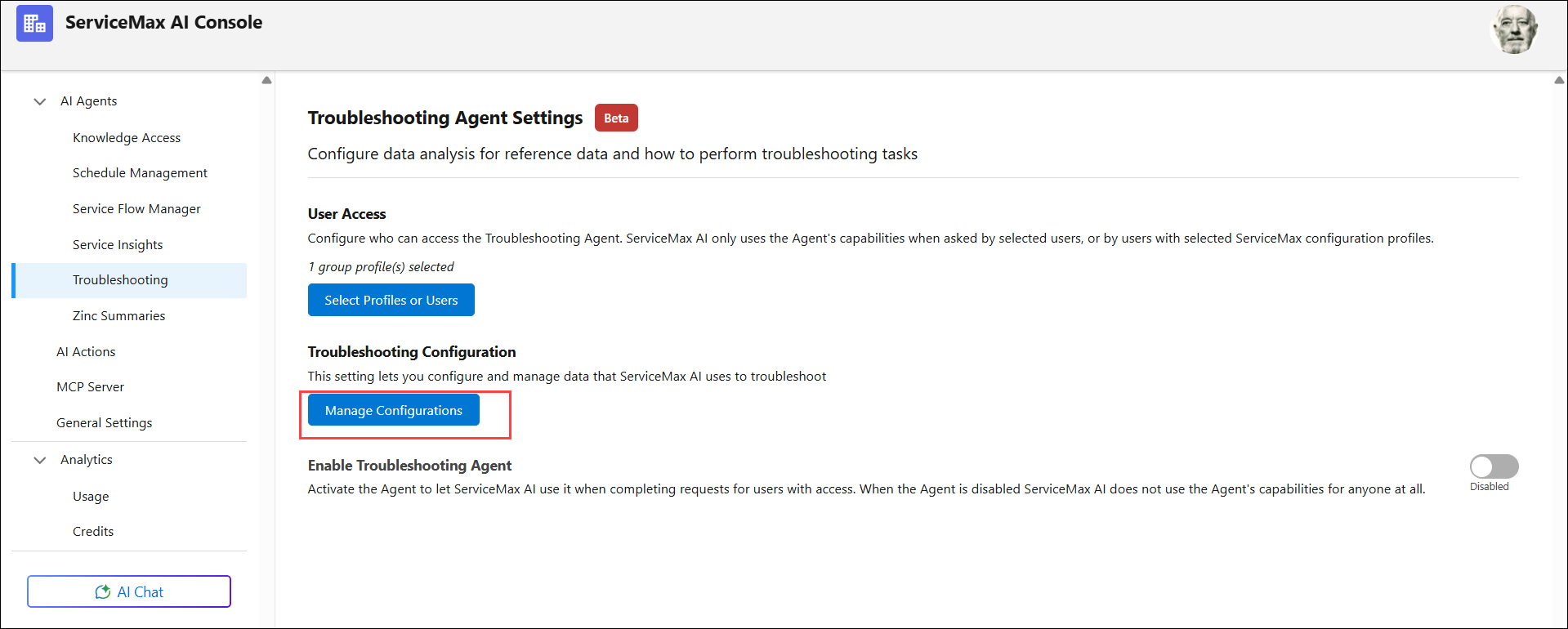
4. Use the sections on this page to:
5. Click Save.
|
|
You can save configuration changes at any time and return later to complete the setup.
|