Dashboards
Monitor key asset metrics, performance trends, and operational data through configurable charts and drill-down numeric views.
Overview
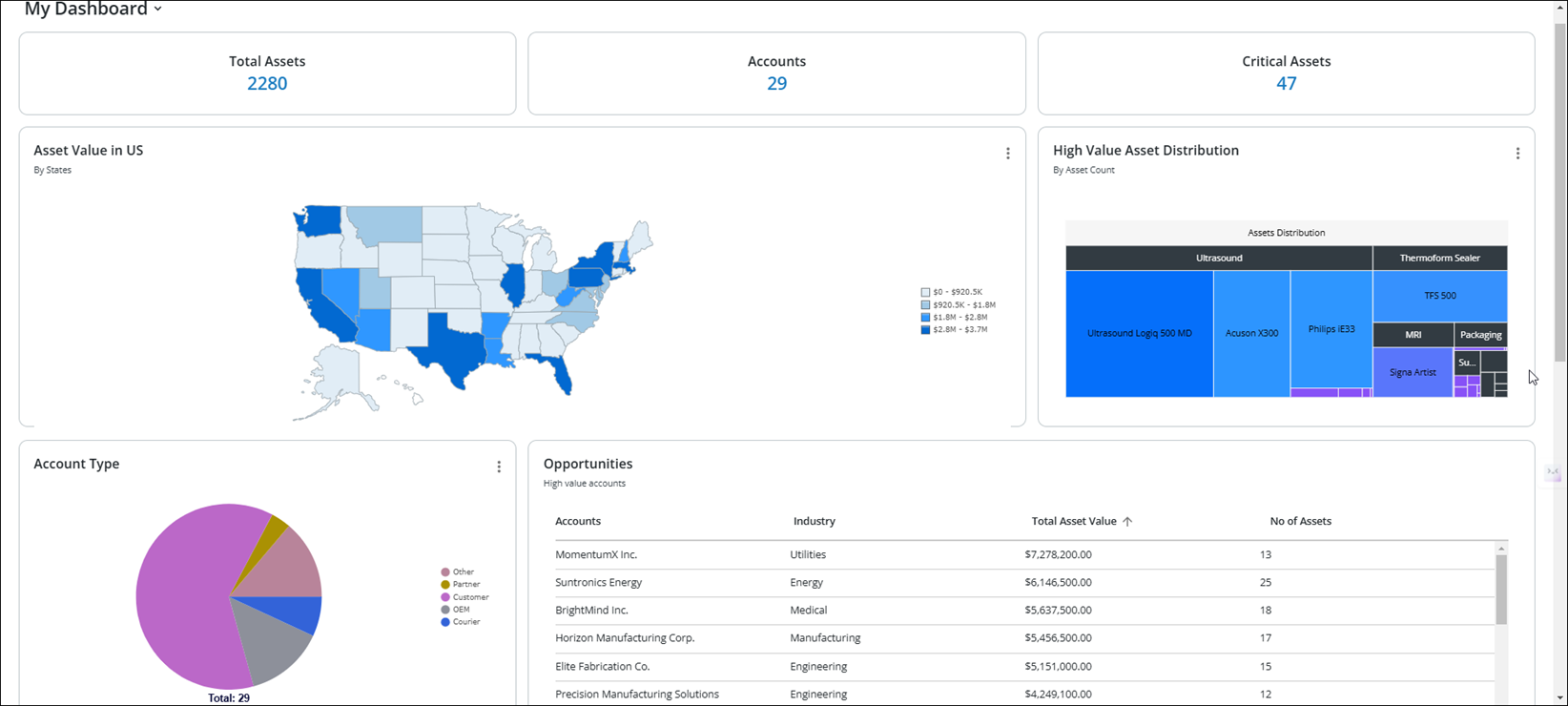
The PTC Orbit dashboard provides a versatile and user-friendly interface for monitoring various types of asset data configured by the administrator. Different dashboards are tailored to specific data monitoring purposes, such as visualizing key performance metrics, tracking real-time updates, or analyzing trends over time. These dashboards enable users to interact with the data through a variety of formats, including charts, graphs, and tables.
A dedicated numeric value type dashboard is also available, allowing users to view summarized data at a glance. This type of dashboard supports drill-down functionality; users can click on a specific numeric value to access the underlying data in a detailed list view, enabling deeper insights and actionable analysis. These features provide flexibility and ensure that users can efficiently navigate and manage data to meet their needs.
How it works
You can perform the following actions on the Dashboards page.
• Change Dashboard: Click the My Dashboard drop-down to select another dashboard.
• View Record List View: Click the record count link to view the list view of the records in a new browser tab.
• Expand a Chart: Click Expand from the chart menu to expand it to a full view.
Related Topics
• AI Hub
• Scores