Customizing a Generated Chart
Adjust chart titles, labels, and visual styles before exporting or downloading a chart generated in AI Hub.
In PTC Orbit’s AI Hub, after generating a chart from a prompt, you have the flexibility to customize the chart before exporting or downloading it. This enables you to adjust chart details, such as titles, labels, and visual styles, to better fit your analysis or presentation needs. By enabling customization prior to export, the canvas ensures that you can produce polished, tailored visualizations that are ready for sharing or further use.
Perform the following steps to customize a chart in canvas.
2. From the canvas view, click Customize.
A pop-up window is displayed.
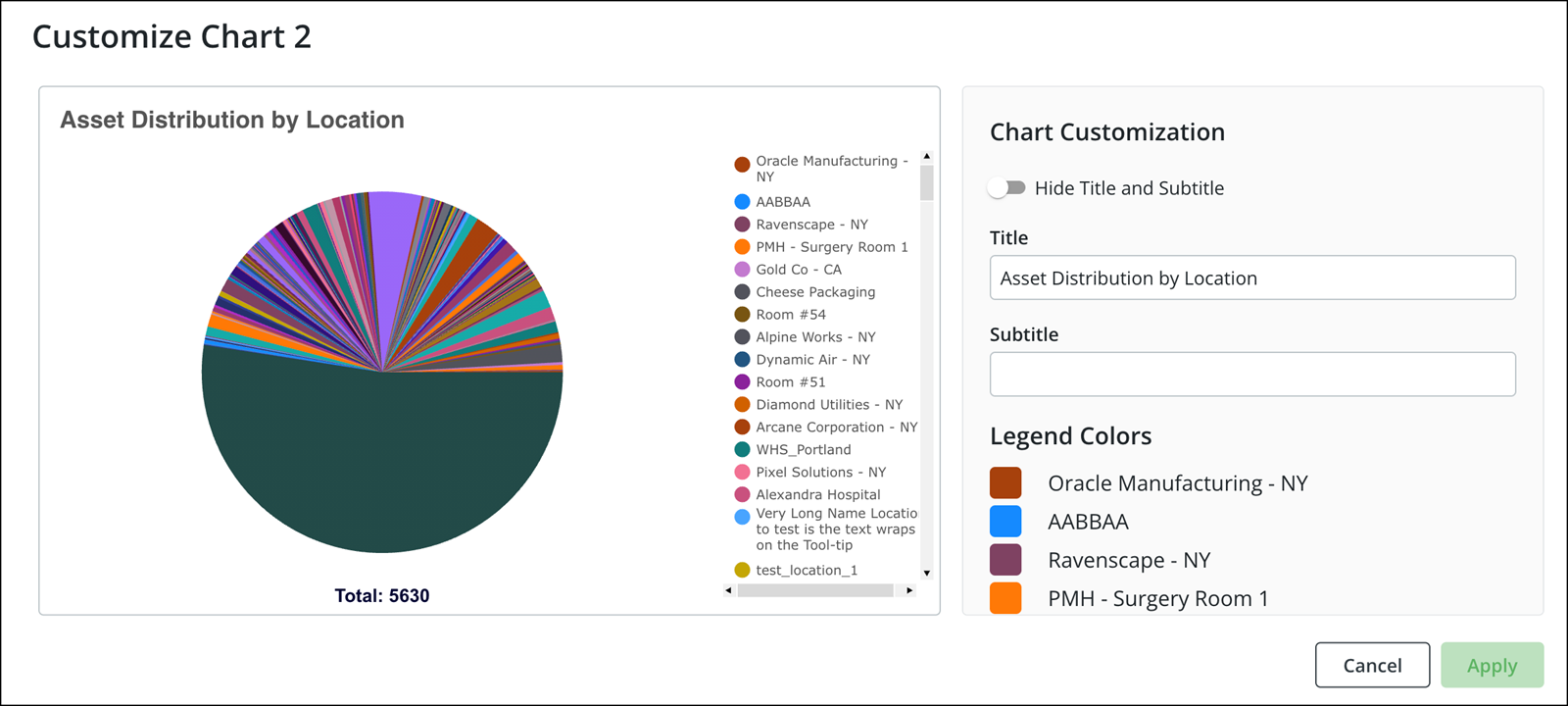
3. Click the Hide Title and Subtitle to hide the chart title and subtitle.
4. Update the required fields and select the legend colors.
5. Click Apply.
You are navigated back to the canvas view and a confirmation banner is displayed.
What To Do Next