About Telemetry
The Creo+ Usage page provides you the visual tools to view the telemetry data for license usage of Creo+ within the selected period. As an Administrator, you can view the license usage metrics according to the license types or geographical locations on the Creo+ Usage page. Click Telemetry on the left pane to open the Creo+ Usage page.
The following figure shows the layout of the Creo+ Usage page on the Creo+ portal.
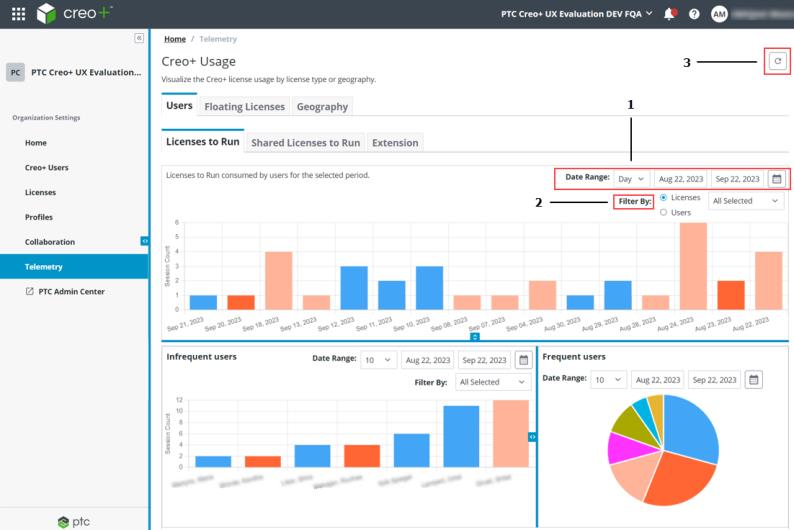
1. Date Range:—Select Day (default), Hour, Week, or Month in the list. Click  to select period for which the license usage data is displayed on the dashboard. The default period is last one month.
to select period for which the license usage data is displayed on the dashboard. The default period is last one month.2. Filter By:—Select the required data filter.
3.  —Clears the filter selection data and refreshes the Creo+ Usage page.
—Clears the filter selection data and refreshes the Creo+ Usage page.The following topics detail the administrative tasks that you can perform from the Creo+ Usage page.