Setup Before AI Parts Rationalization Plugin Installation for SaaS Environment
 |
This topic is intended for administrators setting up the Windchill+ system.
|
Administrators must configure indexing user installing the plugin.
Configure the Indexing User
Out-of-the-box, the indexing user field is blank in the plugin configuration UI. To enable indexing, you must configure a valid indexing user.
If a site administrator is configured as the indexing user, all Site data will be considered for indexing. For the site administrator, there is no need to configure any new access control rule.
The site administrator is responsible for creating and configuring indexing user in the Windchill system. The indexing user should be a non-administrative user designated specifically to initiate indexing operations.
With appropriate context-level access controls, the indexing user can include or exclude specific product content from indexing.
|
|
• Provide both site-level and context-level access to the indexing user.
• If an indexing user is created and configuration is added, but no policy administration rules are defined for the user and no context access is granted, then no data will be indexed.
• Add the indexing user to the one of the base licenses through license exclusion group. For more information, see License Exclusion Groups.
|
To configure the indexing user, follow these steps:
1. Configure Site-level access controls.
a. Navigate to > in Windchill.
b. Select > .
The name of the indexing user (IndexUser) is defined by the user during configuration.
|
|
You must provide the indexing user ID (IndexUser) when configuring the plugin. For more information, see the Configure AI Parts Rationalization Plugin section.
|
2. Configure Context-level access controls.
a. Navigate to > in Windchill.
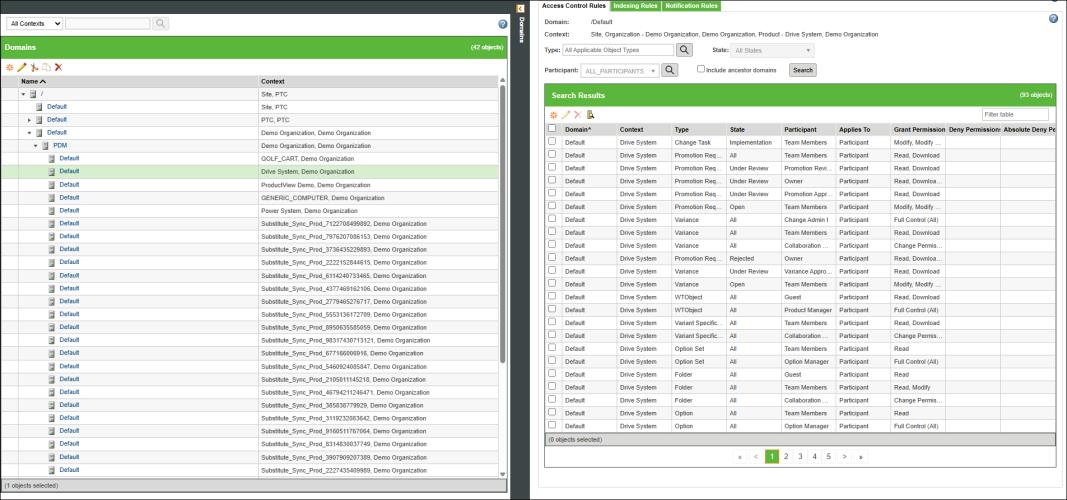
b. Select All Context. From the table select > > . Set these access controls for the Product contexts whose parts need to be indexed.
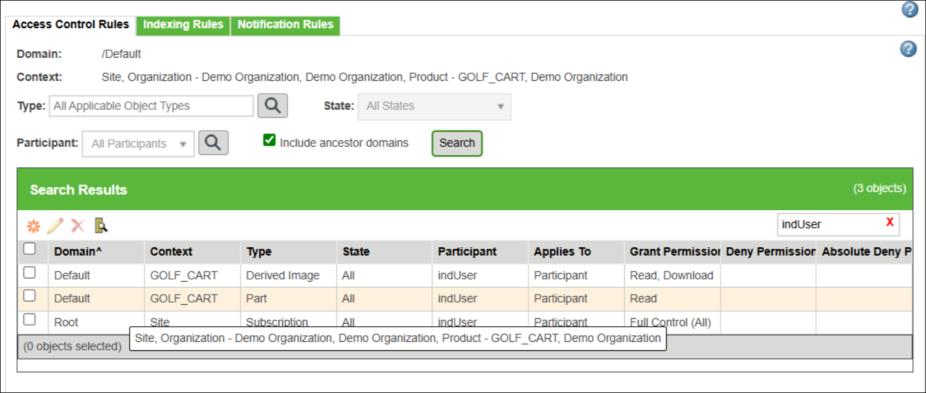
c. Create new access control rules with the following configurations:
|
Type
|
User
|
Access Control
|
|---|---|---|
|
Part
|
IndexUser
|
Read
|
|
Derived Image
|
IndexUser
|
Read, Download
|
The indexing user must have download access for the Derived Image type. This permission can be inherited from the site-level context or explicitly added to a specific context.
 |
When configuring the indexing user, it is recommended to provide access to specific contexts—such as Site, Product, Library, Project, or Organization—for the indexing user. If you want to index only certain data within a specific context, you must ensure that permissions for the Part and the Derived Images types in that context are properly granted. If access is not restricted, all parts in the Windchill database will be indexed, which may be unnecessary and will significantly increase the time required for indexing.
Select what to index with caution because the license uses AI credits. Unnecessary indexing consumes these credits, which could lead to additional costs for purchasing more credits later. Configuring permissions carefully helps control what is indexed and prevents unnecessary resource consumption.
|
3. To initiate the indexing process, click Initiate Indexing on the Duplicate Part Search page. For more information, see Duplicate Part Search by an Administrator and Indexing the Data.
4. To configure the indexing user for Project and Library context, the user must log in as a Project or Library creator.
◦ For Project context, go to > >
◦ For Library context, go to > >
5. Set the same policy access that you configured in the PDM context, as described in step 2c.
| | If you change the indexing user or its associated permissions for a context, the indexed data remains in the vector index even if you later remove those permissions. In other words, once indexing is complete, removing permissions for a context does not delete the corresponding entries from the index. For example, if an indexing user has permission to two contexts and indexing is completed for both. Later, removing permission for one of those contexts will not remove its embeddings. The index will still retain the entries for that context even though the permission has been removed. |