Upgrade Considerations for Installed Base Management
Upgrade Considerations for 30.0 Version
• The Template Match Rules button is not available Out-of-the-Box. You must add this custom button in the Attributes Template object. For more information, see Adding the Template Match Rules Button to the Attribute Templates Page. Alternatively, you can access the Template Match Rules list view from the App Launcher.
• To access Template Match Rules and Product Attributes, users must have Read, Create, Edit, and Delete permissions for the following objects:
◦ Attribute Template Match Rules
◦ Product Attributes
For more information, see Template Match Rules.
Upgrade Considerations for 25.2 Version
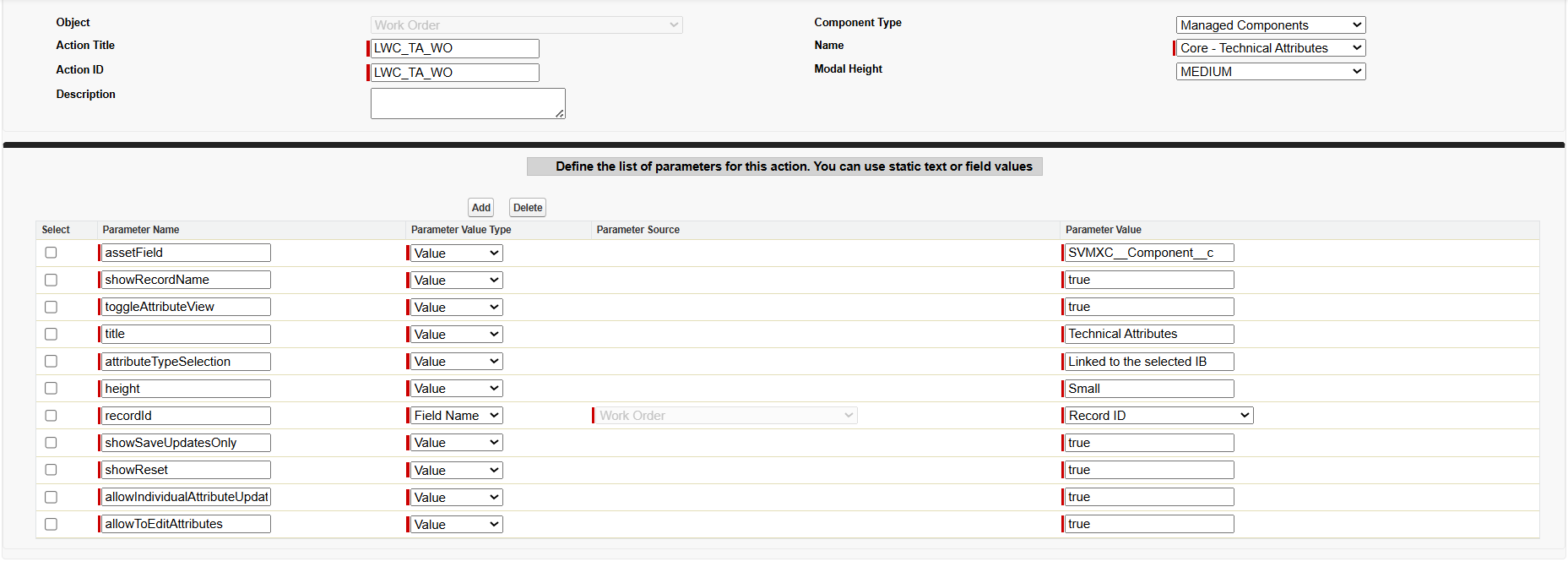
For the 25.2 version, if the Core-Technical Attribute component is configured as a wizard step, you must add additional Installed Product and Work Order parameters to the existing custom SFM action as shown in the following screen shots. Without these parameters, the custom action load with an empty view. For more information on configuring Custom Actions, see Custom Action for Technical Attribute LWC.
Installed Product Parameters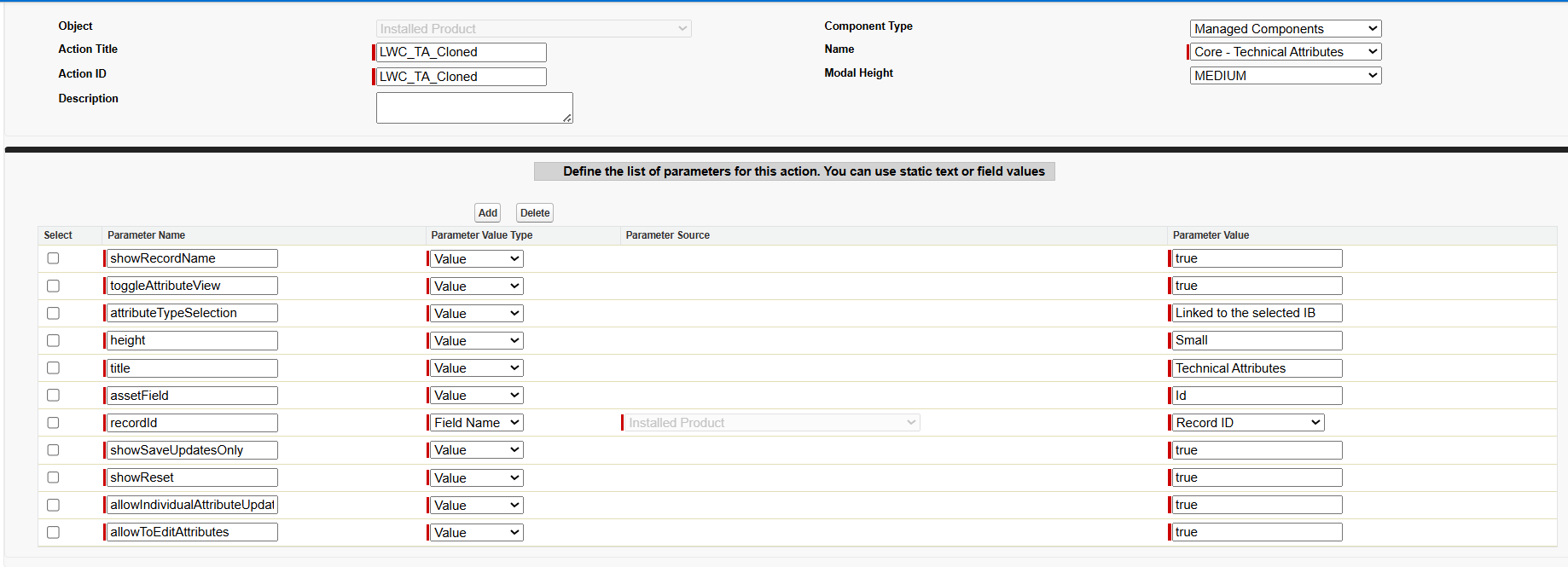
Work Order Parameters