Configuring Calendar Dashlets
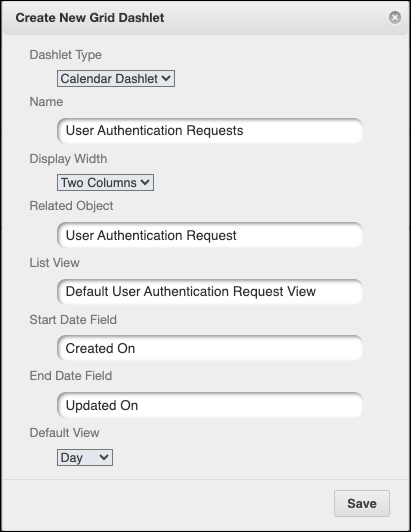
Calendar Dashlets plot records of a selected list view on a calendar widget. When you configure new Calendar Dashlets and link them to an existing or new Dashboard, you can configure the fields you want to use as start and end dates you want to use to plot records on the calendar, the default view (day, week, or month), and the display width.
To configure Calendar Dashlets:
1. In > Grid Dashlets, in the top left corner, click Create ( ).
).
).2. In the Create New Grid Dashlet dialog box, complete the fields as follows, and then click Save.
|
Field
|
Value
|
|---|---|
|
Dashlet Type
|
Calendar Dashlet
|
|
Name
|
Enter the name you want to use for the Dashlet.
|
|
Display Width
|
Select One Column or Two Columns.
|
|
Related Object
|
Select the Object related to the List View that shows the records you want to plot.
|
|
List View
|
Select theList View that shows the records you want to plot.
|
|
Start Date Field
|
Select the field you want to use as the first date on which to plot records.
|
|
End Date Field
|
Select the field you want to use as the last date on which to plot records.
|
|
Default View
|
Select Day, Week, or Month.
|