iOS 26 UI Changes in Go App
The following table describes the changes in the Go App to align with native iOS 26 standards. The updates do not change existing workflows or outcomes.
|
User actions
|
Go iPhone 13.2.0
|
Go iPhone 13.3.0
|
|---|---|---|
|
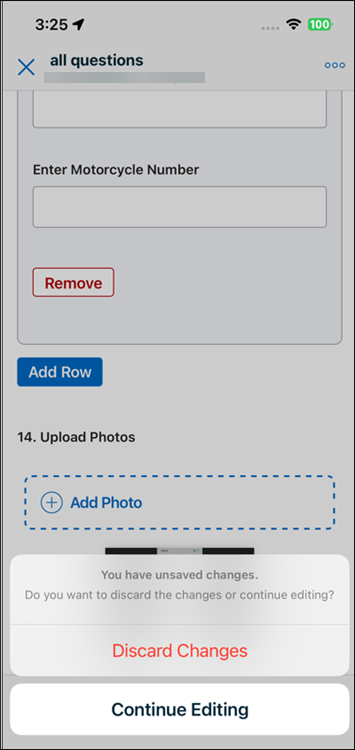
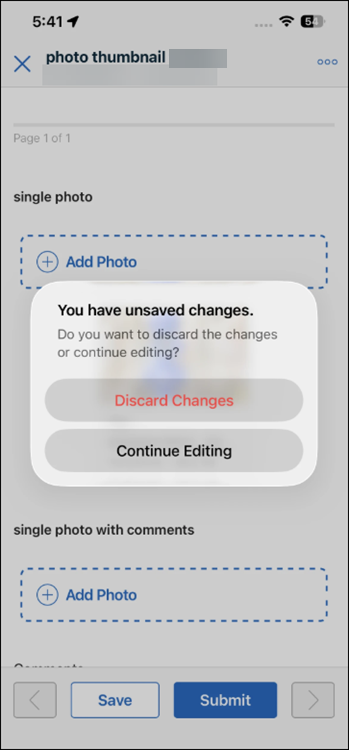
Delete / Discard Actions (DataGuide, Timesheets, SFM screens)
|
Delete and discard options appear in a bottom action sheet at the bottom of the screen.
Example:
 |
The same actions appear in a centered dialog with rounded pill-style buttons, aligned with native iOS behaviour.
Example:
 |
|
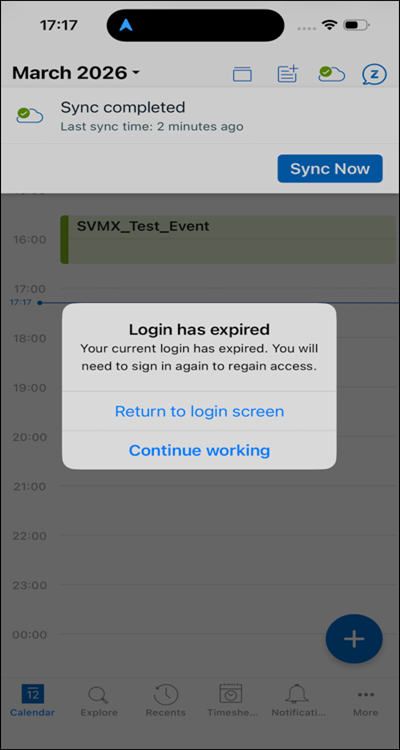
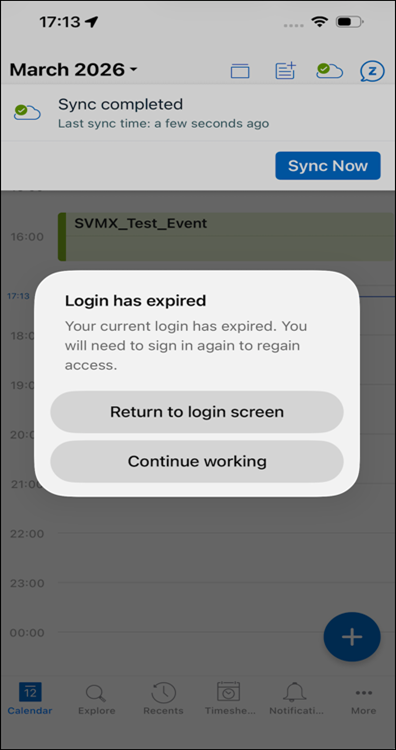
Alerts and Dialogs (confirmation, error, sign-in/sign-out)
|
Alerts and dialogs use an older, more rectangular style, with standard buttons.
Example:
 |
Alerts and dialogs use a rounded, modern iOS style with pill-style buttons. The available actions are unchanged.
Example:
 |
|
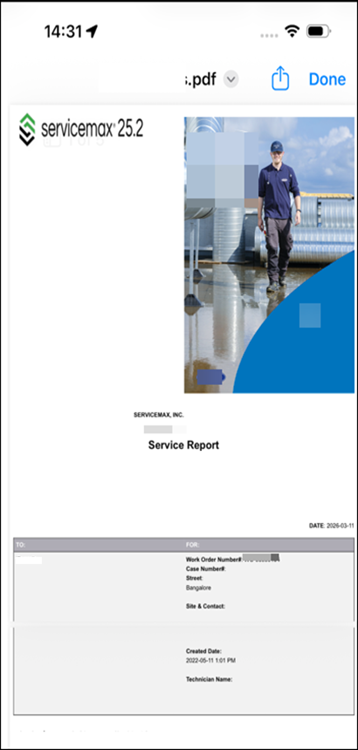
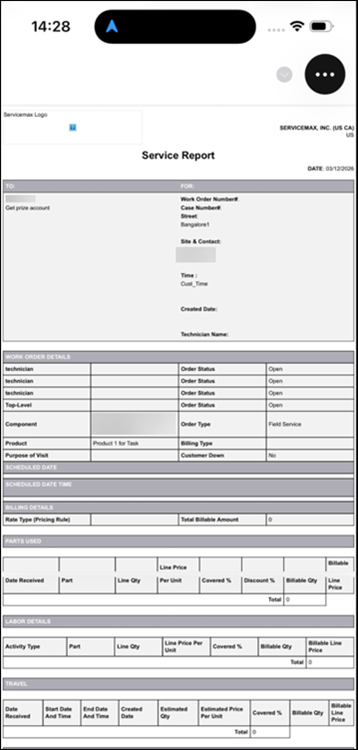
PDF Viewer
|
Users close the PDF using a dedicated Done button in the viewer.
Example:
 |
Users tap the PDF to reveal the toolbar, tap the three-dot (…) menu, and select Close, following the native iOS toolbar pattern.
Example:
 |
|
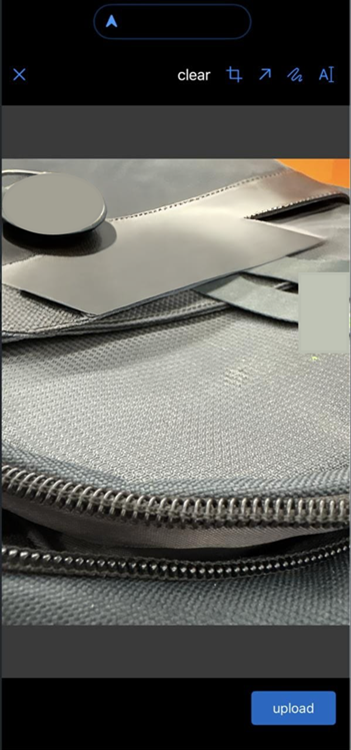
Photo markup
|
Photo markup uses the earlier control layout and styling for annotation tools and buttons.
Example:
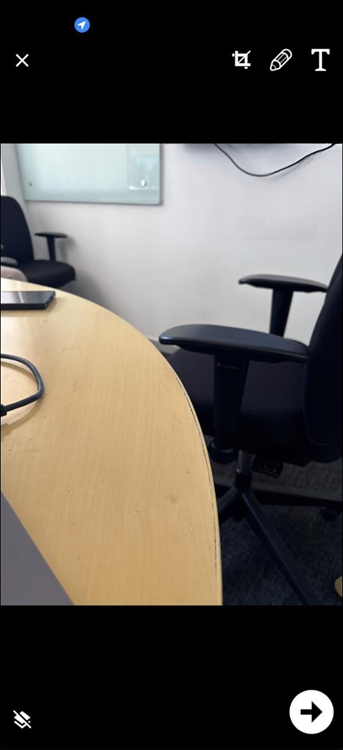 |
Photo markup uses updated native iOS controls and styling, with refreshed buttons and toolbar layout, while keeping the same markup capabilities.
Example:
 |