Configuring Product Attributes for Qualifying Depot
Using the Depot Qualifier, you can associate Product attributes such as Product, Product Line, and Product Family. While submitting a Depot Service request, the engine automatically assigns the most suitable depot to the added product based on the defined attributes. For more information, see Submitting Depot Request.
To associate Product, Product line, or Product family to a depot:
1. From the Home page, go to ServiceMax Setup > Depot Service Manager > Depot Qualifier. The page is displayed with the list of Depots configured in your org.
2. Click a depot for which you want to define the attributes. For example, San Francisco Location.
3. In the Product tab, click Add Associations.
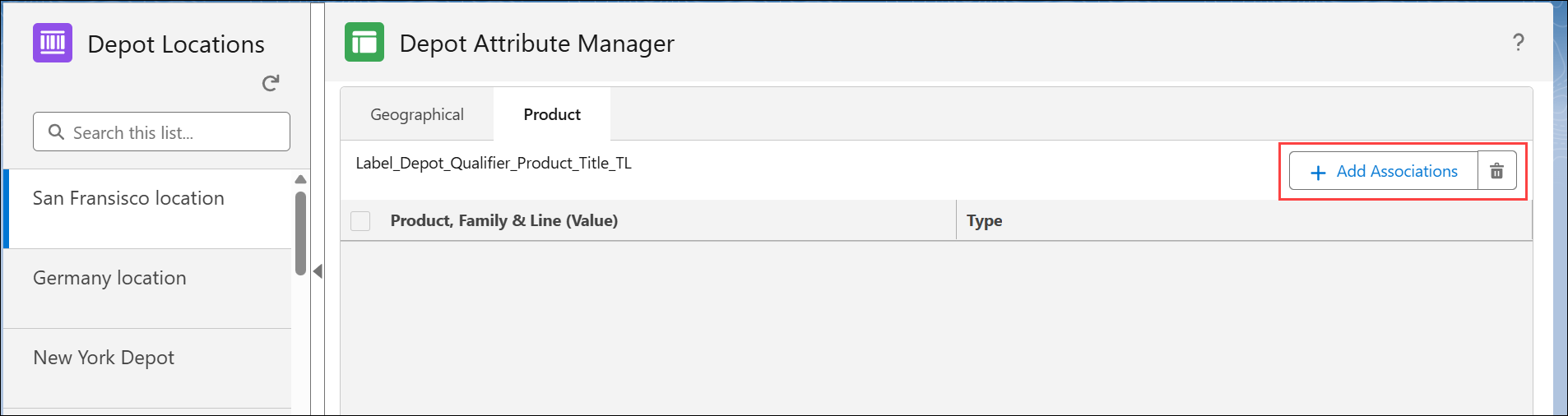
The Add Depot Association(s) pop-up window is displayed.
4. In the Select Object, select Product.
5. In the Select Field, select Product, Product Family, or Product Line for which you want to associate the depot. For example, you want to assign Product Family, “Laptop” to the depot, where all the products under this family is considered for depot match.
6. Select the required Products, Product Line, or Product you want to associate to the depot.
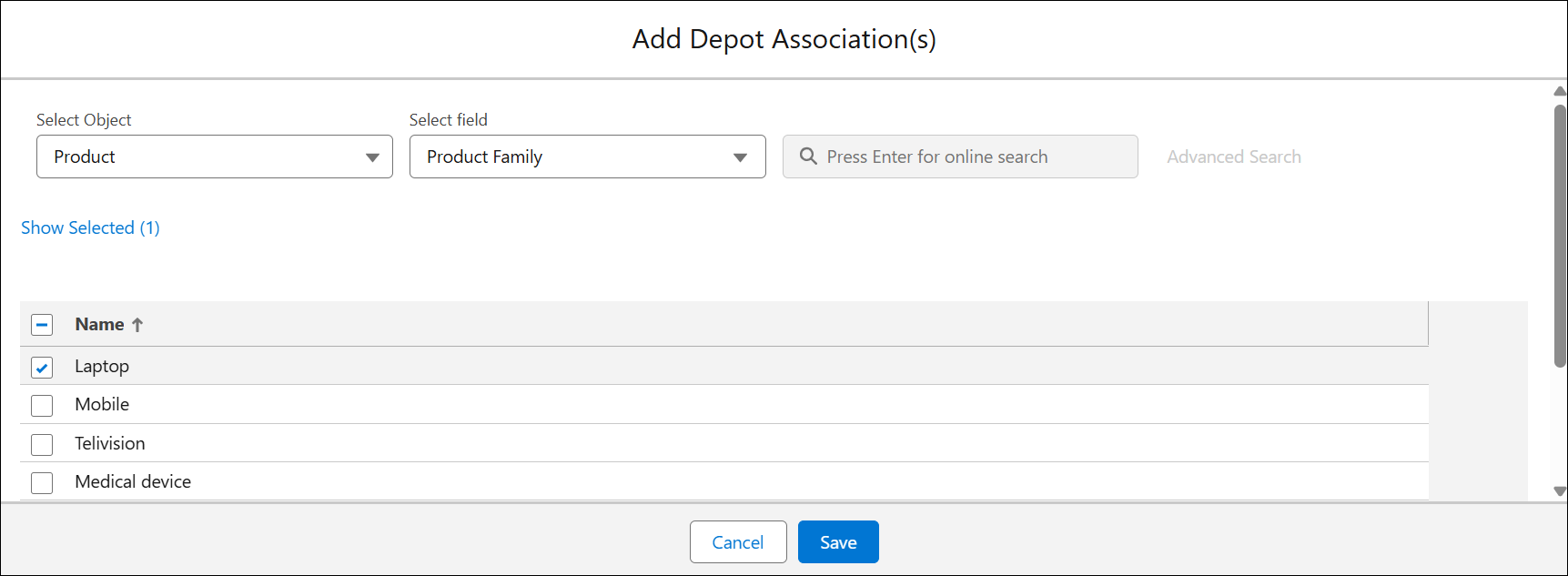
7. Click Save.