Reordering Tasks in a Work Plan
You can reorder tasks in a Work Plan to define their execution sequence.
To reorder tasks in a Work Plan:
1. From the Home page, go to the Work Order.
The list of work orders is displayed.
2. Open a Work Order record.
3. Go to the Service Products & Tasks tab.
4. In a Work Plan, click the Settings icon and select the Reorder Tasks option.
The Reorder Tasks window is displayed with the tasks in the current sequence.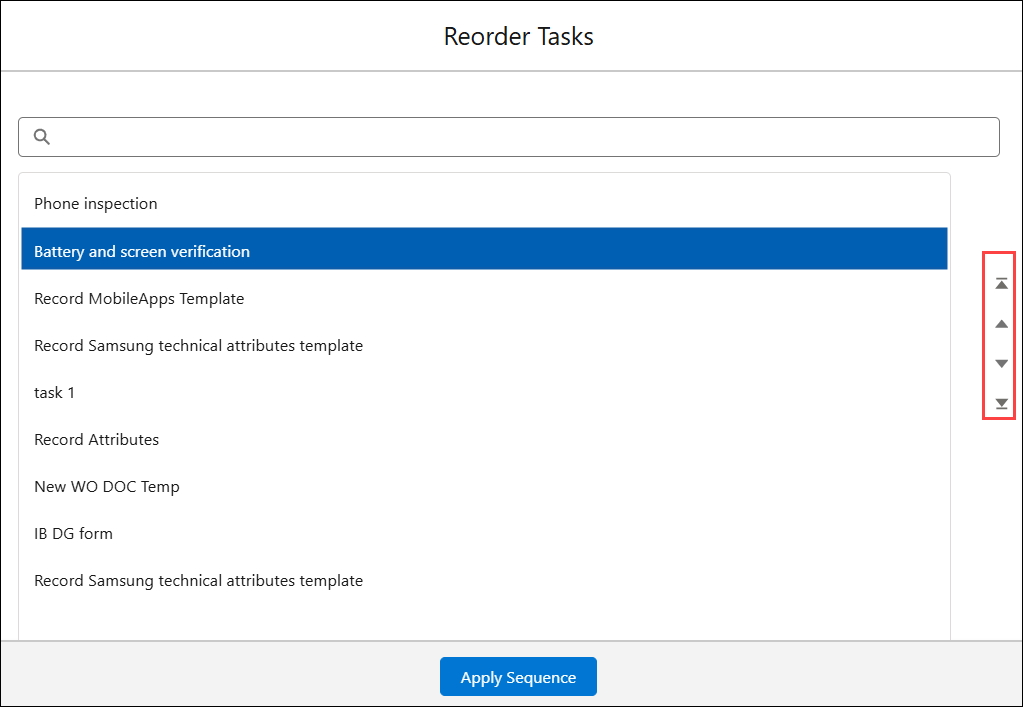
5. Select a task and use the Move Up and Move Down options to rearrange it.
6. Click Apply Sequence to save the new sequence.