Enabling Auto-Assignment of Work Plans for Work Orders
You can trigger the auto-assignment of Work Plans for a Work Order by enabling the Perform Auto Assignment option on the Work Order record. Also, you can create a flow or trigger that sets the Perform Auto Assignment field to true when the Work Order meets specific criteria. When this option is enabled, the assignment engine runs and evaluates the configured rules in sequence to identify Work Orders that meet the criteria. Based on the configuration, either a specific Work Plan or one or more Work Plans that match the criteria are assigned to the Work Order’s General Tasks section.
To enable auto-assignment of work plan for a Work Order:
1. From the Home page, open a work order for which you want to enable the Perform Auto Assignment option.
2. In the Details tab, select the Perform Auto Assignment checkbox.
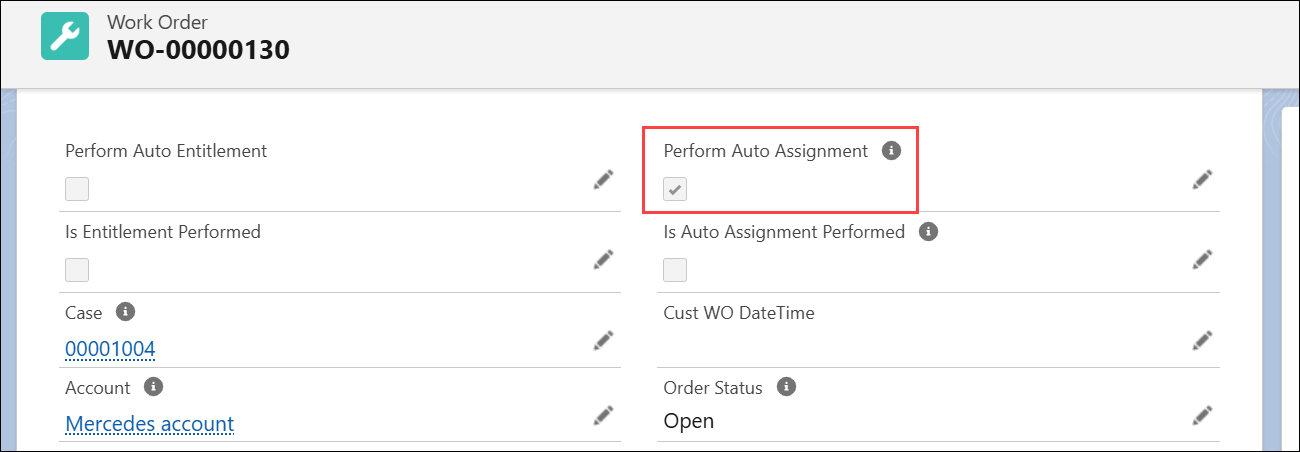
3. Click Save.