Deleting Task Dependencies in a Work Order
|
Prerequisite
|
|---|
|
You must have Delete permission on the Work Order Dependencies object to delete task dependencies.
|
To delete a task dependency in a Work Order:
1. From the Home page, go to the Work Order tab.
2. Open a Work Order record.
3. Go to the Dependency Manager tab.
Dependencies between tasks under the General and related Service Products section are displayed.
4. Click Delete icon next to the dependency you want to delete.
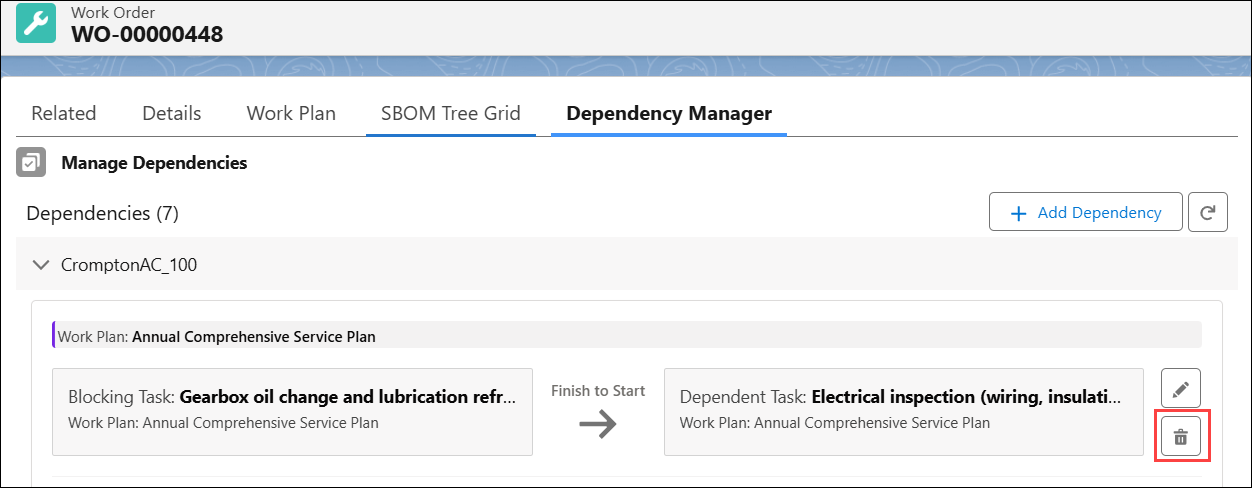
The Delete Dependency? pop-up window is displayed.
5. Click Delete.
 |
• If all dependencies are deleted for a work order, the Dependency Group record is deleted and related Work Order Dependencies records are also deleted.
• You cannot delete dependencies in the following scenarios:
◦ Finish to Finish or Start to Finish: When the dependent (secondary) task status is Complete.
◦ Finish to Start or Start to Start: When the dependent (secondary) task status is not New or Cancelled.
In these scenarios, the dependency condition is already met.
|