Removing AI Actions from MCP Server
You can remove an AI action so that it is no longer accessible through the MCP server. This could be done for several reasons, such as:
• The AI action is no longer needed or relevant to current business processes.
• The action poses security or compliance concerns if exposed to users.
• The organization wants to limit access to only essential or approved AI actions.
• The AI action is being replaced or updated with a different functionality.
• There is a need to reduce clutter and simplify the list of available tools for end users.
Removing unnecessary or outdated AI actions helps maintain a secure, efficient, and easy-to-manage environment.
 |
You cannot delete an AI actionthat is being used by the MCP Server. An error message is displayed if you remove these AI actions.
|
To remove an AI action, perform the following steps.
1. Navigate to > > .
The ServiceMax AI Console is launched.
|
|
You can also log in directly at https://console.servicemax.io/ai with your Salesforce org credentials.
|
2. Click MCP Server.
The Select AI actions page displays the AI action(s) available via MCP. The following details are displayed in tabular format:
◦ AI Action Name
◦ Object
◦ MCP Tool Name
◦ MCP Tool Description
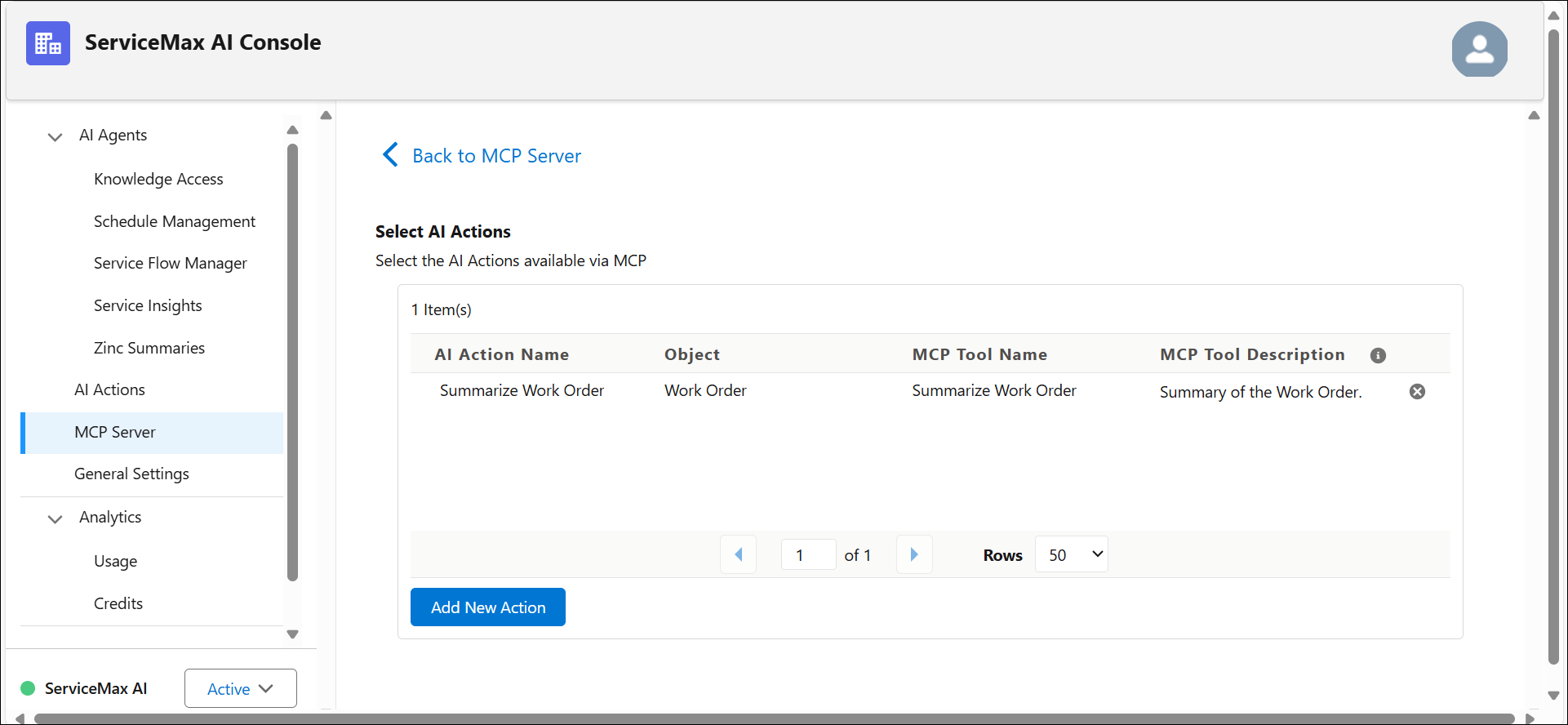
3. Click  to remove the AI action description.
to remove the AI action description.A confirmation window to remove the AI action is displayed.
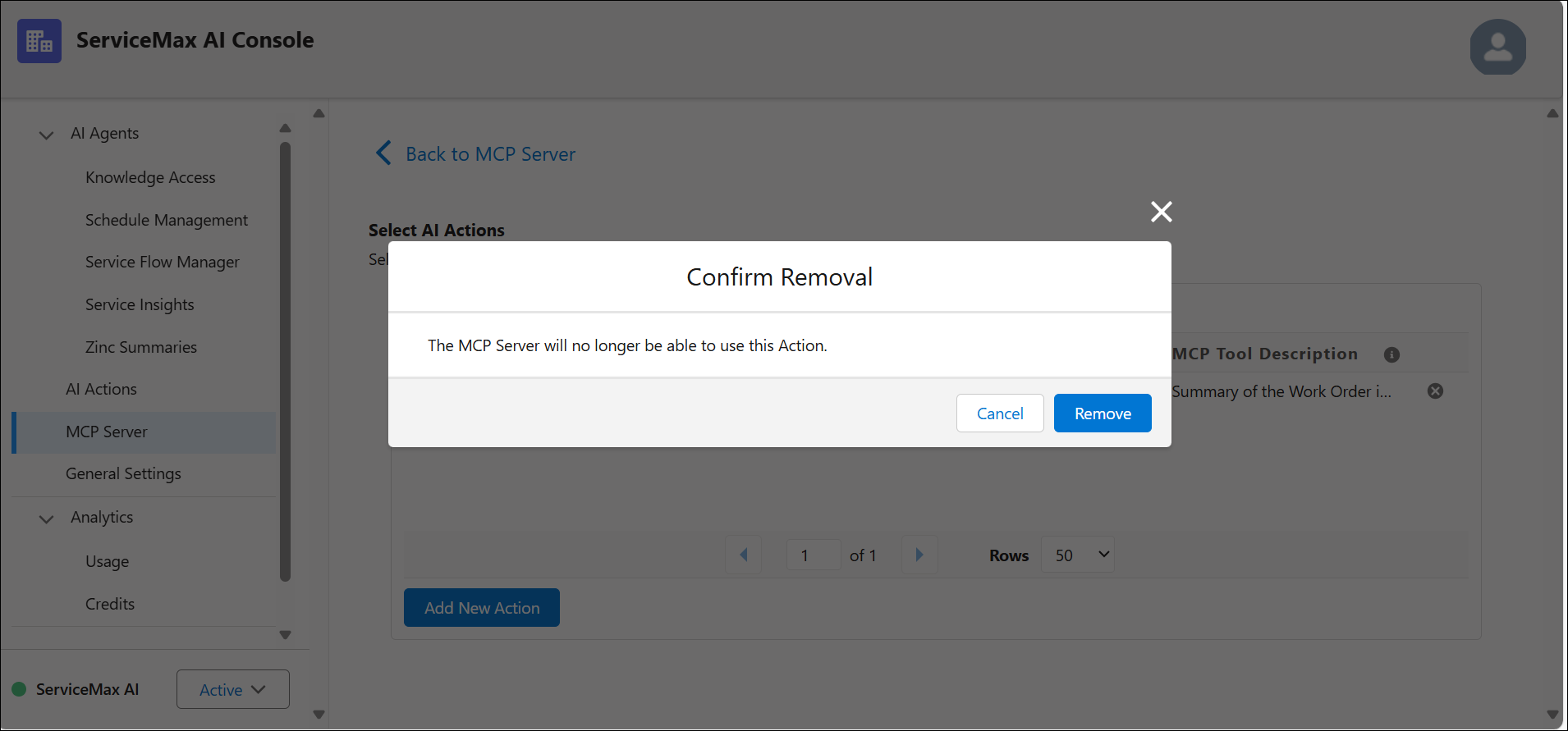
4. Click Remove.
The selected AI action is removed, and the MCP server will no longer use this action.
Related Topics